Stop Losing Files: A Simple File-Naming System That Works
You do not lose files because your computer is badly organized. You lose them because files named final, document, or scan cannot be told apart later. One consistent naming pattern — date first, clear words second, version last — fixes most of that, and it takes no special software.
TL;DR / Quick Fix
Quick fix: Put the date first, in year-month-day order. Add two or three clear words about the content. End with a version number when a file changes. Apply the rule to new files first. Keep folder names short and consistent too. Write the rule down where you will see it.

Follow these steps
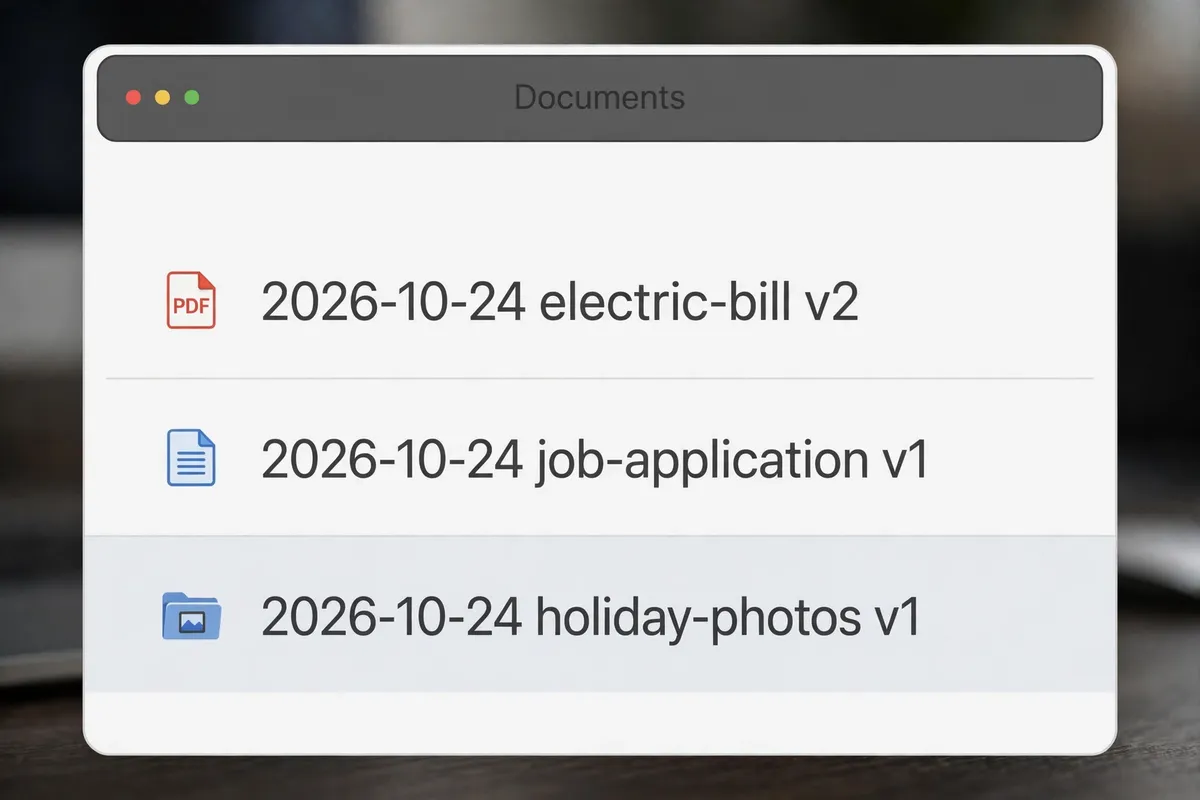
- Put the date first, in year-month-day order. Start every important file name with the date as 2026-10-24. This order sorts correctly on any computer, unlike day-first or month-first dates, and it tells you at a glance when a file was made.
- Add two or three clear words about the content. After the date, describe the file in plain words, such as electric-bill, job-application, or holiday-photos. Use hyphens or underscores between words, not spaces mixed with symbols, so the name stays readable everywhere.
- End with a version number when a file changes. If a file goes through drafts, add v1, v2, and so on at the end, and keep the highest number as the current version. Version numbers stop the classic problem of five files all called final, with no way to know which one is newest.
- Apply the rule to new files first. Do not try to rename everything you own in one sitting. Use the new pattern for every file you create or download from today onward, and rename older files only when you open them. New files quickly become the majority.
- Keep folder names short and consistent too. Use the same plain style for folders: one topic per folder, short names, and no duplicate folders with slightly different spellings. A good file name in a confusing folder structure still gets lost, so tidy both at the same time.
- Write the rule down where you will see it. Put your pattern in a short note — for example, date, description, version — and keep it near your desk or in your notes app. A system you have to remember from scratch each time will drift, while a written rule keeps everyone, including future you, consistent.
What NOT to do
- Do not use vague names like final, new, stuff, or document. If a name could describe ten different files, it describes none of them.
- Do not use special characters that some systems reject, such as slashes, colons, or question marks in file names. Stick to letters, numbers, hyphens, and underscores.
- Do not rely on your memory of where you saved something. Memory fades, but a searchable name and a sensible folder do not.
- Do not create a different naming style for every project. One pattern for everything is easier to remember and far easier to search.
Try the pattern on your next five files and then search for one of them by date. If you find it in seconds, the system works — and the more files you name this way, the more time it saves you.
Frequently asked questions
What is the quickest fix in this guide?
Put the date first, in year-month-day order.
What should I avoid doing?
Do not use vague names like final, new, stuff, or document.
What do I check after I finish?
Write the rule down where you will see it.