Reading the Mac Energy Tab Without Panic
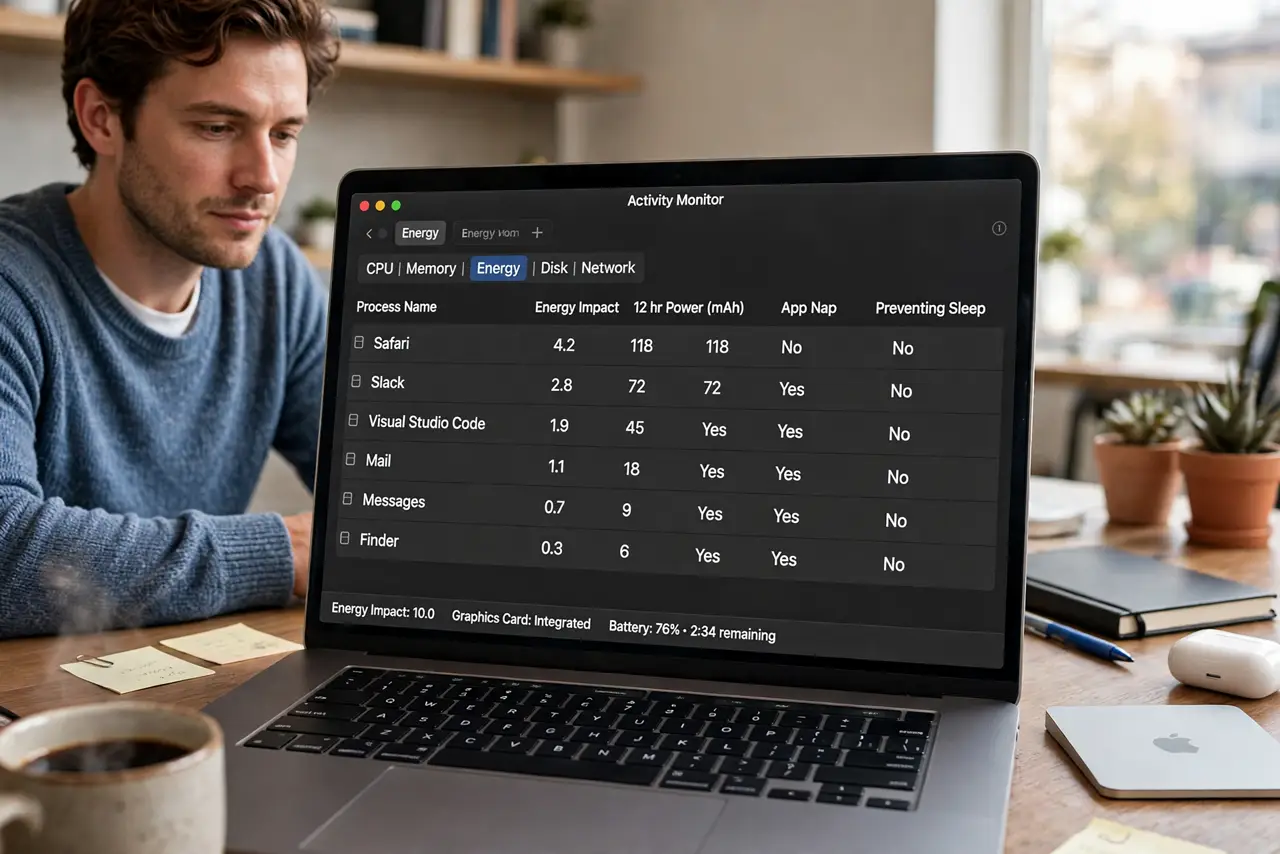
The Energy tab looks alarming because every app shows a number, and big numbers feel like blame. In reality, energy impact is a relative score over time, and a high score for an app you just used heavily is normal, not a fault.
TL;DR / Quick Fix
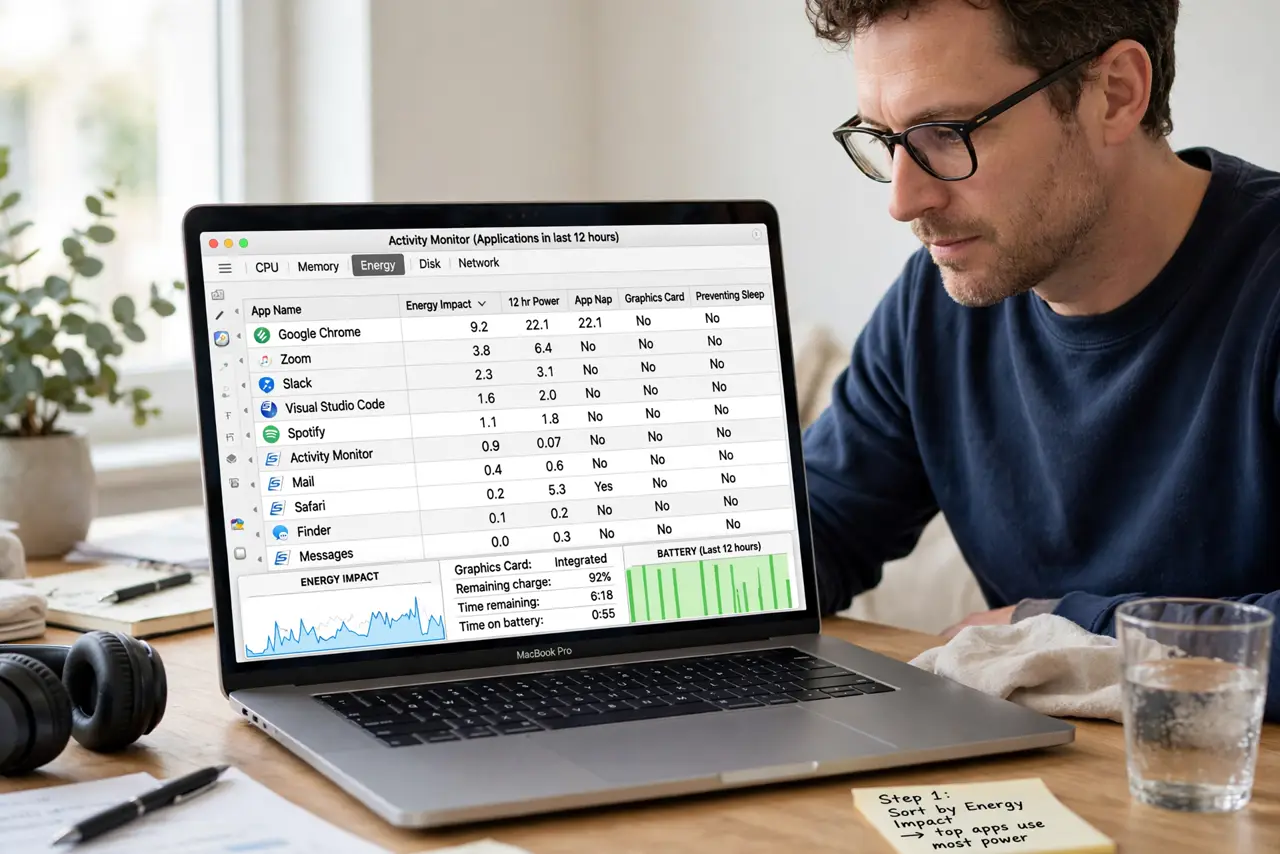
Quick fix: sort by energy impact, look at the 12-hour average rather than a single spike, and compare apps you actually used. A browser you used all day will outrank an idle app, and that alone is not a problem to fix.
Follow these steps
- Sort by energy impact. Open Activity Monitor, choose the Energy tab, and sort by energy impact. Sorting puts the biggest users at the top, so you stop guessing from an unsorted list.
- Read the average, not the spike. Focus on the average energy impact over hours, not the current moment. A brief spike while an app loads is normal and says little about battery life.
- Match numbers to real use. Ask whether the top apps are the ones you actually used today. Heavy use explains high impact, while an unused app at the top deserves a closer look.
- Check what is actually running. Look for apps running in the background that you forgot about. Quitting a forgotten app you do not need is the simplest genuine saving.
- Watch one change at a time. If you quit or change one app, watch the average over the next hour before judging. Battery effects show up slowly, not in the next minute.
- Judge by battery life, not scores. In the end, real battery life is the test. If your Mac lasts as long as usual, a scary-looking score is not a problem to chase.
What NOT to do
- Do not quit every app with a high number. You will just reopen them, and the reopening itself costs energy and time.
- Do not force quit system processes you do not recognize. Some high-impact entries are macOS itself doing normal work, and killing them can destabilize the Mac.
- Do not chase a zero score. Every useful app uses energy, and a Mac with all scores at zero is a Mac doing nothing.
- Do not buy a cleaner app to fix energy scores. Quitting forgotten apps and judging real battery life covers the real cases free.
Frequently asked questions
What does energy impact mean?
It is a relative score of how much energy an app uses over time. Higher means more use, but it must be read against how much you actually used the app.
Why is my browser always at the top?
Because you probably used it most. A heavily used app naturally shows the highest impact, and that is expected.
When should I worry about a number?
When an app you barely used sits near the top for hours, or when real battery life has clearly dropped alongside it.