Mac Contacts Duplicated After iCloud Sync? Fix
After an iCloud sync, every contact appears twice, and calling or messaging the right entry gets confusing. The cause is usually the same contacts stored in two places. Merge carefully, and fix the source so it does not happen again.
TL;DR / Quick Fix
Quick fix: check Contacts accounts for duplicate sources, use the built-in look for duplicates tool, then merge the copies it finds. Review merged cards before you delete anything by hand. Then test the fix for a full day before changing anything else.
Follow these steps
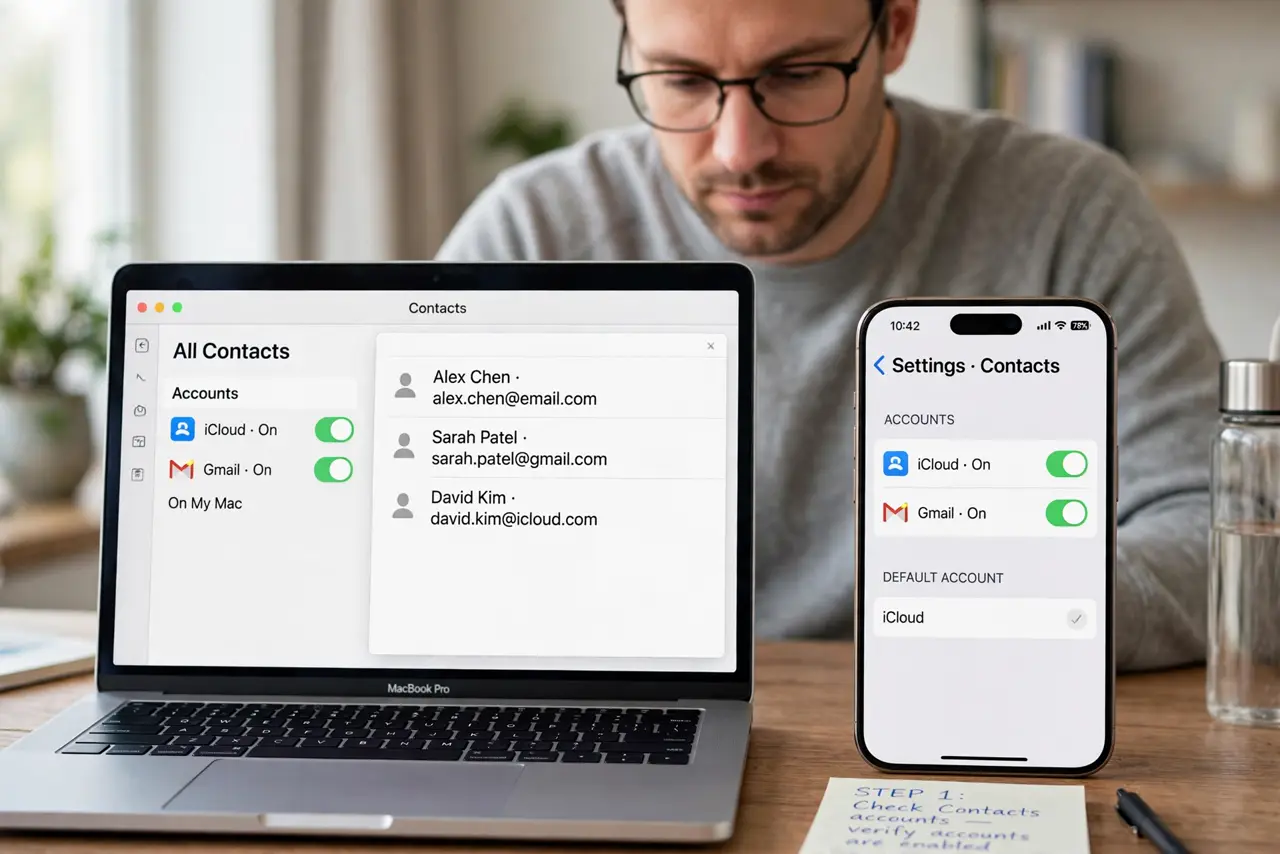
- Check Contacts accounts. Open Contacts, then Settings, then Accounts, and look for the same contacts list synced twice, such as iCloud plus another account with the same people.
- Look for duplicates. In Contacts, choose Card, then Look for Duplicates. Review the list it finds instead of accepting every suggestion blindly.
- Merge the copies found. Click Merge for the duplicates you confirm are the same person. Merging combines details into one card instead of deleting information.
- Fix the duplicate source. Turn off the extra contacts source, keeping iCloud or the account you actually use. If both stay on, duplicates can return at the next sync.
- Clean up leftovers by hand. Search for a few common names and check each card. Delete only a card you are sure is a duplicate, and check its phone numbers first.
- Check your iPhone after cleanup. Open Contacts on your iPhone and wait for iCloud sync. Confirm the merged contacts look right there too before you call it done.
What NOT to do
- Do not delete all duplicate cards at once. One of them may hold the only copy of a phone number or address.
- Do not turn off iCloud Contacts without checking. Turning it off can hide contacts instead of fixing duplicates.
- Do not merge different people with similar names. Merging combines cards, and undoing a wrong merge takes real work.
- Do not edit contacts on two devices during cleanup. Simultaneous edits can recreate duplicates at the next sync.
Frequently asked questions
Will merging delete phone numbers?
No. Merging combines the details from both cards into one card, so numbers from each copy are kept together.
Why did iCloud duplicate my contacts?
The same contacts were likely stored in iCloud and in another account, so sync combined both lists into one view.
What if duplicates return?
A duplicate source is still on. Revisit Contacts accounts and turn off the extra source, then merge again.