Check the Battery Cycle Count
Your MacBook's battery does not last like it used to, and you want a number — not a feeling — for how worn it is. The cycle count is that number: how many full charges the battery has lived through. Finding it takes ten seconds, and reading it correctly takes one short explanation.
TL;DR / Quick Fix
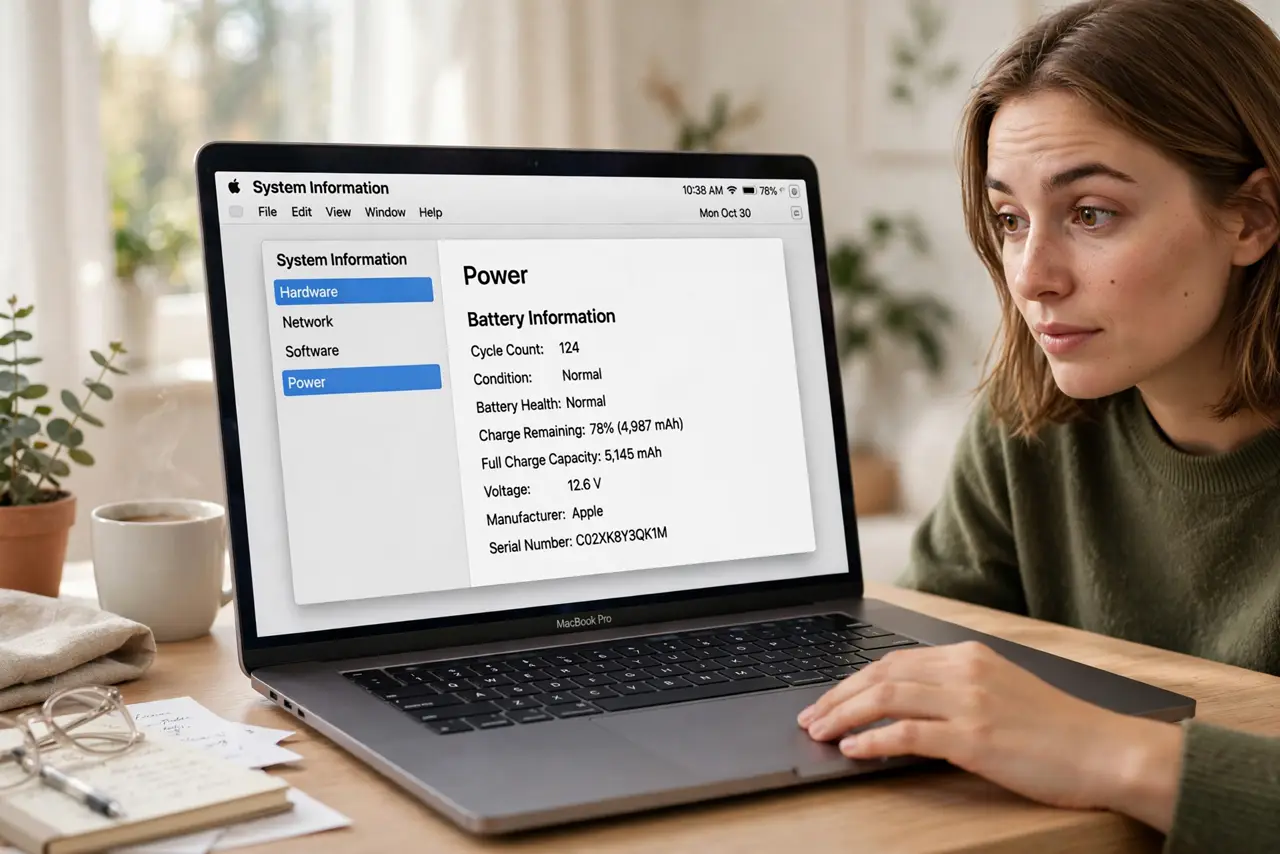
Quick fix: hold Option, click the Apple menu, choose System Information, and read Cycle Count under Power. One cycle means using 100% of a charge, not one plug-in. Apple rates most MacBook batteries for about 1,000 cycles before capacity drops noticeably.
Follow these steps
- Open System Information. Hold the Option key, click the Apple menu, and choose System Information. The Option key reveals this hidden menu item.
- Go to the Power section. In the sidebar, click Power under Hardware. Battery health, cycle count, and condition all live here.
- Read the cycle count. One cycle equals 100% of capacity used — two days of 50% use is one cycle, not two. Partial charges add up fractionally.
- Check the condition line too. 'Normal' means healthy regardless of count. 'Service Recommended' means the battery is worn — even at a low count, age alone can trigger it.
- Know the 1,000-cycle rating. Apple rates modern MacBook batteries for up to 1,000 cycles before dropping below 80% capacity. Past that, the Mac still works — just shorter.
- Slow further aging with charge limits. A high count is history; future wear is still in your hands. An 80% charge limit meaningfully slows what comes next.

What NOT to do
- Do not panic at a high number alone. Cycles plus condition tell the story — 900 cycles reading 'Normal' is a fine battery.
- Do not compare your count with a friend's. Usage patterns differ wildly — a desk Mac and a travel Mac age on different clocks.
- Do not drain to zero 'to calibrate.' Modern Macs self-calibrate; deep discharges only add wear.
- Do not replace a battery over the count alone. Replace when real runtime no longer meets your needs, not when a number looks big.
Frequently asked questions
What counts as one cycle?
Using 100% of the battery's capacity total — not one plug-in. Use 60% today and 40% tomorrow and that is one cycle.
My count is low but the battery is bad — why?
Age, heat, and long stretches at 100% wear batteries without adding cycles. The condition line reflects this better than the count.
Does the cycle count reset with a new battery?
Yes — a replacement battery starts at zero. If a 'new' battery shows hundreds of cycles, it is not new.