Hide Your Email
Every signup with your real email is a future spam source and a potential breach exposure. Hide My Email generates a random address that forwards to your inbox — hand it out freely, and disable it the moment it misbehaves. Your real address stays private forever. iPhone has the same feature — see iPhone Hide My Email — and pair it with Mail Privacy Protection.
TL;DR / Quick Fix
Quick fix: Hide My Email creates a random address that forwards to your real inbox — use it for every signup and newsletter. When spam arrives, disable the alias instead of unsubscribing. Your real address stays private, and throwaway signups stop haunting you forever.
Follow these steps
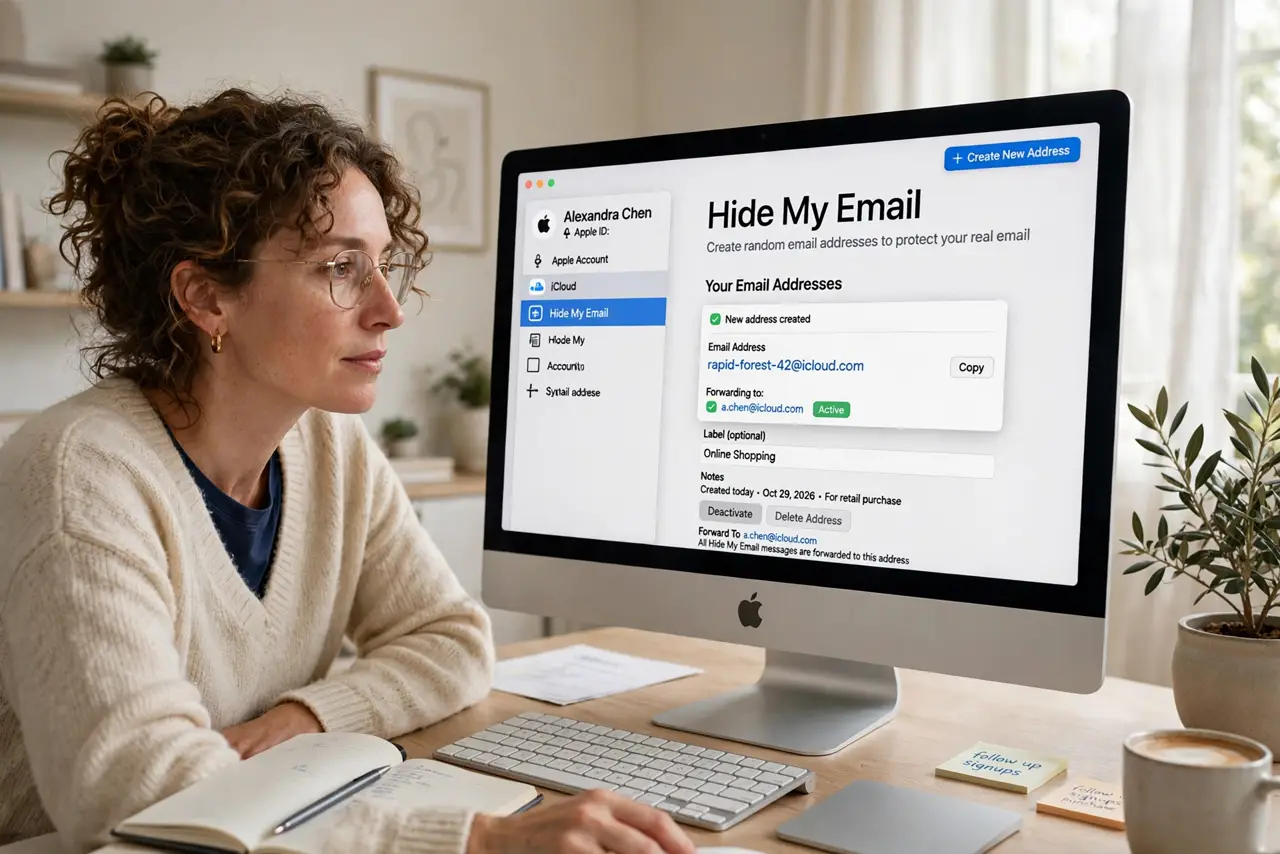
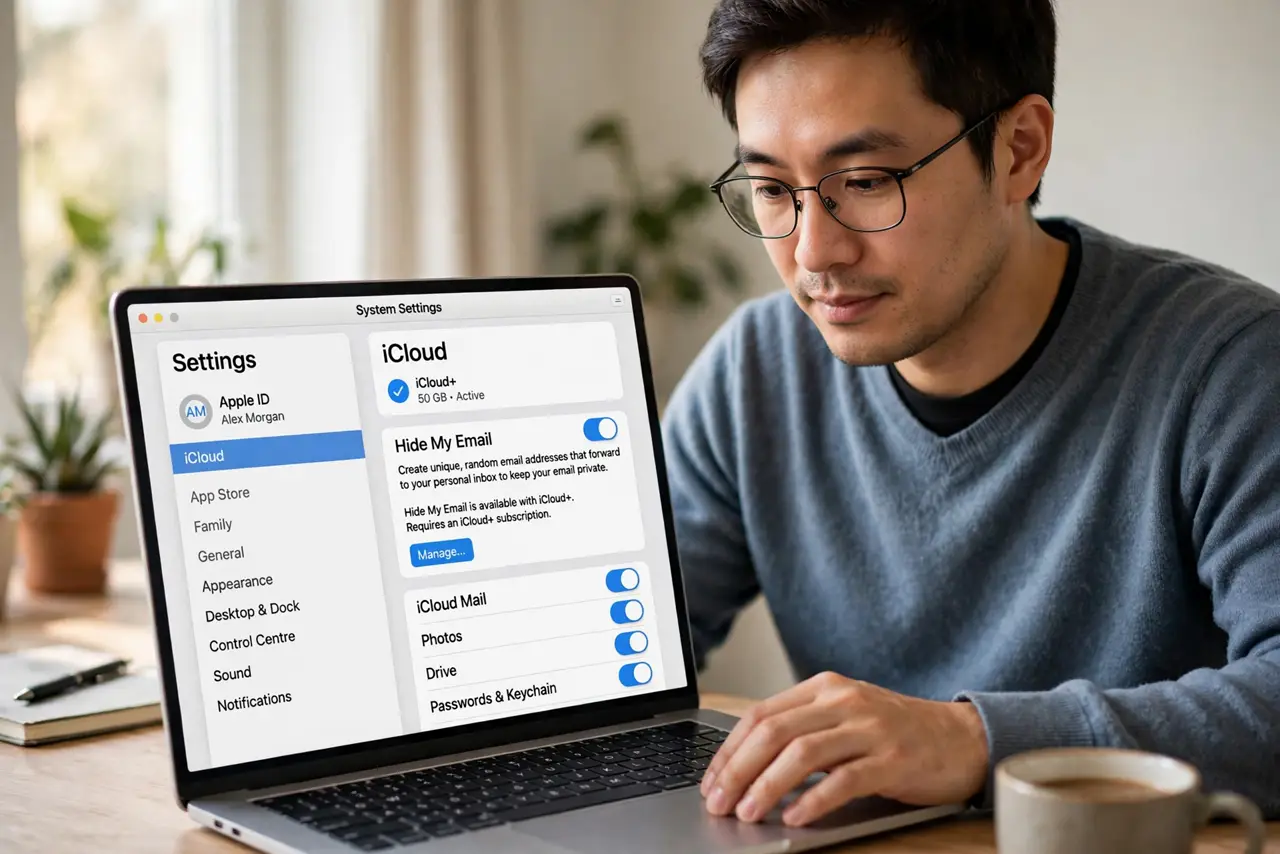
- Find Hide My Email. On Mac, open Settings, click your Apple ID, then iCloud — Hide My Email lives there. It needs an iCloud+ subscription.
- Create an alias for a signup. Generate a new random address and label it with the service name — newsletter-xyz, store-abc. Labels are how you know who leaked you later.
- Use the alias everywhere. Paste it into signup forms instead of your real address. Safari can even suggest aliases automatically in email fields.
- Watch for the leaker. When spam hits an alias, the label tells you exactly which service shared or lost your address. Knowledge is leverage.
- Disable misbehaving aliases. Turn off the alias instead of unsubscribing. The spam stops instantly, and your real inbox never saw it.
- Keep important accounts direct. Use your real address for banking, government, and recovery emails — aliases are for signups, not for your digital identity.
What NOT to do
- Do not use aliases for critical accounts. Bank and recovery emails should reach you directly, not through a forwarding layer.
- Do not create one alias for everything. A single shared alias defeats the purpose — one alias per service is the system.
- Do not forget which alias is which. Label every alias at creation; mystery aliases are useless when spam arrives.
- Do not assume it hides you from the service. The site still knows you signed up — it just does not get your real address.
Frequently asked questions
Is Hide My Email free?
It requires iCloud+, Apple's paid storage tier. The email alias feature is one of its quieter perks — see whether iCloud+ is worth it.
What happens to mail after I disable an alias?
It stops forwarding — senders get bounces. Your real inbox never sees another message from that alias.
Can I reply from an alias?
Yes, Mail lets you reply from the alias address, keeping your real address hidden in both directions.