Make Trailers in iMovie
Your vacation footage sits unwatched — hours of shaky clips nobody will ever sit through. iMovie trailers are the cheat code: Hollywood-style templates that turn your clips into a polished 60-second trailer with titles, music, and pacing done for you. Pick a genre, drop in clips, premiere it.
TL;DR / Quick Fix
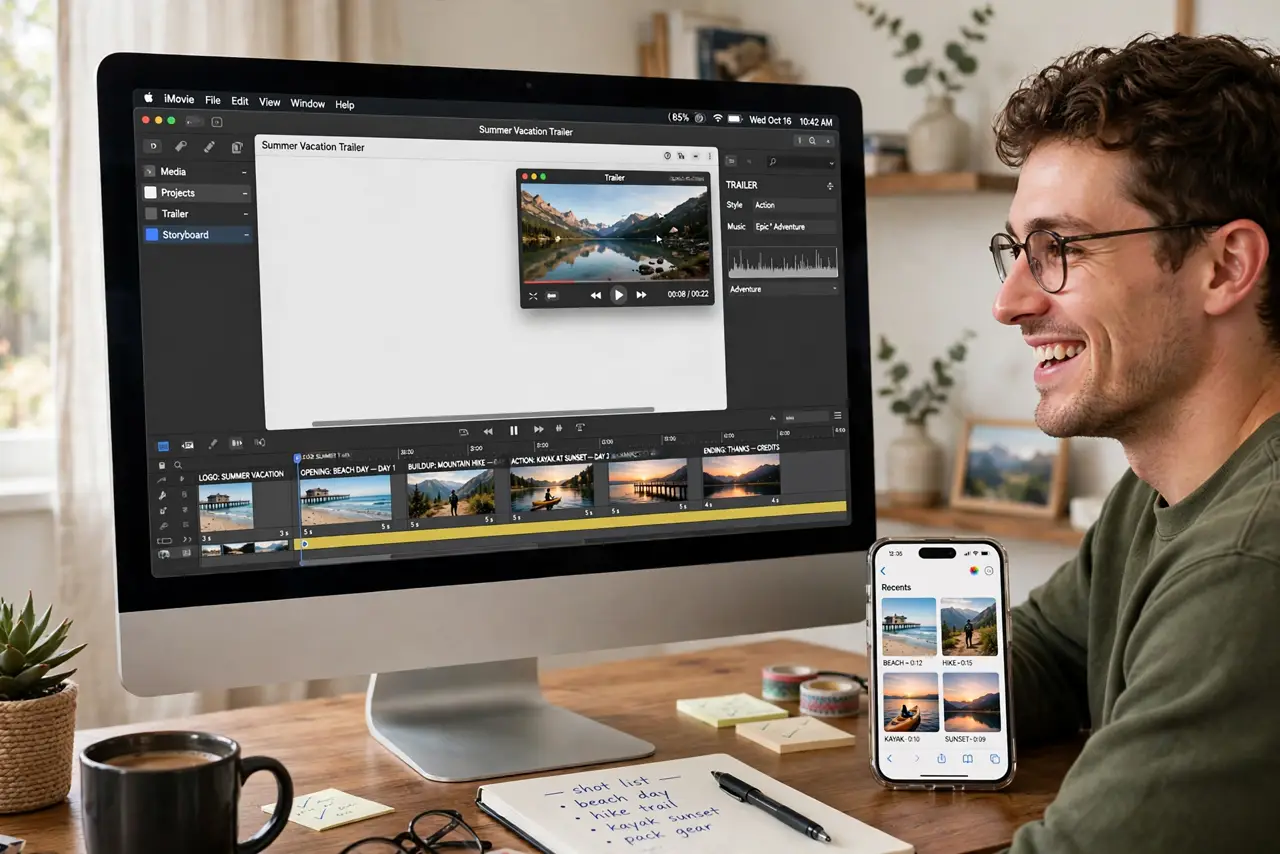
Quick fix: open iMovie, create a Trailer (not a Movie), pick a genre template, and fill the storyboard shots with your clips — the template handles titles, music, and pacing. Thirty minutes from raw footage to a trailer people actually watch. Share straight to Messages or social.
Follow these steps
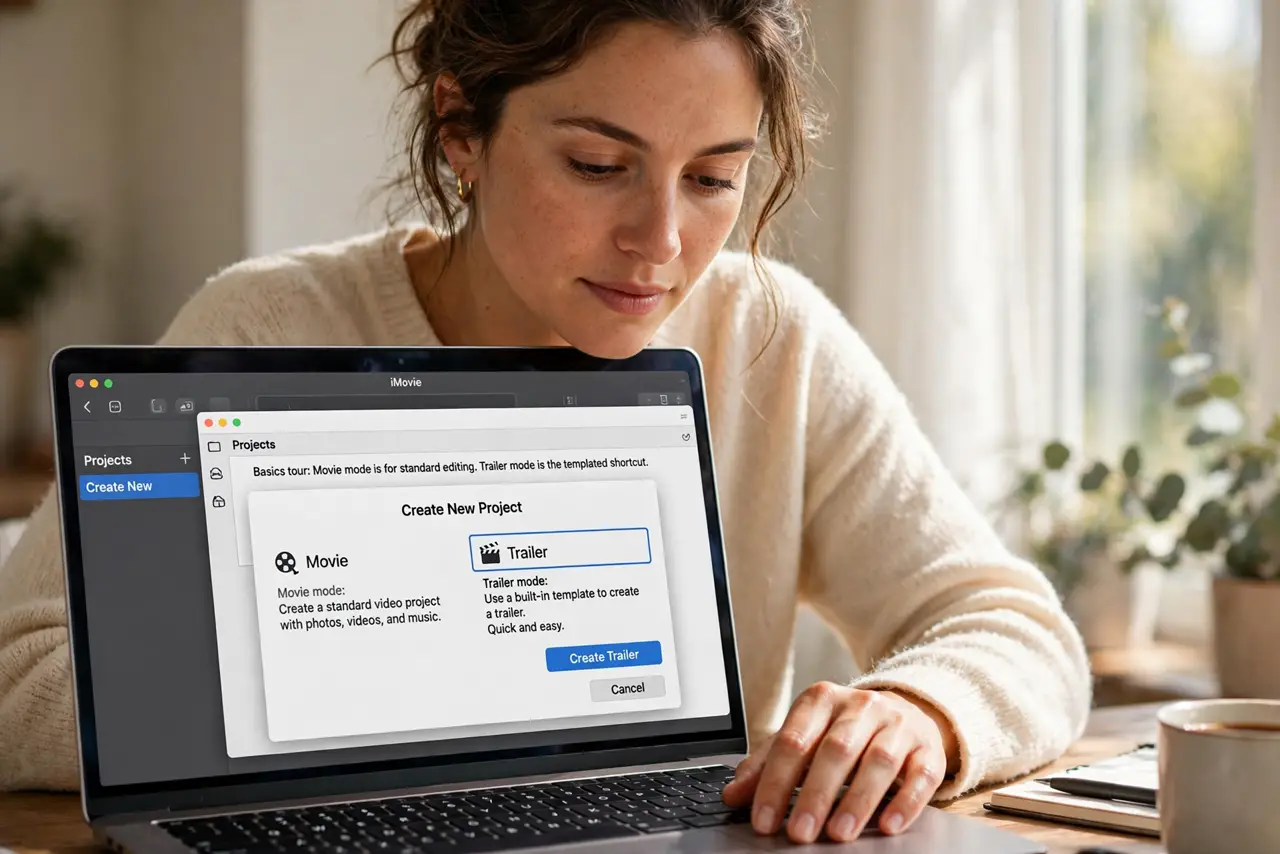
- Create a Trailer project. Open iMovie, Projects, Create New — choose Trailer. The basics tour covers Movie mode; Trailer mode is the templated shortcut.
- Pick your genre. Action, travel, romance — the genre sets the titles, music, and pacing. Match it to the footage loosely; the template does the heavy lifting.
- Fill the storyboard. The shot list tells you what each clip should be: wide, close-up, action. Drop your clips into the slots — the outline view guides the story.
- Trim to the beats. Drag clip edges to fit the template timing. Short and punchy beats long and complete — trailers reward ruthlessness.
- Customize titles and credits. Tap the title cards to rewrite them. Your trip, your cast, your premiere — the personal touch sells it.
- Share the premiere. Share straight to Messages, Mail, or social. A 60-second trailer gets watched; a 40-minute raw dump does not.
What NOT to do
- Do not start in Movie mode for this. Trailer templates exist precisely to skip the blank-timeline paralysis — use them.
- Do not use every clip. The storyboard wants highlights; the full archive stays in Photos where it belongs.
- Do not skip the music. The template score is half the Hollywood effect — mute trailers fall flat.
- Do not overthink the genre. Any template beats no video; pick one and fill the shots.
Frequently asked questions
How long does a trailer take?
About thirty minutes once clips are imported — the template does the editing grammar for you.
Can I use my own music?
Yes — replace the template score with your track, though the built-in music is timed to the cuts.
Trailer or Movie mode?
Trailer for quick polished fun; Movie when you want full manual control over the edit.