Pin a Note to the Top
The grocery list you open ten times a day keeps sinking under newer notes. Pinning parks it at the top of the list permanently — one right-click, and your most-used notes stop playing hide and seek. Pins sync across all your devices too.
TL;DR / Quick Fix
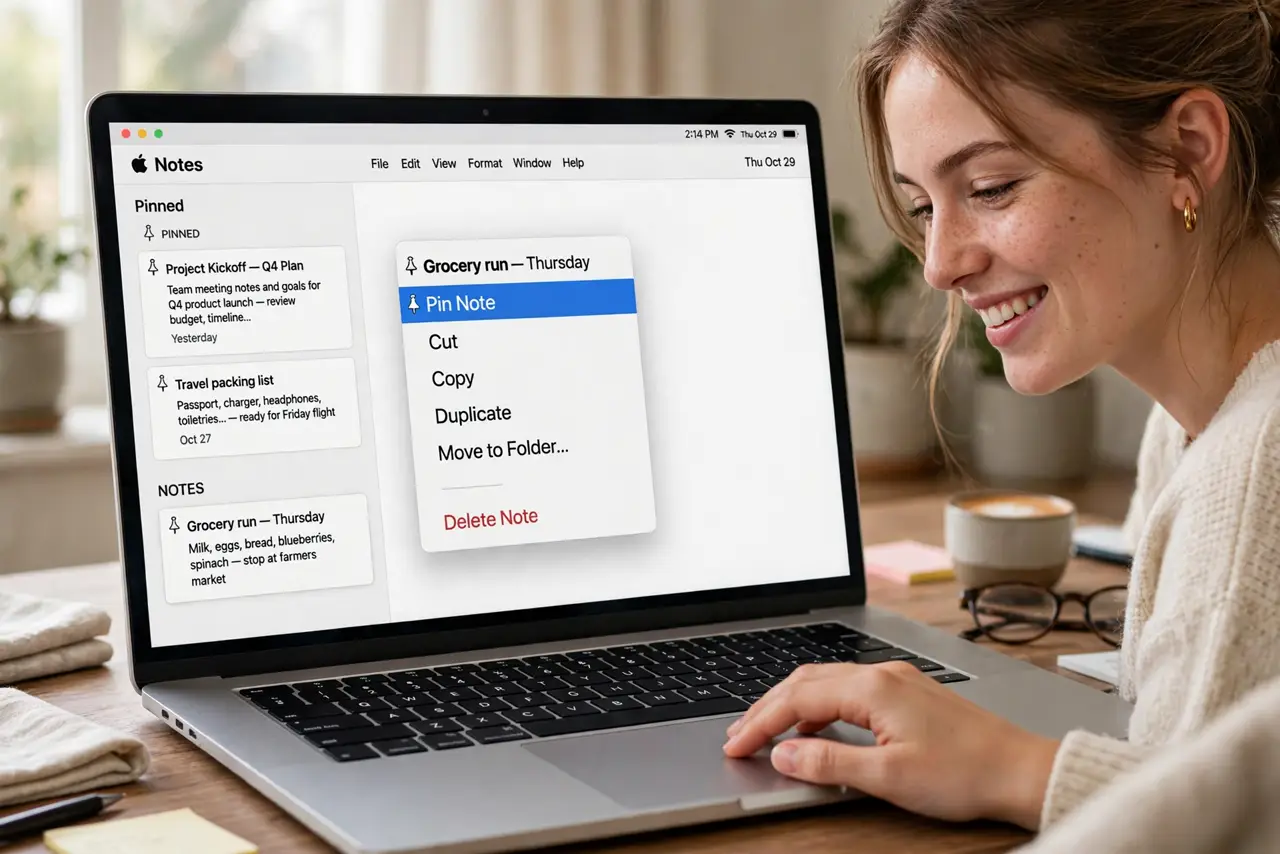
Quick fix: right-click (or Control-click) the note and choose Pin Note — or swipe right on it on iPhone. It jumps to a pinned section at the top. Unpin the same way when it is no longer part of your daily use.
Follow these steps
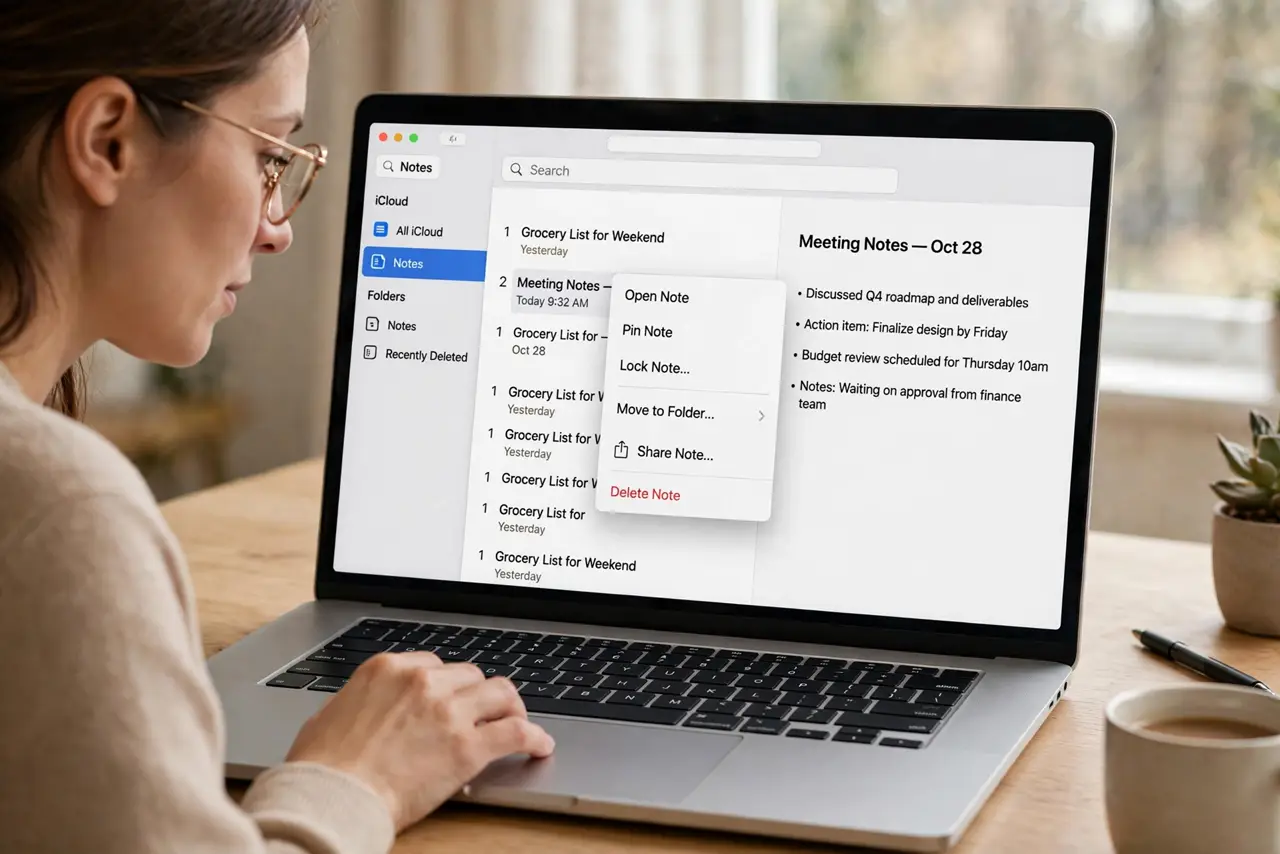
- Right-click the note. In the Notes list, right-click or Control-click the note you open constantly. The context menu appears.
- Choose Pin Note. One click — the note jumps to the pinned section at the top, above the chronological list.
- Pin from the iPhone too. Swipe right on a note in the iOS list and tap the pin icon. Pins sync — pin once, pinned everywhere.
- Order your pinned notes. Drag pinned notes within the pinned section to rank them. Your daily top three stay in thumb reach.
- Unpin when it expires. Right-click > Unpin Note. A finished project's note should leave the penthouse — pins are for the current, not the historic.
- Pin folders' key notes, not whole folders. You pin individual notes. For a whole project's notes, a Smart Folder gathers them instead.
What NOT to do
- Do not pin everything. Twenty pinned notes is just a second unpinned list — pin the three you truly open daily.
- Do not pin and forget to unpin. Stale pins push current notes down — review the pinned section monthly.
- Do not expect pins to reorder themselves. Pinned notes stay where you put them — drag to rank, or accept the order.
- Do not confuse pinning with locking. Pinned means easy to find; locked means password-protected — different features.
Frequently asked questions
How many notes can I pin?
As many as you like — but the feature only helps while the pinned section fits on screen. Three to five is the sweet spot.
Do pins sync to my iPhone?
Yes — pinning syncs through iCloud to every device on the same Apple ID.
Can I pin a shared note?
Yes — pinning is personal. Your pin does not affect collaborators' lists.