Set Up Notification Summary
Your phone buzzes forty times a day with alerts that could have waited — sale reminders, social likes, news you will read tonight anyway. The scheduled summary collects the non-urgent ones and delivers them in tidy batches at times you choose. Urgent alerts still interrupt.
TL;DR / Quick Fix
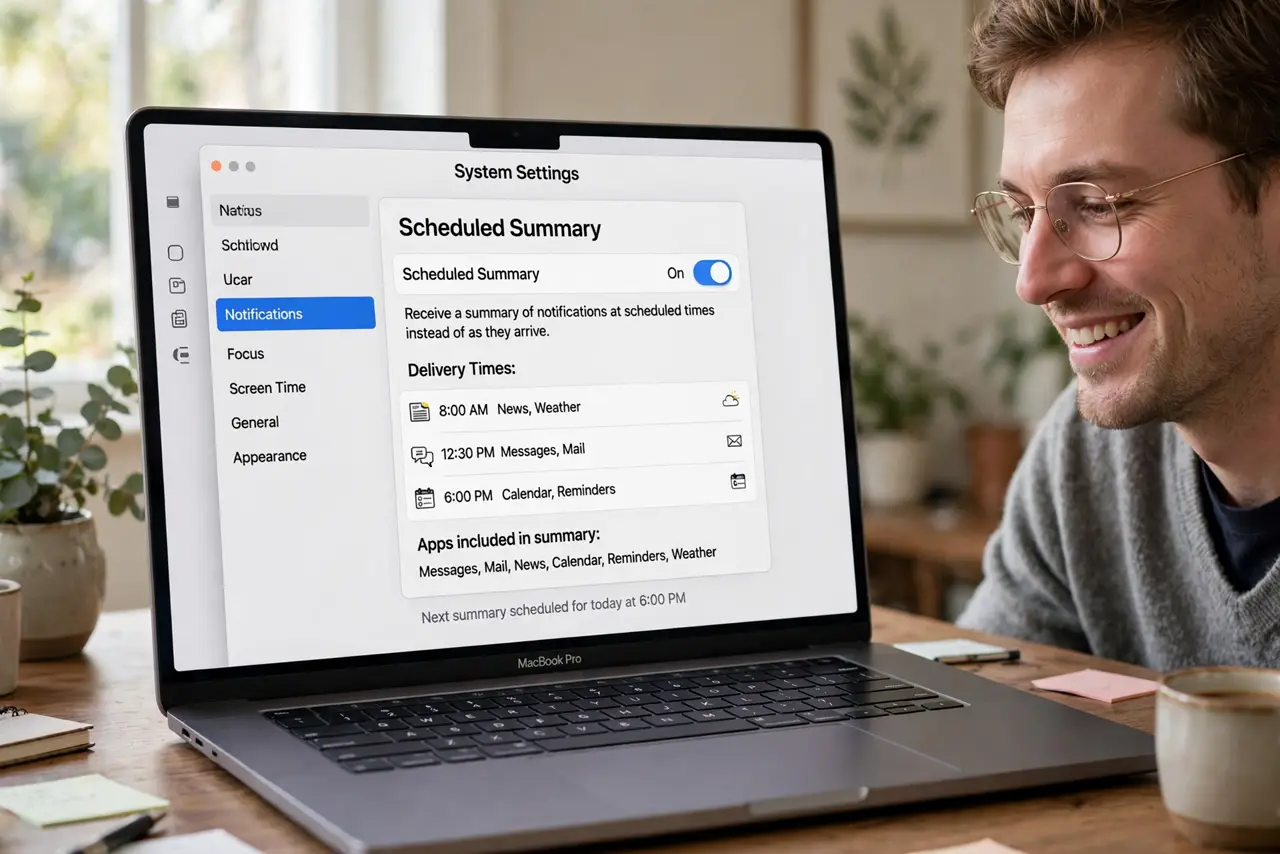
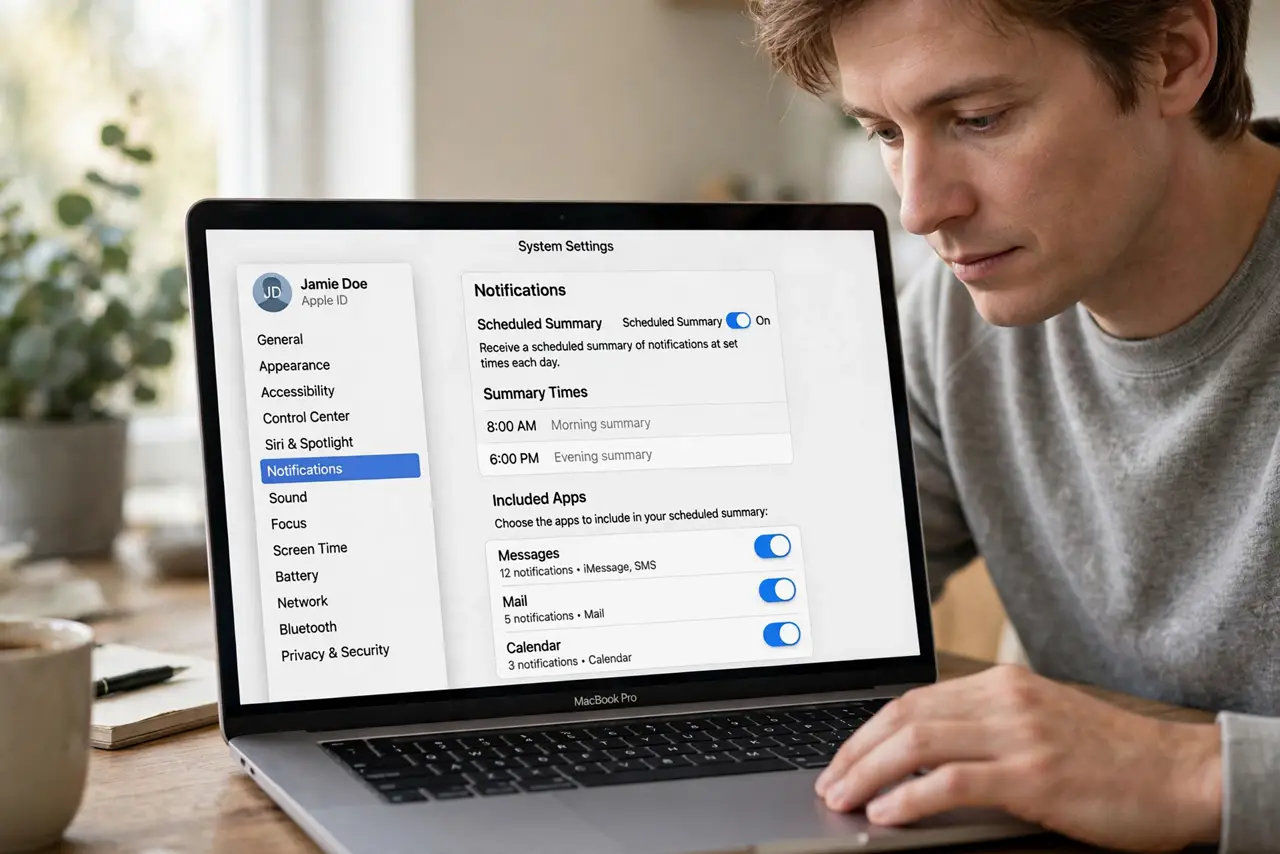
Quick fix: open System Settings > Notifications > Scheduled Summary and switch it on, then pick delivery times — morning and evening work well. Add the apps whose alerts can wait. Time-sensitive alerts still come through instantly; the summary only holds the non-urgent ones.
Follow these steps
- Open Scheduled Summary. Go to System Settings > Notifications > Scheduled Summary.
- Switch the summary on. Enable it. macOS proposes a schedule; adjust it to your rhythm.
- Pick delivery times. Morning and evening suit most people — the day's noise arrives in two digestible batches. Add a midday slot if your afternoons are busy.
- Choose which apps are summarized. Add the apps whose alerts can wait: stores, social, news. Leave messaging and calls out — people beat promotions.
- Trust time-sensitive bypass. Apps can mark alerts time-sensitive, and those break through immediately. The summary only ever holds the deferrable ones.
- Review the summary when it lands. It appears as one expandable bundle in Notification Center. Skim, act on what matters, clear the rest.
What NOT to do
- Do not summarize your messaging apps. A summary that delays an urgent text defeats its own purpose — people stay instant.
- Do not set one summary at midnight. A batch you never read is just a slower inbox — schedule times you will actually check.
- Do not expect the summary to silence everything. Time-sensitive alerts still interrupt by design; that is a feature.
- Do not confuse the summary with Do Not Disturb. The summary batches; Do Not Disturb silences — use both for different jobs.
Frequently asked questions
What is the difference between the summary and grouping?
The summary batches alerts by time into scheduled deliveries; grouping stacks one app's alerts visually. They work together.
Will I miss something important?
Time-sensitive alerts bypass the summary entirely. Only alerts the app itself marked deferrable get batched.
Can apps opt out of being summarized?
You control the app list, not the apps. Add or remove any app from the summary freely.