Mac PDF Opens in Preview Only? Change the Default
Every PDF opens in Preview, even though you prefer another reader. Preview is simply the current default, not a lock. Change the default app for PDFs, and future PDFs will open where you want.
TL;DR / Quick Fix
Quick fix: right-click a PDF, choose Get Info, set Open With to your preferred reader, then click Change All. Test by double-clicking a different PDF to confirm the new default holds. Then test the fix for a full day before changing anything else.
Follow these steps
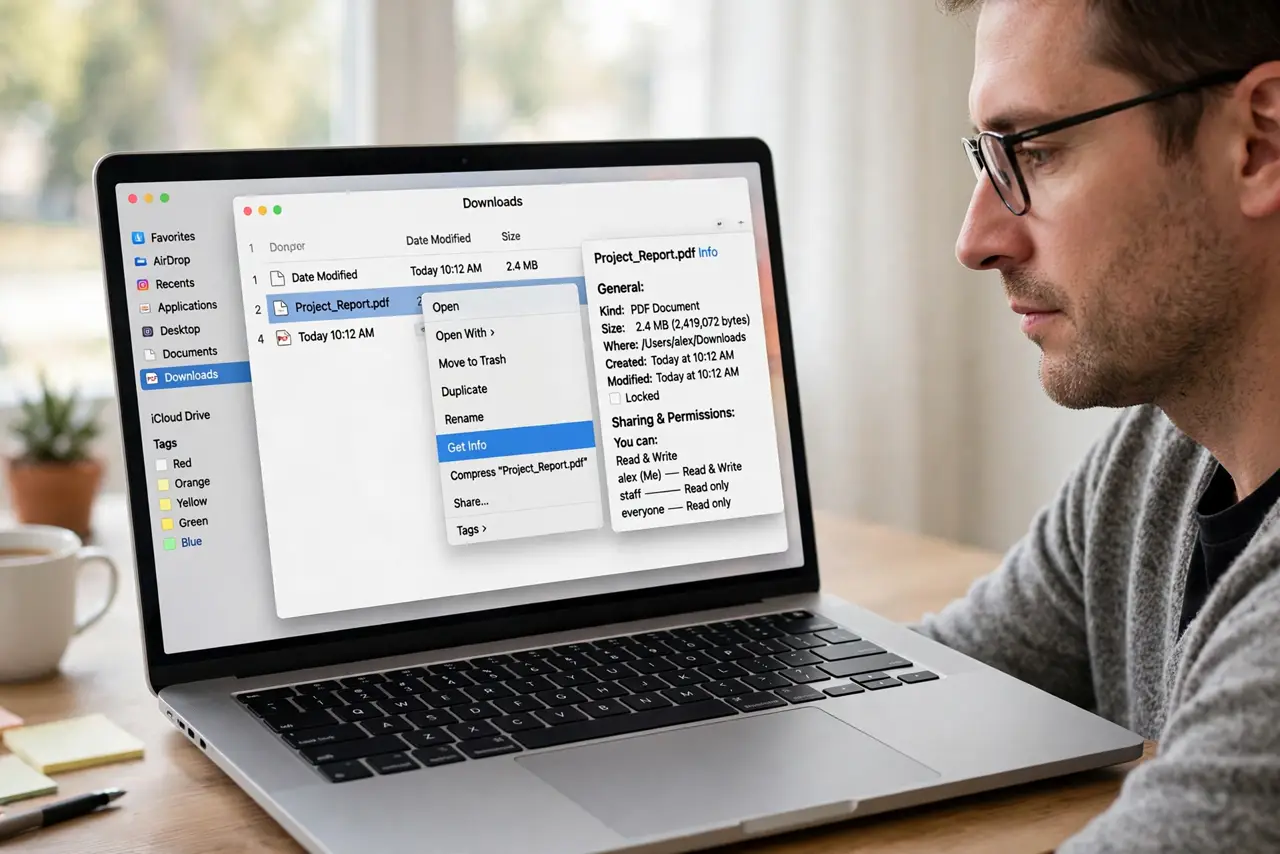
- Open Get Info for a PDF. Right-click any PDF in Finder and choose Get Info. Find the Open With section, which shows the app currently set as default.
- Choose your preferred reader. In Open With, select the PDF reader you want, such as Adobe Acrobat Reader if you have it installed. Pick an app you already trust and use.
- Apply to all PDFs. Click Change All in Get Info, then confirm. This sets the same reader for all PDFs, not just the one file you inspected.
- Test with another PDF. Double-click a different PDF and confirm it opens in the new reader. If it still opens in Preview, repeat Get Info and Change All.
- Check browser PDF handling. If PDFs open in Preview from a browser download, check the browser download settings. Some browsers open PDFs themselves before Finder defaults apply.
- Reset if the choice keeps reverting. If the default keeps returning to Preview, repeat the Change All step after a restart. A restart clears a stuck default in some cases.
What NOT to do
- Do not delete Preview to force a change. Preview is a system app, and deleting it can break other Mac functions.
- Do not change the file extension to force an app. Changing .pdf to another extension stops PDF readers from recognizing the file.
- Do not set the default for one file and expect all to follow. You must click Change All, or only that single file changes.
- Do not install a new PDF reader just to change defaults. Use a reader you already have, unless you truly need new features.
Frequently asked questions
Why do all PDFs open in Preview?
Preview is the Mac default for PDFs. Changing the default with Change All moves future PDFs to your chosen reader.
Will Change All affect other file types?
No. It changes only PDFs, leaving images, documents, and other types on their own defaults.
What if the reader I want is not listed?
Install it first from a trusted source, then repeat Get Info and choose it in Open With.