Lock Hidden Photos
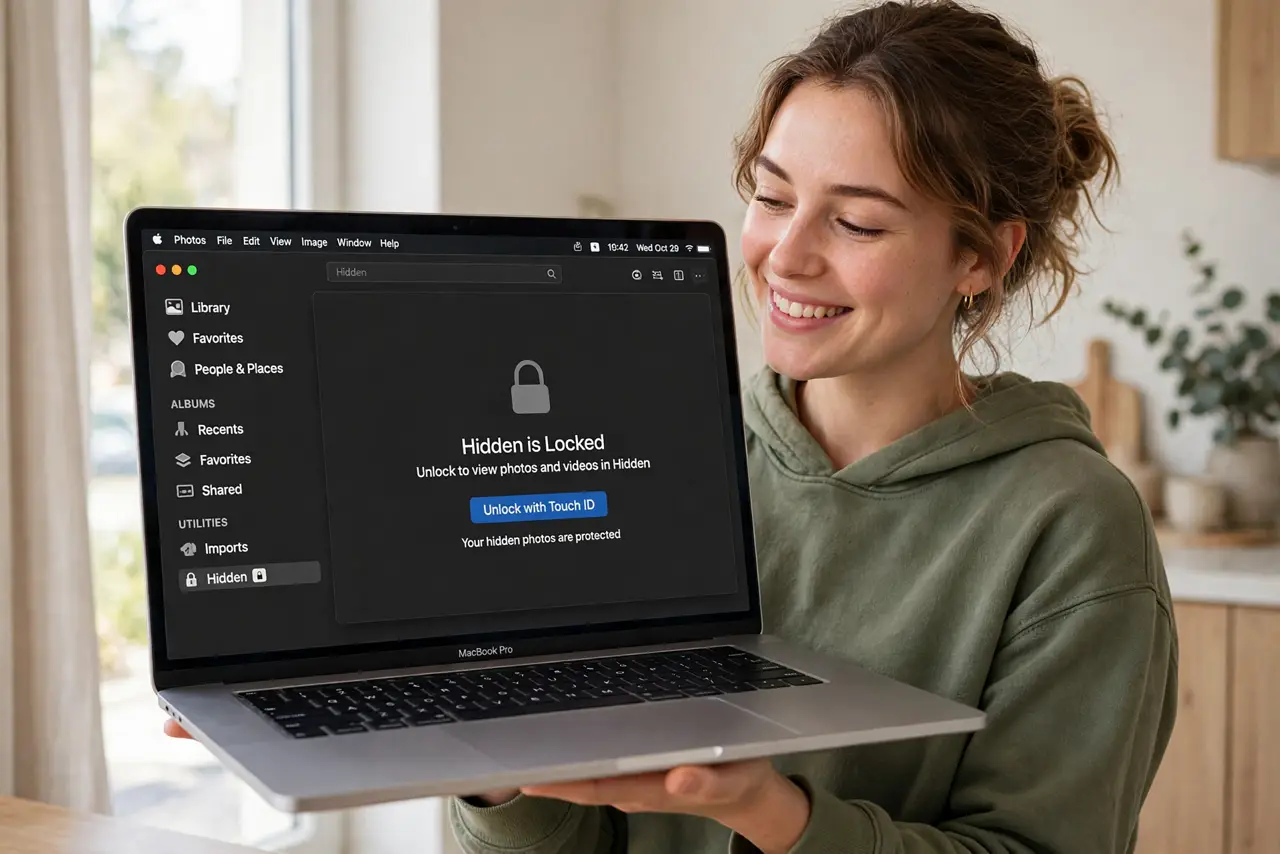
Your Hidden album is not hidden — anyone borrowing your Mac opens Photos and there it all is. macOS can lock the Hidden and Recently Deleted albums behind Touch ID or your password, turning casual snooping into a dead end. Ten seconds in settings, and the embarrassing stuff stays embarrassing-only-to-you.
TL;DR / Quick Fix
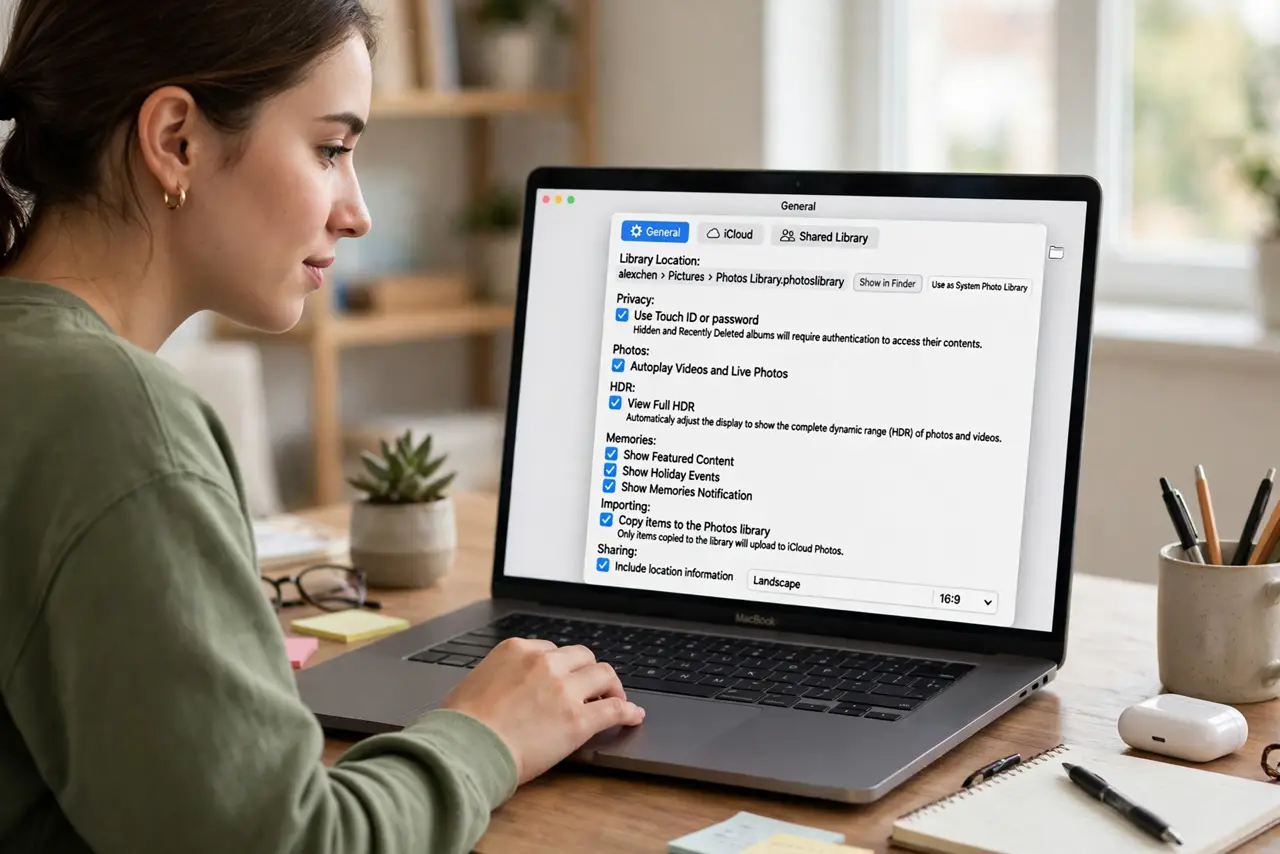
Quick fix: open Photos, Settings, General, and enable Use Touch ID or password for the Hidden and Recently Deleted albums. The albums now demand authentication on every open. It is not encryption against forensics — it is a lock against the casual borrower, which is the actual threat.
Follow these steps
- Open Photos settings. Photos app, Settings (or Preferences), General tab. The lock toggle lives here — ten seconds away.
- Enable the lock. Turn on Use Touch ID or password — or Use Passcode on models without Touch ID. Both Hidden and Recently Deleted lock together.
- Test it. Close and reopen Photos, tap Hidden — the authentication prompt should appear. Trust, then verify; the test takes five seconds.
- Hide the sensitive photos. Select photos, right-click, Hide. They leave the main library for the locked album — hiding without the lock was the old false security.
- Know what it does not do. It stops casual snoopers, not forensics or someone with your password. Real secrecy needs encryption — this is a courtesy lock, honestly labeled.
- Lock the iPhone too. The same lock exists on iOS under Photos settings. Both devices, same ten seconds — the Mac lock alone leaves the phone exposed.
What NOT to do
- Do not rely on Hide alone without the lock. Unhidden-but-unlocked Hidden albums fooled everyone for years — the lock is the point.
- Do not share your login password casually. The lock bows to anyone with your credentials — password hygiene is the real wall.
- Do not forget Recently Deleted. Deleted-but-recoverable photos sit there 30 days — the lock covers both albums together.
- Do not assume iCloud is locked too. The device lock is local; iCloud.com access follows your Apple ID security — secure that separately.
Frequently asked questions
Is the Hidden album really hidden?
With the lock on: from casual viewers, yes. From anyone with your password or forensic tools, no — honest limits.
Can I password-protect individual photos?
Not individually — the album-level lock is the mechanism. Hidden plus locked is the workflow.
Does this sync to iPhone?
The setting is per-device; enable it on each. The hidden photos themselves sync via iCloud as usual.