A Reminders Smart List Shows Up Empty
A smart list that shows up empty almost never means your reminders are gone. It means the list's rules are stricter than you think, and the reminders you expect are failing one quiet condition each.
TL;DR / Quick Fix
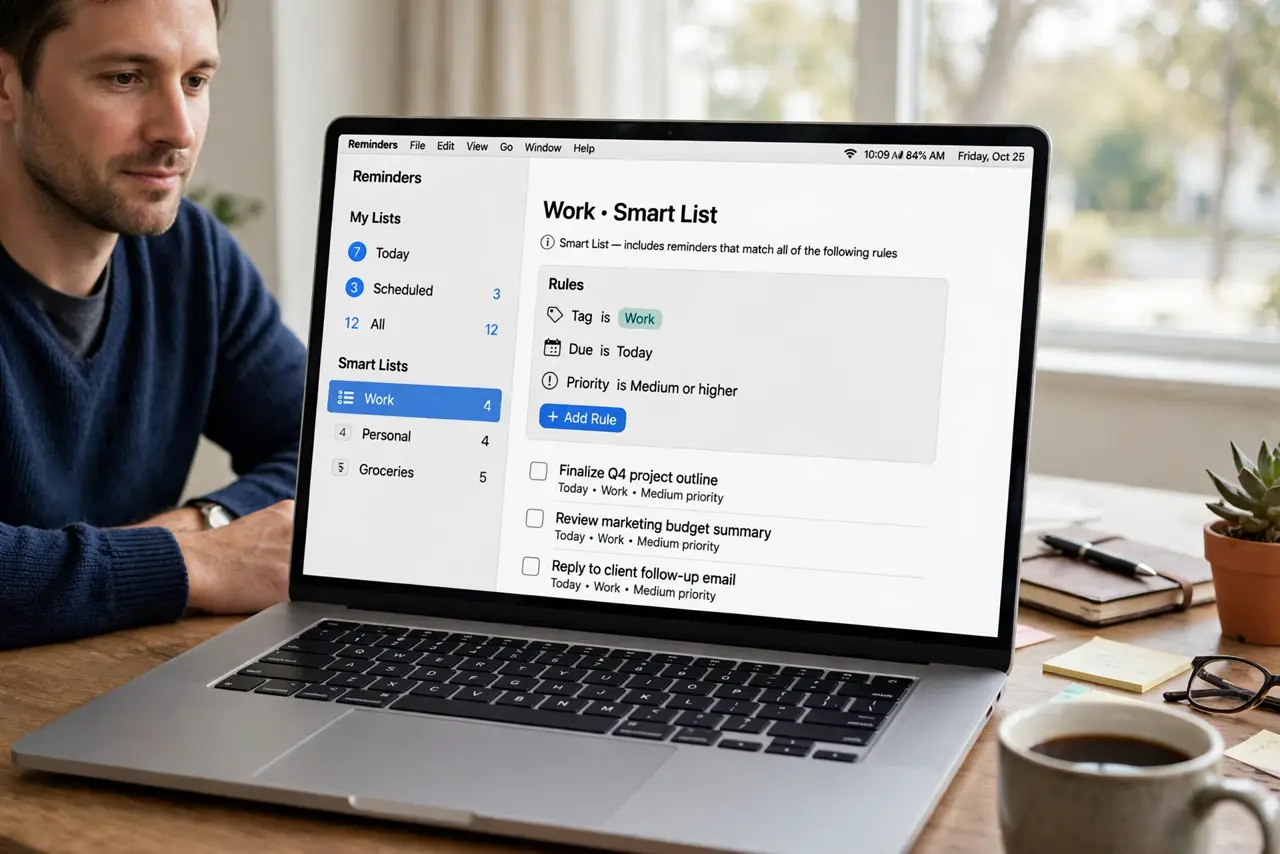
Quick fix: open the smart list rules and check every condition it requires, especially tags and flags. Then open the full All list, find a reminder that should match, and compare it against each rule until you find the one it fails.
Follow these steps
- Open the smart list rules. Edit the smart list and read every rule it applies. A smart list only shows reminders that pass all of its rules, so one wrong rule empties the whole list.
- Check the All list first. Open All reminders and confirm the missing reminders still exist. If they are in All but not in the smart list, the rules are the problem, not the reminders.
- Test one rule at a time. Remove or loosen one rule, then check whether the reminders appear. Testing rules one by one finds the blocking rule without guessing.
- Check tags carefully. Confirm the reminder actually carries the tag the rule asks for, spelled exactly the same way. A missing or mistyped tag fails the rule silently.
- Check flags and dates. Confirm flagged status and any date condition match the reminder. A rule asking for flagged reminders hides every unflagged one, however relevant it looks.
- Rebuild a simple list. If the rules are tangled, build a fresh smart list with one rule, test it, then add rules one at a time. A list built gradually stays understandable.

What NOT to do
- Do not delete reminders because a smart list looks empty. Check All first, since the reminders are usually still there under a failed rule.
- Do not stack five rules at once when building a list. Each extra rule narrows the result, and a list built all at once is hard to debug.
- Do not assume sync deleted your reminders. A smart list is a view, not storage, so a view problem never deletes the reminders behind it.
- Do not rename tags casually. Renaming a tag breaks every smart list rule that asked for the old tag name.
Frequently asked questions
Why is my smart list empty when I have reminders?
Because the list's rules exclude them. A reminder must pass every rule, so one failed tag, flag, or date condition hides it.
Are my reminders deleted?
Almost certainly not. Open All to see them, since a smart list only filters the view and never deletes reminders.
How do I find the blocking rule?
Loosen or remove rules one at a time and recheck. The rule whose removal restores the reminders is the blocker.