Define Words in Spotlight
You are reading and hit a word you do not know — opening the Dictionary app breaks your flow. Spotlight defines words instantly from anywhere: one shortcut, type the word, read the definition. This guide makes it reflex.
TL;DR / Quick Fix
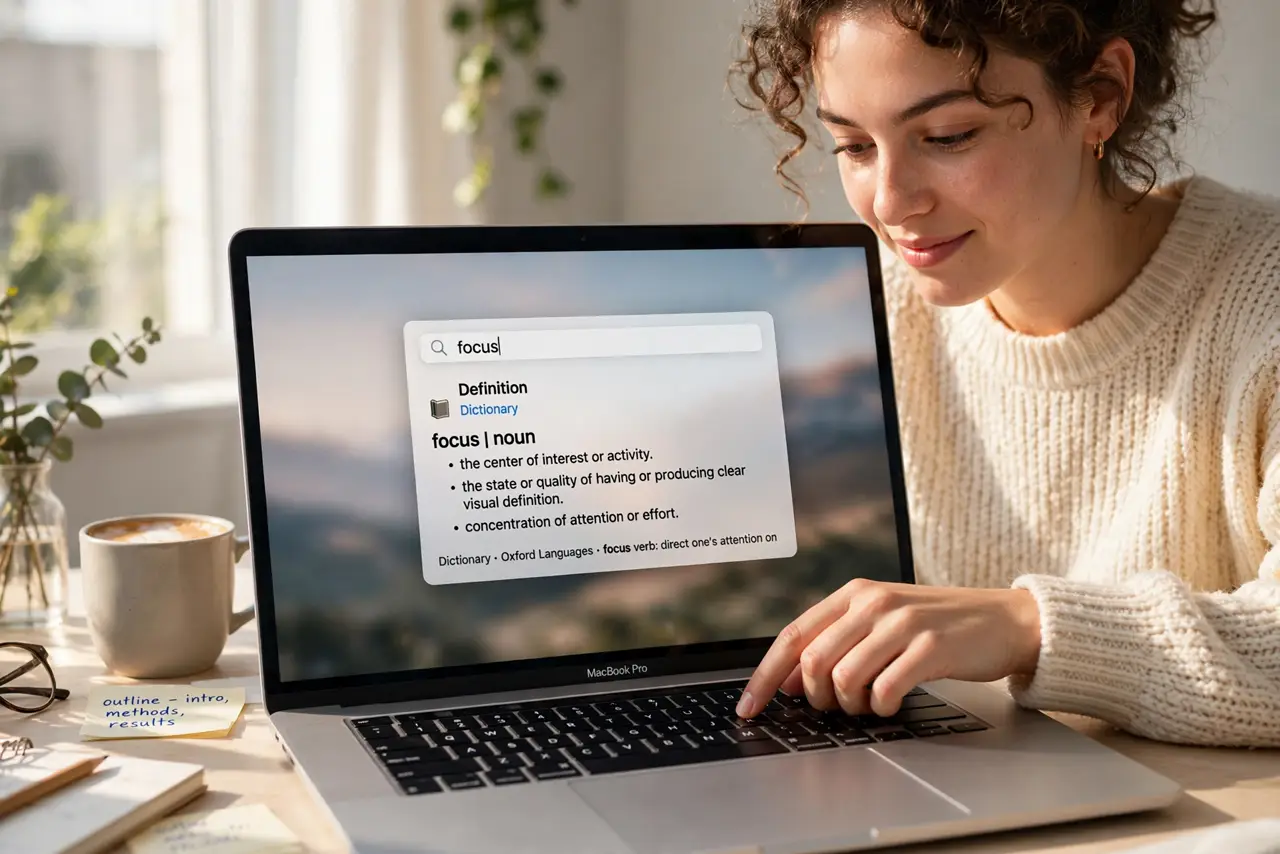
Quick fix: press Command+Space, type the word, and Spotlight shows the dictionary definition right in the results — no Dictionary app needed. Press Enter on the definition to open the full entry with thesaurus and pronunciation. It works offline for words already in the built-in dictionary.
Follow these steps
- Press Command+Space. This summons Spotlight from any app. It is the fastest keyboard shortcut on the Mac to learn if you know none other.
- Type the word. Just the word — no 'define' needed. Spotlight shows the dictionary definition among the top results automatically.
- Read the quick definition. The preview shows the core meaning, part of speech, and often a thesaurus entry. For most reading, this is all you need.
- Press Enter for the full entry. The full Dictionary entry opens with pronunciation, etymology, and examples. Audio pronunciation plays from here too.
- Look up phrases the same way. Spotlight handles common phrases and idioms, not just single words. Type the phrase as you would say it.
- Extend to other languages. In Dictionary settings, add bilingual dictionaries — then Spotlight defines across languages, a lighter alternative to the full Translate app.
What NOT to do
- Do not open the Dictionary app for quick lookups. Spotlight is faster and never breaks your reading flow.
- Do not type full sentences. Spotlight defines words and phrases — it is not a search engine for questions.
- Do not ignore the thesaurus tab. The definition preview often hides synonyms one click away that nail the nuance.
- Do not assume slang is covered. Very new slang may be missing — the dictionary updates with macOS, not daily.
Frequently asked questions
Does this work offline?
Yes — the built-in dictionaries live on your Mac. No internet needed for standard lookups.
Can I change which dictionary is used?
Yes, in the Dictionary app's settings. Reorder or add dictionaries and Spotlight follows.
Why do I get web results instead of a definition?
The word may be misspelled or too obscure. Check spelling, or open the Dictionary app for a deeper search.