Quiet Noisy Notifications
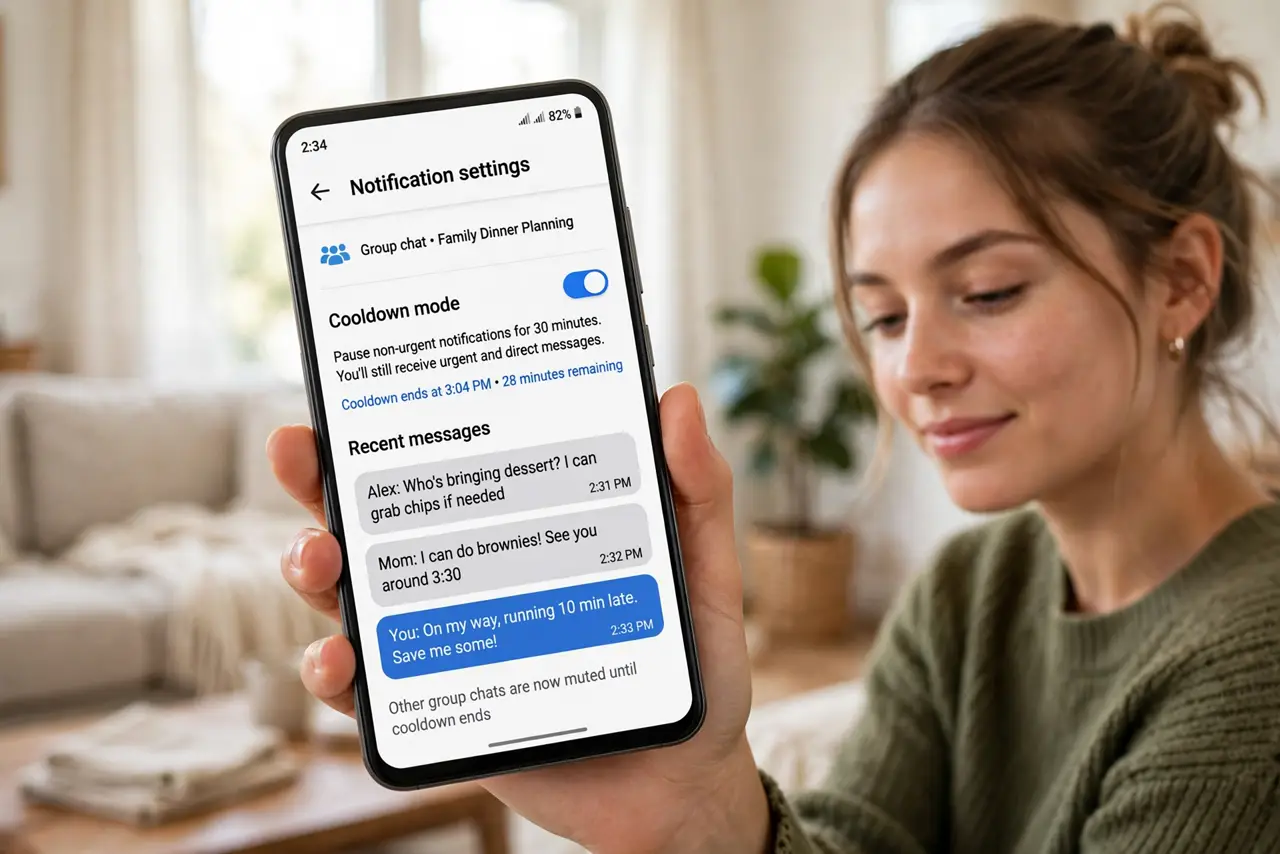
One group chat wakes up and your phone buzzes twenty times in a minute — each message its own vibration, each one demanding attention. Notification cooldown is Android's answer: it automatically quiets rapid-fire notifications from the same conversation. Here is how it works and how to tune the rest of the noise.
TL;DR / Quick Fix
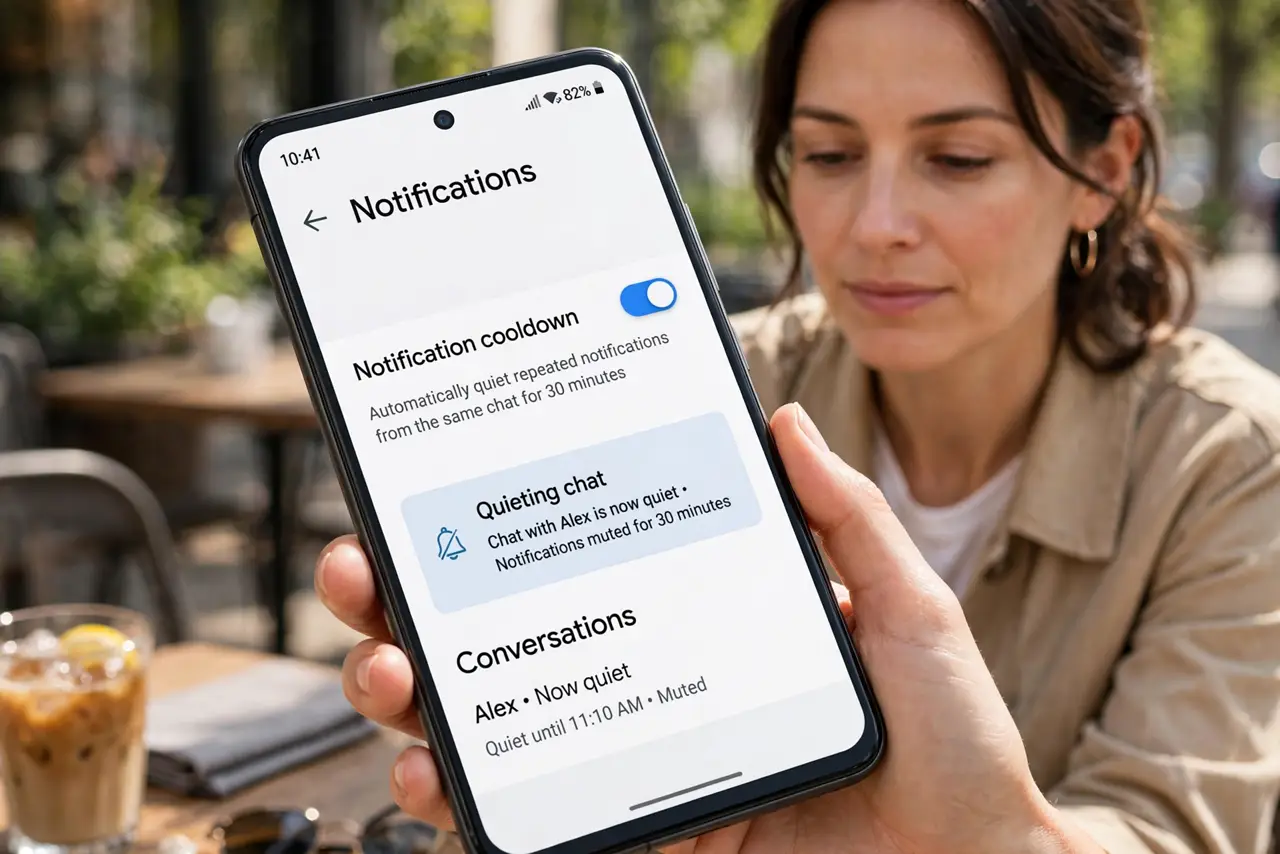
Quick fix: Android's notification cooldown automatically quiets rapid-fire notifications from the same chat — turn it on in Settings, Notifications. For chats that still overwhelm, mute the conversation or set custom alerts per app. The nuclear option — muting the group entirely — is one long-press away.
Follow these steps
- Turn on notification cooldown. Go to Settings, Notifications, and enable notification cooldown (on recent Android versions). The phone then automatically quiets a chat that sends many notifications in quick succession.
- Understand what it quiets. Cooldown targets bursts — many messages from one conversation in a short window. The first few still alert normally; the fifteenth does not buzz like the first. Calls and alarms are never cooled down.
- Mute the worst offenders directly. For a permanently hyperactive group, long-press its notification and choose mute or a quieter alert style. Cooldown manages bursts; muting manages lifestyles.
- Tune per-app notification behavior. Open Settings, Apps, pick the chatty app, and adjust its notification channels — message notifications can buzz while promo notifications stay silent.
- Use Do Not Disturb with exceptions. For focus hours, DND with starred contacts allowed through beats micromanaging every chat. Cooldown handles the daytime; DND handles the evening.
- Audit notification access quarterly. Revisit Settings, Notifications, App notifications every few months and revoke the apps that crept back to full buzzing. The per-app audit takes five minutes.
What to avoid
- Do not turn off all notifications in frustration. You will miss the important ones — cooldown and per-chat muting are the surgical tools.
- Do not expect cooldown on iPhone. This is an Android feature; iPhone users manage bursts with Focus modes and per-app settings instead.
- Do not mute and forget truly important groups. A muted family emergency chat is a real risk — use custom quiet alerts instead of full mute for those.
- Do not ignore the app's own settings. WhatsApp, Telegram, and others have in-app mute and custom tones that work alongside the system controls.
Frequently asked questions
Will I miss urgent messages with cooldown on?
No — the first notifications still alert normally, and calls always come through. Cooldown only quiets the pile-on after a burst starts.
Why is one chat still loud?
It may be exempted, or its notifications come through a channel you set to urgent. Check the app's notification channels for that conversation.
Does cooldown work for all apps?
It works at the system level for notifications generally, but apps with their own aggressive alerting can behave differently — in-app mute covers those.