Autofill Fills the Wrong Address? Fix It
Autofill picks the entry it thinks matches best, and an old address often wins. The fix is to edit or delete the wrong saved address, not to fight the form every time.
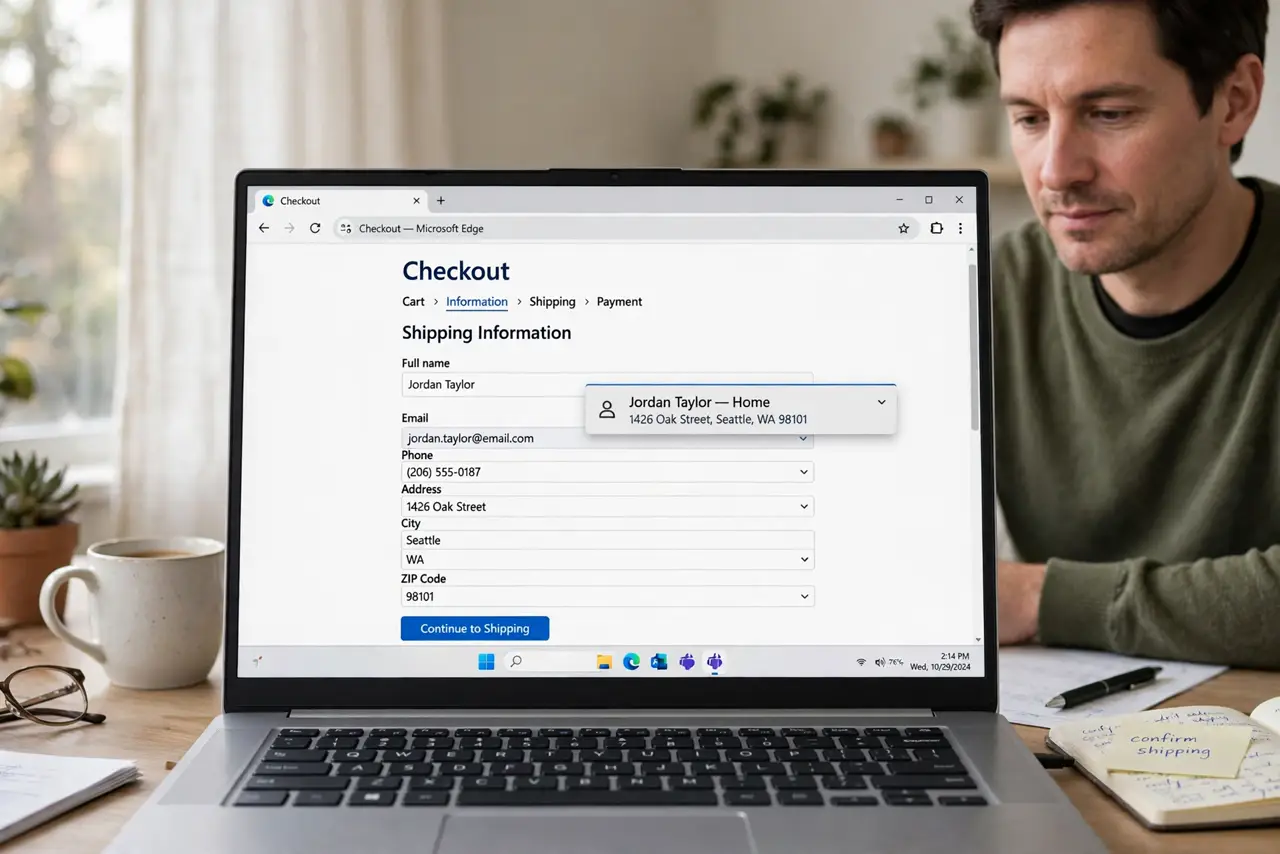
TL;DR / Quick Fix
Quick fix: open the browser address settings, edit the wrong saved address or delete the outdated entry, and keep only the addresses you still use. Then reload the form and test autofill once before submitting anything. Last, turn off autofill for addresses if it keeps failing to confirm it.
Follow these steps
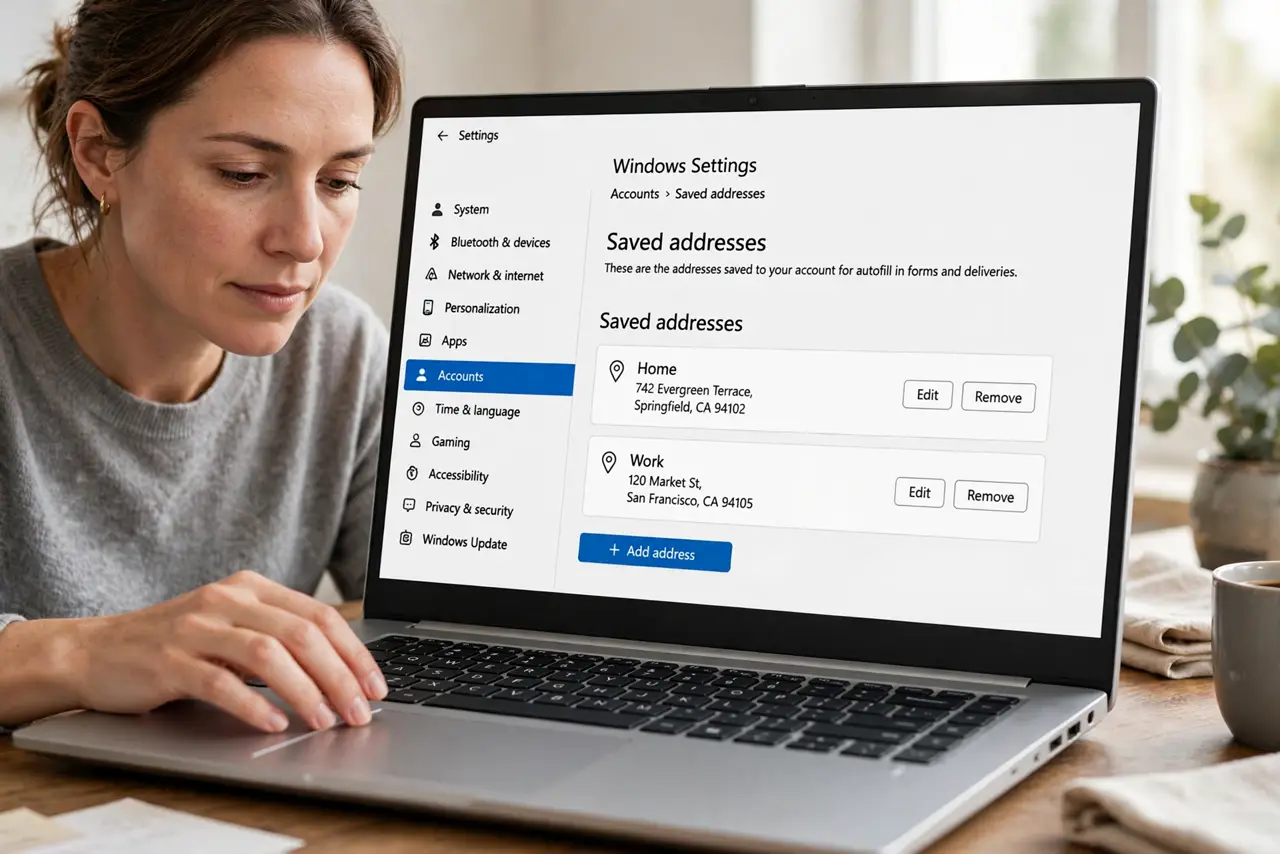
- Open the saved addresses list. Open browser settings, go to Addresses or Autofill, and view every saved address. The wrong entry is usually an old home or work address you no longer use.
- Edit the address you want to keep. Open the current address and correct the street, city, and postal code. Autofill can only offer what is stored, so a corrected entry fixes future forms.
- Delete outdated addresses. Remove old addresses, duplicates, and partial entries. Fewer saved addresses means autofill has fewer wrong choices to offer.
- Check the form field labels. Make sure the form labels match the address parts, such as street, city, and postal code. A form with unusual labels can pull the wrong field from a correct entry.
- Test autofill on the form again. Reload the form, choose the corrected address from the autofill suggestion, and read every field before submitting. Never submit an autofilled form unchecked.
- Turn off autofill for addresses if it keeps failing. If one site keeps mixing fields, turn off address autofill for that session and type the address by hand. A careful manual entry beats a fast wrong one.
What NOT to do
- Do not submit an autofilled form without reading it. A wrong address can send a package or a document to the wrong place.
- Do not keep every old address just in case. Old entries are the main reason autofill picks wrong.
- Do not save a work address in a shared browser profile. Keep personal and shared profiles separate.
- Do not paste a full address into a public form or comment. Only enter it on the checkout or account page that needs it.
Frequently asked questions
Why does autofill pick my old address?
Autofill offers saved entries, and an old entry can rank first if it was used often or saved most recently.
Will deleting an address delete my account address?
No. Deleting a browser autofill entry only removes the browser's copy. The address stored on a site's account stays as it is.
Why does one site fill fields wrongly?
Its form labels may not match standard address fields, so the browser maps fields incorrectly on that site.