Your Internet Is Out but a Neighbor Is Fine
Your internet is dead, but the neighbor's connection works fine. That rules out a wide outage and points at your own line, your modem, or something inside your home.

TL;DR / Quick Fix
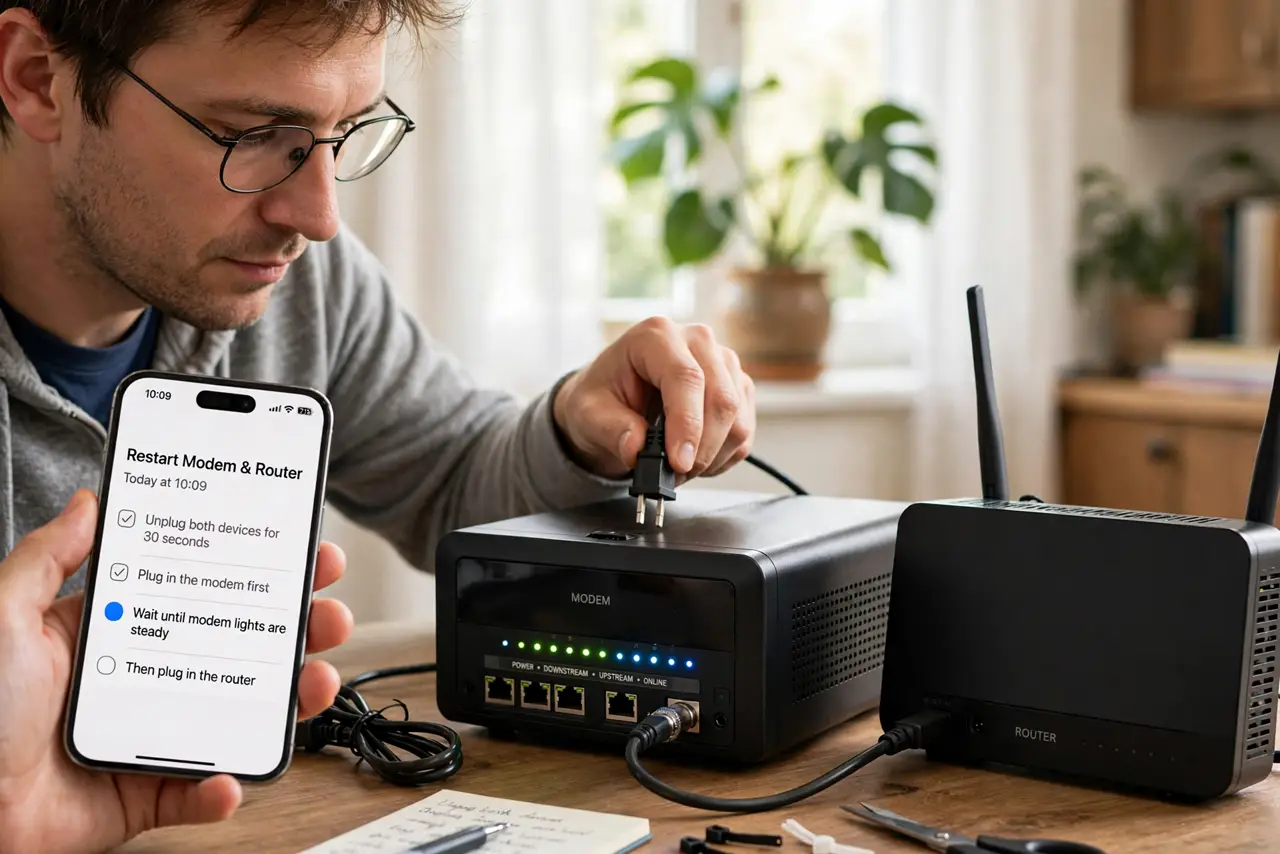
Quick fix: restart your modem and router by unplugging both for thirty seconds, then plug the modem in first and wait for its lights to steady. Then test with a cable to rule out Wi-Fi, and check your cables before calling the provider.
Follow these steps
- Restart the modem and router properly. Unplug both devices for thirty seconds, then plug in the modem first and wait until its lights steady. Only then plug in the router, so each device starts in the right order.
- Test with a cable, not Wi-Fi. Plug a computer directly into the router with an ethernet cable. If wired internet works, the problem is your Wi-Fi, not your internet line.
- Check the modem lights. Look at the modem's lights and compare them with the labels. A missing online or connection light means the line itself is down, which no router restart can fix.
- Check the cables. Push every cable firmly into its socket, including the cable from the wall to the modem. A loose or damaged cable drops the whole connection while the neighbor's line stays fine.
- Test one device, then others. Try one wired device first, then add devices. If one device works and others do not, the problem is your router or Wi-Fi, not the line from the provider.
- Call the provider with facts ready. Tell them the neighbor's internet works, what the modem lights show, and what you already restarted. That points them at your line instead of a general outage.
What NOT to do
- Do not factory reset the router first. A simple unplug restart fixes most outages, while a reset wipes your Wi-Fi name and password too.
- Do not keep restarting every ten minutes. One proper restart is enough, since repeated restarts can delay the modem's reconnection.
- Do not assume the whole street is down. The neighbor's working internet proves the fault is yours, which changes what you should check.
- Do not ignore the modem lights. They tell you whether the line works, and no amount of router fiddling fixes a dead line.
Frequently asked questions
Why does the neighbor have internet but I do not?
Because the outage is limited to your line, your modem, or your home equipment, not the wider network.
Does restarting really fix an outage?
Often yes. Modems and routers get stuck, and one proper restart clears the stuck state.
What do I tell the provider?
That the neighbor is fine, what your modem lights show, and that you already restarted both devices.