5G Settings? Basics
Your iPhone says 5G, but the battery drains faster and nothing feels quicker — so what is the 5G setting actually doing? The iPhone's cellular data options control when it uses 5G versus LTE, and the defaults balance speed against battery in ways worth understanding. A two-minute settings visit can meaningfully change your battery life.
TL;DR / Quick Fix
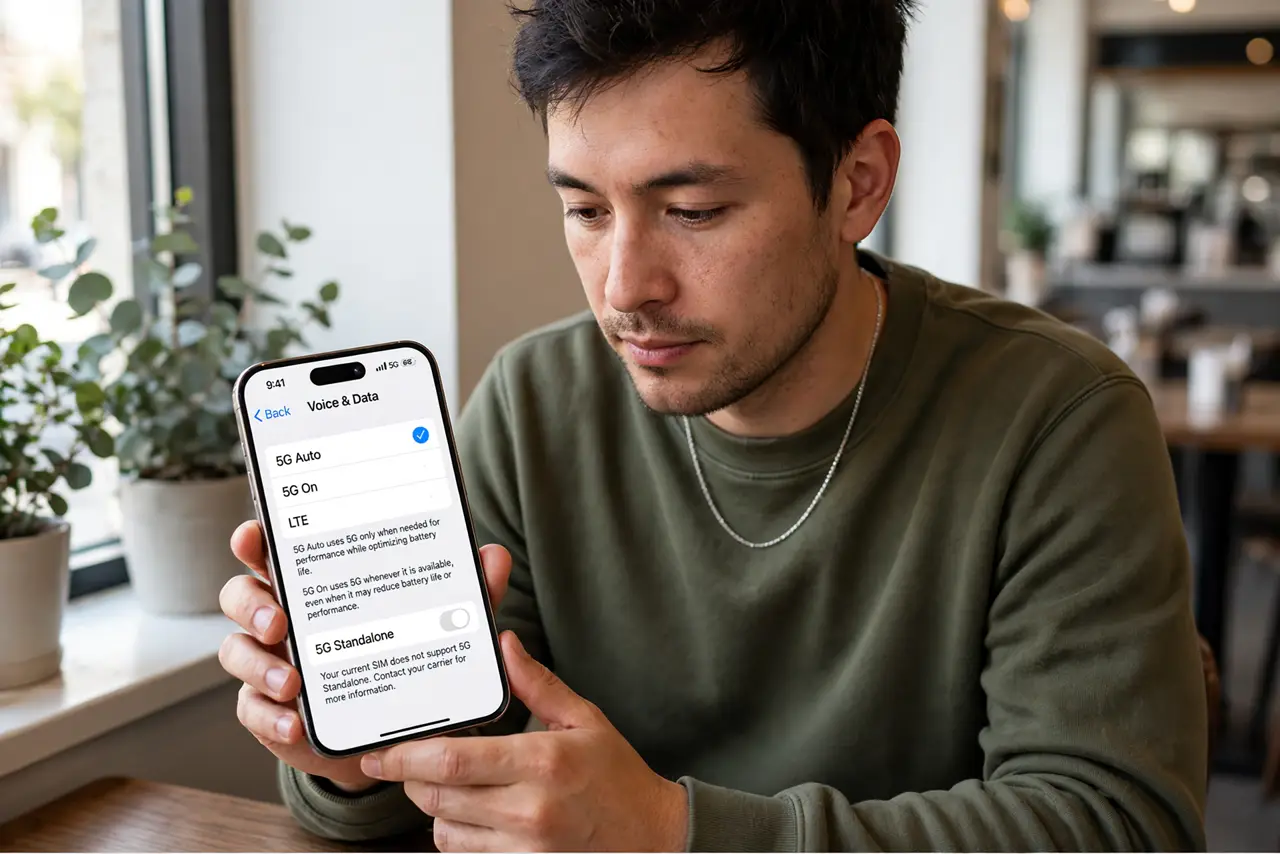
Quick fix: in Settings, then Cellular, then Cellular Data Options, then Voice and Data, choose when the iPhone uses 5G. 5G Auto is the sane default — 5G when it helps, LTE otherwise. Forcing LTE is legitimate if battery life matters more than peak speed.
Follow these steps
- Find the Voice and Data setting. Settings, then Cellular, then Cellular Data Options, then Voice and Data. Three options live here: 5G On, 5G Auto, and LTE — this is the entire decision.
- Understand 5G Auto. The default and the smart choice for most people: the iPhone uses 5G when it meaningfully improves the experience and drops to LTE otherwise. It is Apple balancing speed and battery for you.
- Know when 5G On hurts. Forcing 5G keeps the power-hungry 5G radio active constantly, even for background syncs that LTE handles fine. In weak 5G areas the phone works harder for little benefit — battery pays.
- Consider forcing LTE. If your area's 5G is spotty or you simply want maximum battery, LTE mode is honest and effective. Most daily tasks — messaging, maps, music — never notice the difference.
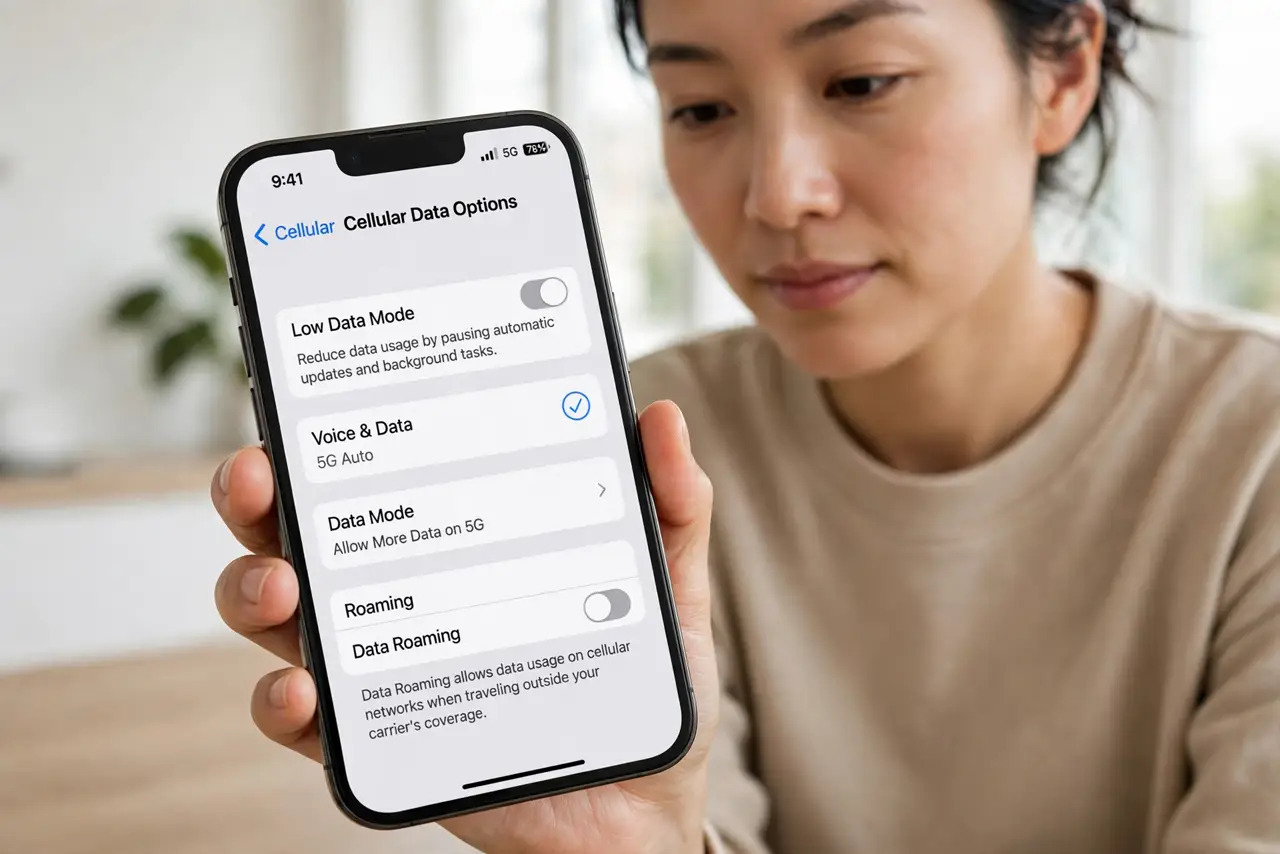
- Check Data Mode too. On the same screen, Data Mode controls how much data the phone uses: Standard, Low Data Mode, or extra 5G data. Low Data Mode tames background usage on tight plans.
- Test with your real usage. Run 5G Auto for a week, note the battery; run LTE for a week, compare. Your signal conditions decide the winner — there is no universal right answer.
What NOT to do
- Do not force 5G On in a weak-signal area. The phone burns battery hunting for a signal that is not really there.
- Do not assume 5G is always faster. Congested or distant 5G can lose to solid LTE — the icon is marketing, the speed test is truth.
- Do not ignore Data Mode on limited plans. 5G's speed makes it easy to burn through a data cap without noticing.
- Do not change this expecting miracles indoors. Buildings attenuate 5G heavily; Wi-Fi is the real indoor answer.
Frequently asked questions
Does 5G drain the battery faster?
Yes, when active — the 5G radio uses more power than LTE. That is exactly why 5G Auto exists: 5G only when it pays off.
Should I just turn off 5G?
If battery life is your priority or local 5G is weak, forcing LTE is a perfectly reasonable choice. You lose little in daily use.
Why does my phone show 5G but feel slow?
The icon shows the network type, not its quality. A congested 5G tower loses to a quiet LTE one — run a speed test to see reality.