iPhone Stops Charging at 80%? Here's Why
Your iPhone charges happily to 80 percent and then refuses to go further. That is usually a feature protecting the battery, not a broken charger. Before you buy a new cable, check the charging setting, since a phone that will not charge at all is a different problem with different fixes.
TL;DR / Quick Fix
Quick fix: understand Optimized Battery Charging first, turn it off temporarily if you need a full charge now, cool the phone down, clean the port, try another cable and charger, and check battery health. Test the fix right away, then recheck it again tomorrow morning.
Follow these steps
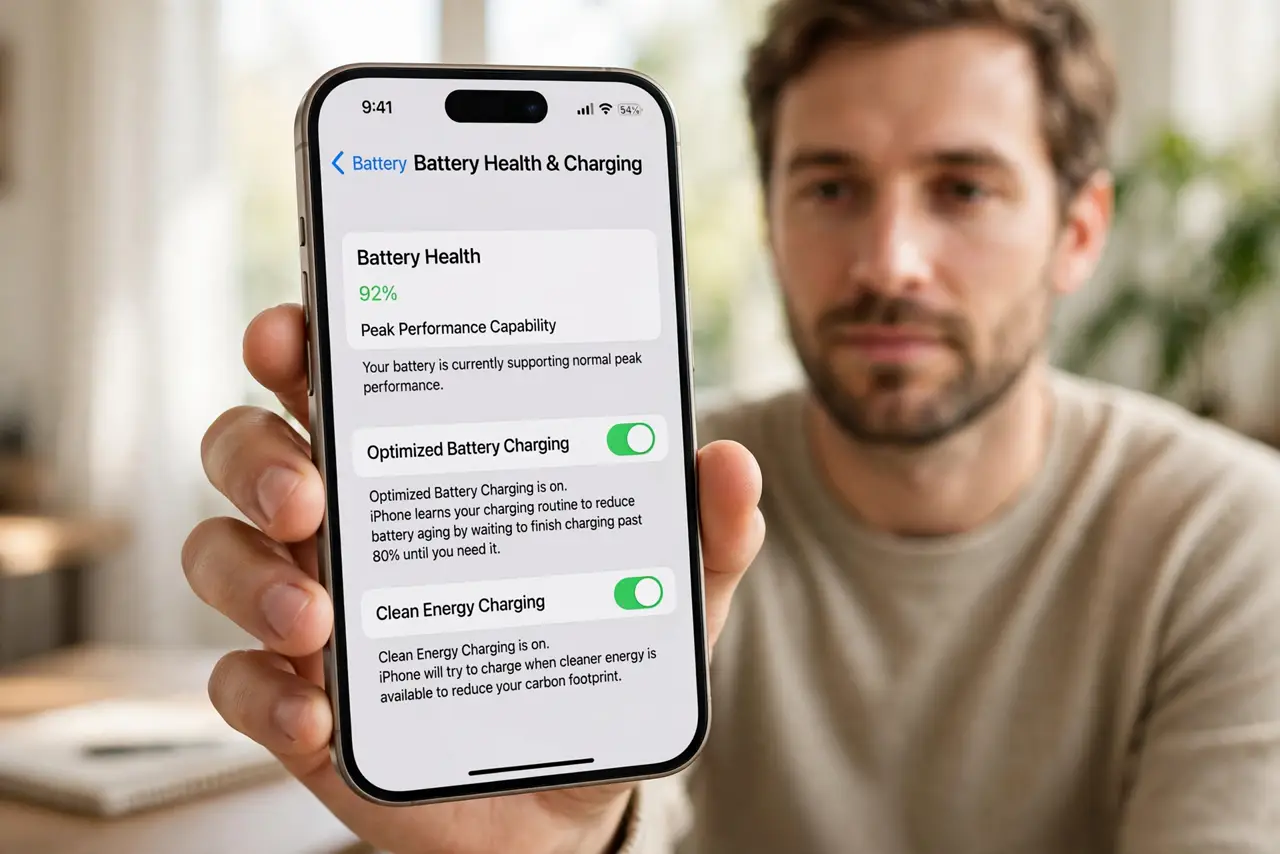
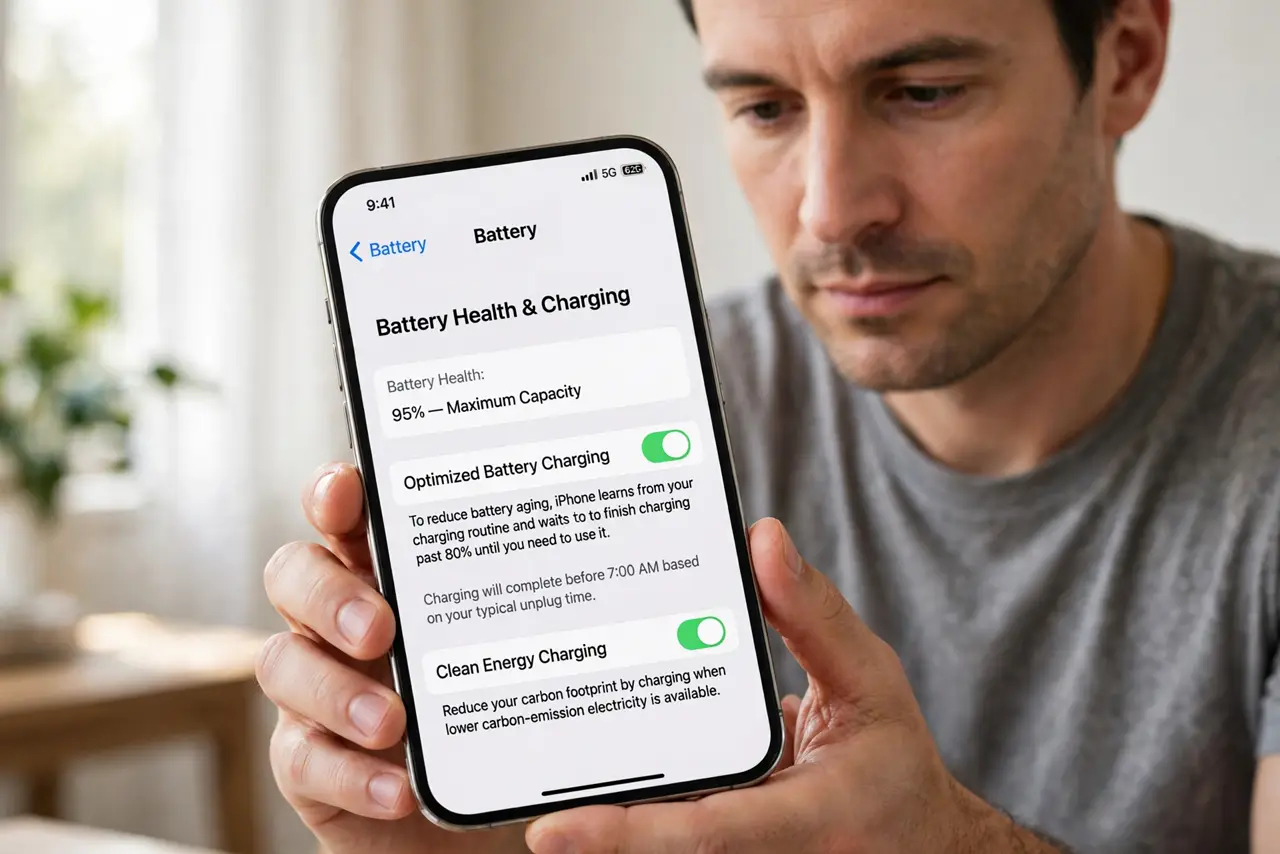
- Understand Optimized Battery Charging. Open Settings, then Battery, then Battery Health and Charging. If Optimized Battery Charging is on, the phone holds at 80 percent and finishes later, to slow battery aging.
- Turn it off temporarily when you need 100 percent. In the same screen, turn off Optimized Battery Charging if you need a full charge for a trip. You can turn it back on afterwards, so the battery still gets protection most days.
- Cool the phone down. If the phone is hot, charging pauses near 80 percent to protect the battery. Move it out of sunlight, take it off a warm charger, and let it cool before charging again.
- Clean the port and check the cable. Look in the charging port for lint and remove it gently with a wooden toothpick while the phone is off. Try a different cable, since a damaged cable can stop charging early.
- Try another charger and outlet. Plug into a different charger and wall outlet, not just a different cable. A weak charger or a faulty outlet can stall charging at the same point each time.
- Check battery health. Open Settings, then Battery, then Battery Health and Charging, and note Maximum Capacity. A worn battery charges less predictably, and below 80 percent a replacement is worth considering.
What NOT to do
- Do not force the phone past 80 percent by repeatedly unplugging it. That fights a protection feature and can heat the battery.
- Do not buy a fast charger to fix an 80 percent stop. A stronger charger will not override Optimized Battery Charging or heat protection.
- Do not clean the port with a metal pin. Metal can damage the pins inside, so use a wooden toothpick or get it cleaned professionally.
- Do not turn Optimized Battery Charging off forever without thinking. It exists to slow aging, so keep it on for normal days.
Frequently asked questions
Is stopping at 80 percent a fault?
Usually no. It is Optimized Battery Charging, or heat protection pausing the charge to protect the battery.
Will it ever charge past 80 percent on its own?
Yes. With Optimized Battery Charging on, it finishes charging before you usually unplug, based on your routine.
Does heat really stop charging?
Yes. iPhones pause or slow charging when hot, and charging resumes once the phone cools down.