Mail Push vs Fetch: Battery and Speed
Push delivers mail instantly but sips battery all day; Fetch checks on a schedule and saves power but makes you wait. Most people never choose — the phone did it for them. This guide explains the trade-off and sets the right schedule for how you actually use email.
TL;DR / Quick Fix
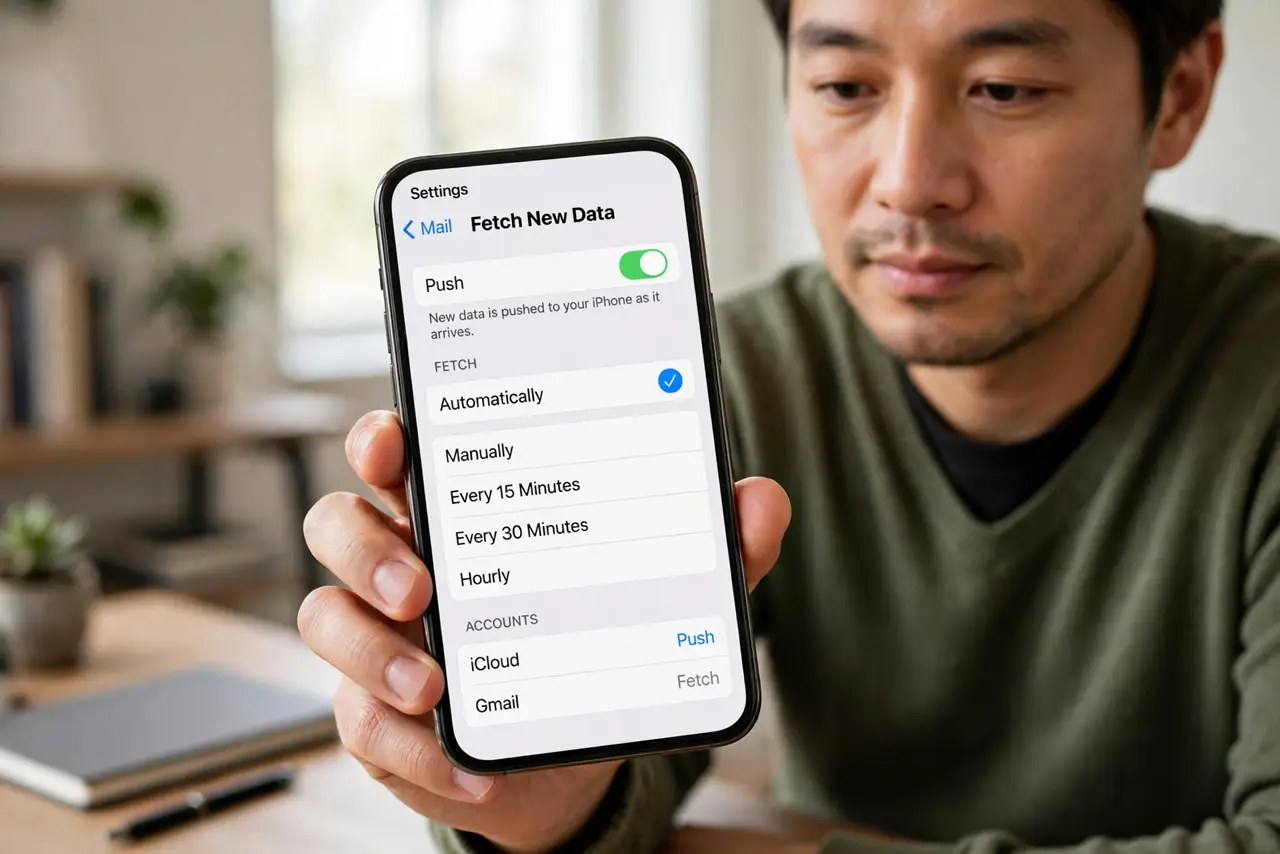
Quick fix: use Push for your main account and Fetch every 30 minutes for the rest. If battery life matters more than instant mail, switch everything to hourly Fetch. Manual fetch — mail only arrives when you open the app — saves the most battery of all.
Follow these steps
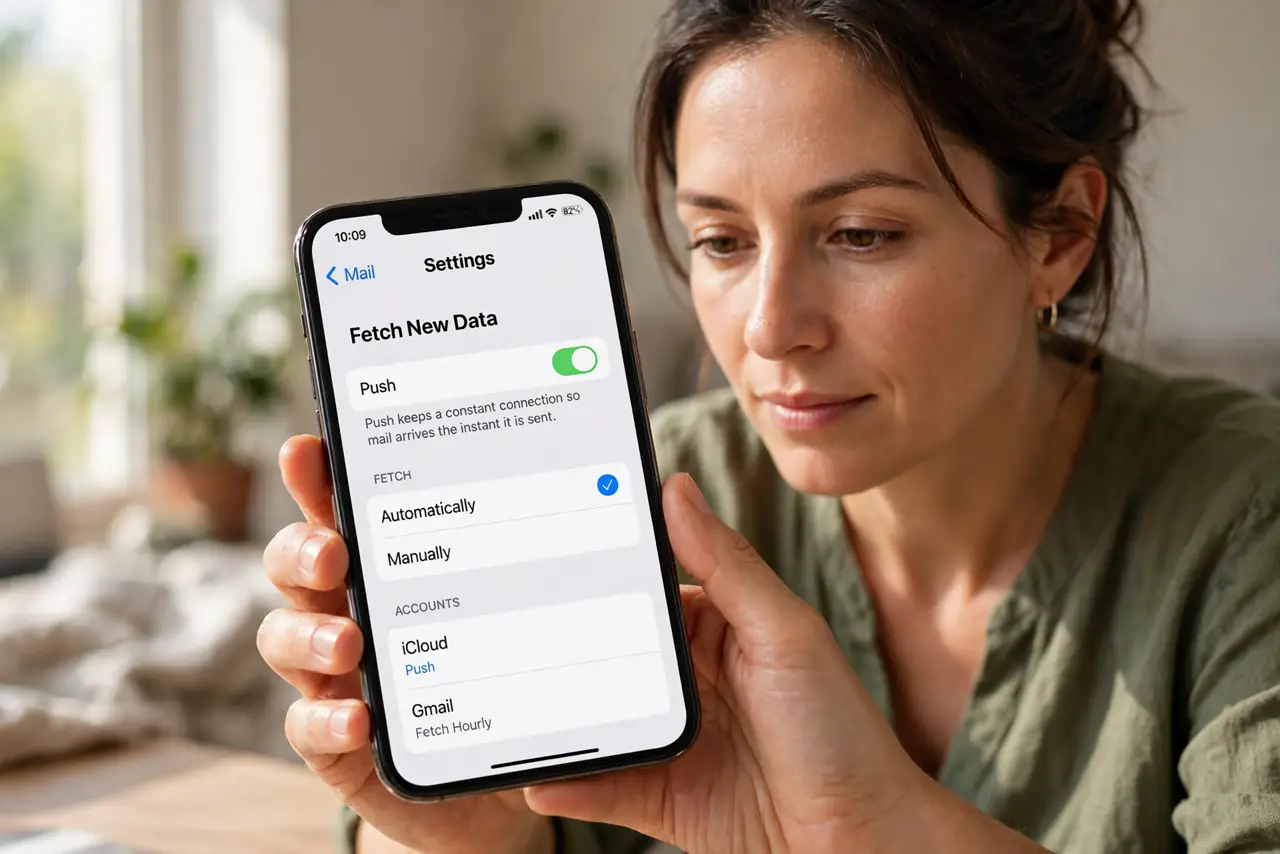
- Understand Push. Push keeps a constant connection so mail arrives the instant it is sent. It is the fastest option and uses the most background power.
- Understand Fetch. Fetch checks for mail on a schedule — every 15, 30, or 60 minutes. Between checks the radio sleeps, which saves meaningful battery.
- Use Push for your main account. Keep Push on for the account where speed matters — work, or the one with time-sensitive messages. One push account costs little.
- Set the rest to Fetch. Switch secondary accounts — newsletters, old addresses — to 30- or 60-minute Fetch. You will not miss anything important on a slight delay.
- Consider Manual for the lowest drain. Manual means mail only arrives when you open the app. For accounts you check twice a day anyway, it is the most efficient choice.
- Watch the battery difference. After a week on the new setup, check battery usage. Most people see a real improvement with no practical loss of speed.
What NOT to do
- Do not set every account to Push 'just in case.' Each push account holds a connection open all day — the drain adds up.
- Do not confuse Fetch delays with broken mail. A 30-minute fetch schedule means mail can be 29 minutes 'late' by design.
- Do not expect Fetch to fix a truly broken account. If mail never arrives even manually, the account setup — not the schedule — is wrong.
- Do not forget some accounts only support Fetch. iCloud and Exchange support Push; many others only offer Fetch.
Frequently asked questions
Which is better for battery: Push or Fetch?
Fetch, especially hourly or manual. Push keeps a constant connection open, which costs background power all day.
Why is my email delayed?
Your account is probably on a Fetch schedule. Mail arrives at the next check — 15 to 60 minutes depending on the setting.
Does Manual fetch break notifications?
Effectively yes — with Manual, new-mail notifications only happen when you open the app. Use it only for low-priority accounts.