iPhone Screen Dims in Sunlight? Fix It
You step into bright sunlight and the iPhone screen dims exactly when you need it brightest. That is usually auto-brightness misreading the light, or the phone dimming itself to cool down. This guide sorts out which one you have and gets the screen readable again — even in harsh outdoor light.
TL;DR / Quick Fix
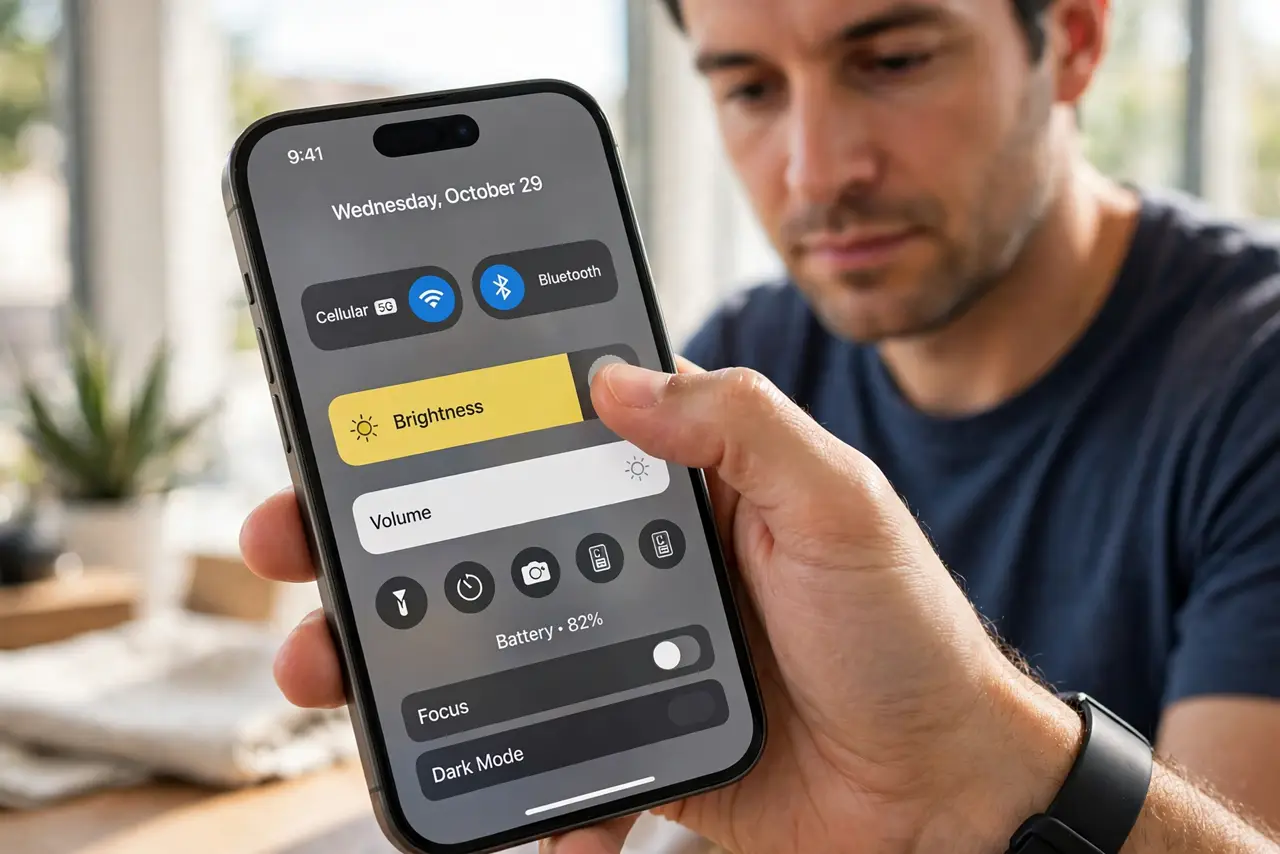
Quick fix: drag brightness to maximum in Control Center and turn off auto-brightness temporarily. If the screen still dims within minutes, the phone is overheating and dimming to protect itself — move it into shade to cool down. Clean the light sensor area near the earpiece too.
Follow these steps
- Push brightness to max manually. Open Control Center and drag the brightness slider all the way up. This overrides auto-brightness immediately so you can read the screen now.
- Check whether heat is the cause. If the phone feels warm and dims again within minutes, it is thermal dimming — the phone protecting itself. Shade and airflow fix this, not settings.
- Turn off auto-brightness temporarily. In Accessibility, Display settings, disable auto-brightness while you are outdoors. Remember it exists so you can re-enable it later indoors.
- Clean the ambient light sensor. Wipe the area near the earpiece and front camera. A dirty sensor misreads sunlight and keeps brightness too low.
- Remove the phone from direct sun. Even working phones dim in extreme heat. A few minutes in shade or a pocket lets the screen return to full brightness.
- Re-enable auto-brightness indoors. Once you are back inside, turn auto-brightness on again. It saves battery and your eyes indoors — the manual override was only for the sun.
What NOT to do
- Do not assume the screen is broken. Sunlight dimming is almost always auto-brightness or heat protection, not a faulty display.
- Do not leave auto-brightness off permanently. You will drain the battery faster and strain your eyes in dim rooms.
- Do not cool the phone with water. Shade and airflow are enough — water risks the phone.
- Do not crank brightness to max all day every day. It is fine for sunlight, but it burns battery fast as a habit.
Frequently asked questions
Why does my iPhone dim in sunlight?
Either auto-brightness is misreading the light, or the phone is hot and dimming the screen to cool down. Manual brightness plus shade fixes both.
Will the screen stay bright if I disable auto-brightness?
Yes, until heat forces thermal dimming. In extreme heat the phone dims the screen no matter the setting.
Is thermal dimming harmful?
No — it is the phone protecting itself. Let it cool and full brightness returns on its own.