Share Purchases with Family
You bought an app, then your partner bought the same app, then your kid asked for it too — three purchases for one family. Purchase sharing fixes that: one family group, one purchase, everyone gets it. It covers apps, and depending on your setup, subscriptions and media too. Set it up once and the double-buying stops. For the kid side of the equation, purchase approvals keep spending sane.
TL;DR / Quick Fix
Quick fix: set up Family Sharing and turn on Purchase Sharing — one family member buys an app once and everyone in the group can download it free. The organizer's payment method covers family purchases. Check which subscriptions are shareable, since not all are.
Follow these steps
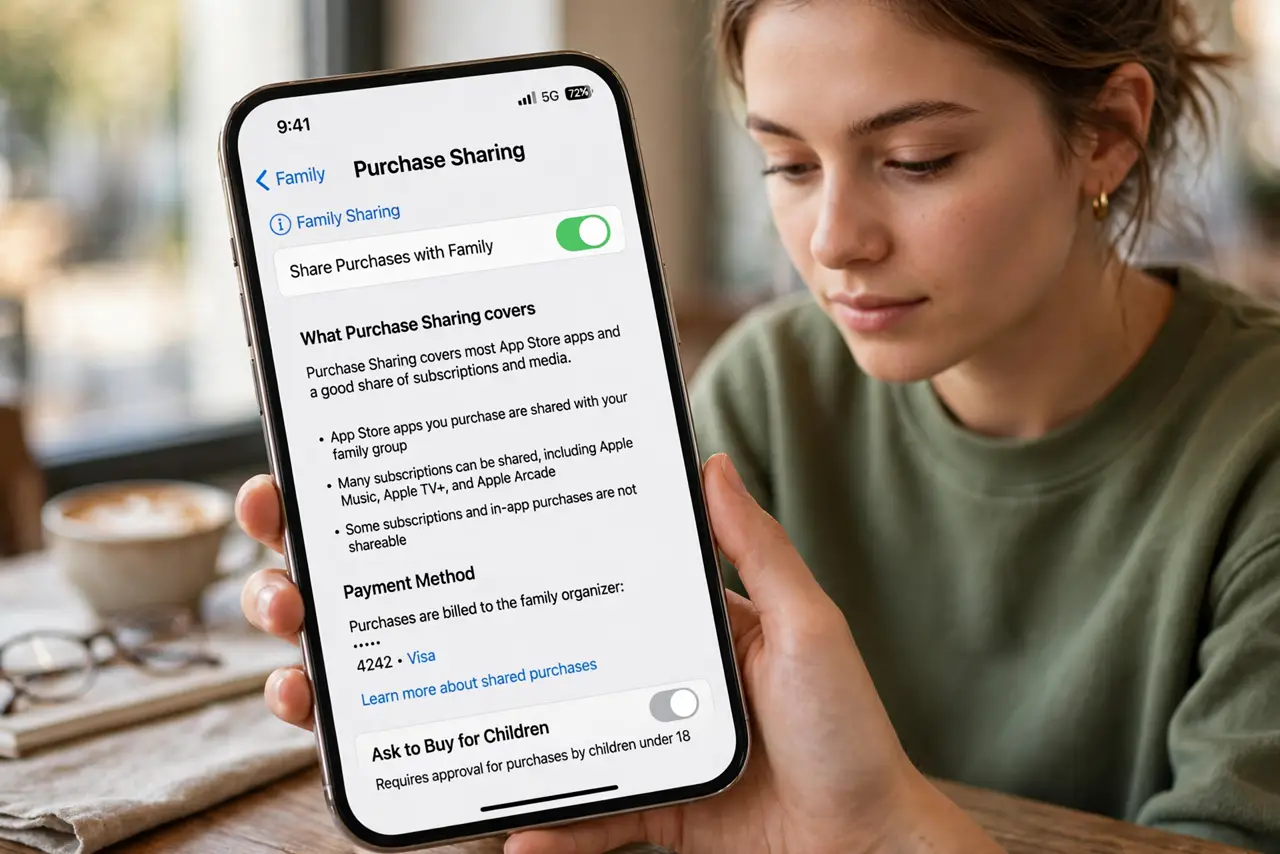
- Understand what sharing covers. Purchase Sharing covers most App Store apps and a good share of subscriptions and media. Some subscriptions and in-app purchases are excluded by the developer — sharing is generous, not universal.
- Create the family group. On the organizer's iPhone, open Settings, tap the profile, and set up Family Sharing. Invite up to five other people — each keeps their own Apple ID, purchases just become visible to all.
- Turn on Purchase Sharing. In the Family Sharing settings, enable Purchase Sharing. From then on, eligible new purchases by any member appear in everyone's purchase history automatically.
- Download a family member's purchase. Open the App Store, go to your profile, then Purchased, and switch to the family member's name. Everything they bought that is shareable is there, free to download.
- Know who pays. The family organizer's payment method is charged for family purchases. That is the deal — so make sure the organizer is whoever should hold the wallet.
- Pair it with Ask to Buy. Purchase sharing without kid controls means kids spending the organizer's money freely. Enable purchase approvals and the system stays generous but safe.
What NOT to do
- Do not share purchases without Ask to Buy for kids. Shared payment access plus a curious kid equals surprise charges.
- Do not assume every subscription shares. Check the app's listing or the subscription settings — some stay stubbornly individual.
- Do not invite people outside the household casually. Everyone's purchases become visible to the group; keep it to people you trust.
- Do not forget the organizer pays. Joining as a member is free; organizing means your card backs the family's buying.
Frequently asked questions
Can family members see everything I download?
They can see your shared purchase history, yes. If that bothers you, you can hide individual purchases from the shared list.
What happens if someone leaves the family?
They keep what they personally bought. Access to other members' shared purchases ends — apps may stop working until they buy their own copy.
Does it work across countries?
All members need to be in the same country or region for the App Store. Mismatched regions block the sharing.