Smarter Calendar Alerts
You miss meetings because the alert came two minutes before, while you were in another call. Smarter alerts mean the right warning at the right lead time — travel time for offsites, a day for flights, fifteen minutes for calls. Defaults are one-size-fits-all; yours should not be.
TL;DR / Quick Fix
Quick fix: in Calendar, open Settings, Alerts, and set default alerts per event type — 15 minutes for calls, an hour for in-person meetings. Add a second alert with travel time for offsites. Customize one-off events individually. Alerts only work if Calendar notifications are allowed in system settings.
Follow these steps
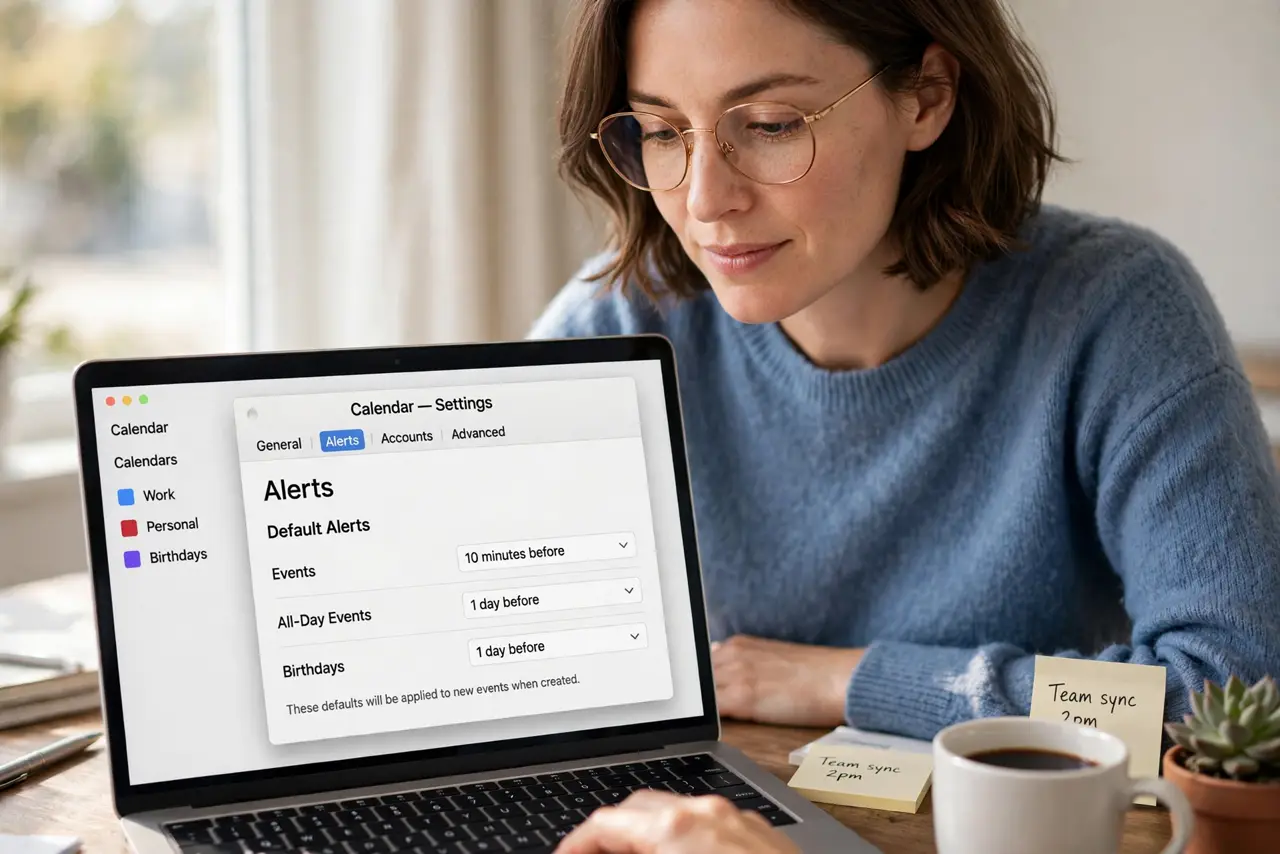
- Open Calendar alert settings. In Calendar, go to Calendar, Settings, Alerts. Set defaults for Events, All-Day Events, and Birthdays separately.
- Set sensible defaults. 15 minutes for meetings, 1 hour for appointments across town, 1 day for travel. Defaults cover every new event automatically.
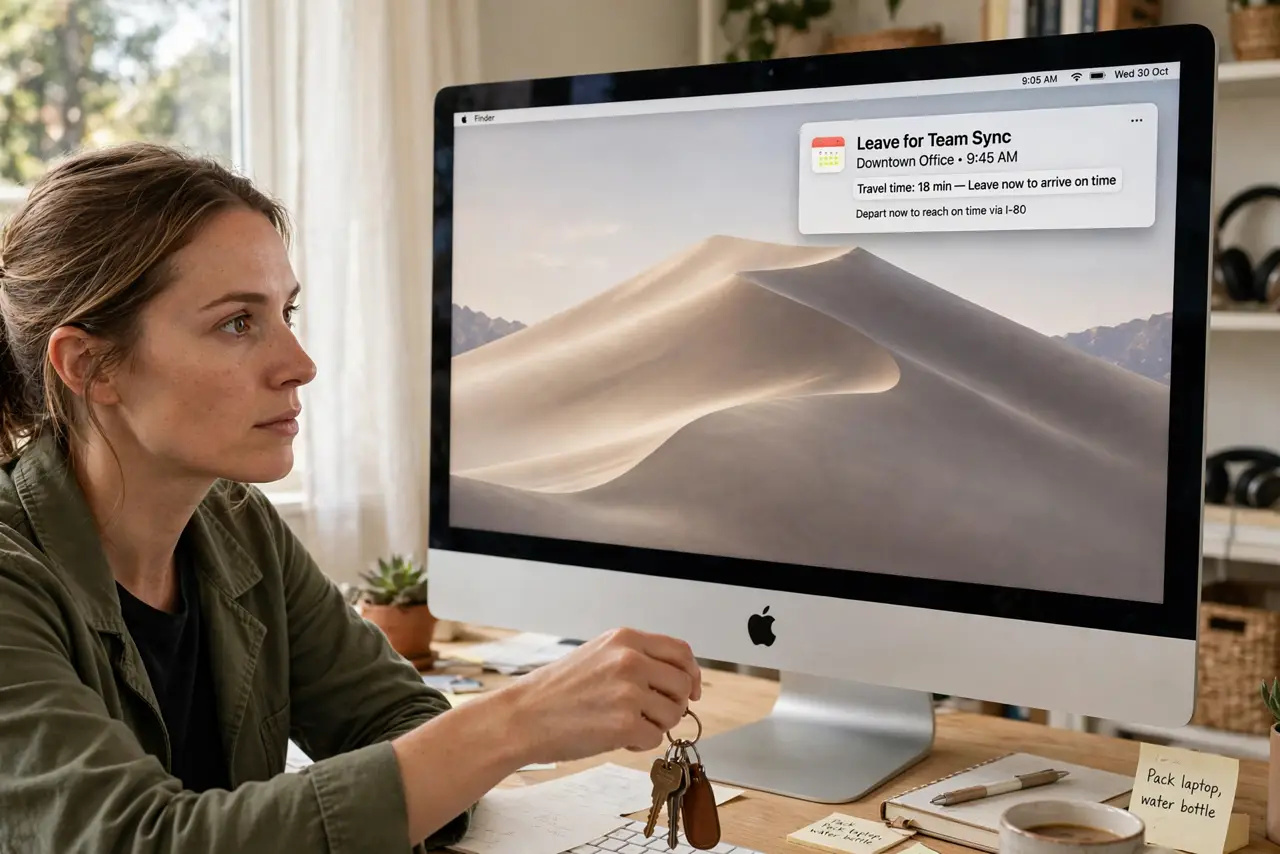
- Add travel-time alerts. For offsite events, add a second alert set to Time to Leave. Calendar uses maps data to warn you when to actually depart.
- Customize per event. Open any event and change its alert without touching defaults. The dentist gets an hour; the standup gets five minutes.
- Check notification permissions. Alerts need Calendar allowed in System Settings, Notifications. A perfect alert setup does nothing if notifications are blocked.
- Pair with good invites. Alerts remind you; good invites prevent the confusion. Send invites with locations so alerts can compute travel time.
What NOT to do
- Do not set every alert to 5 minutes. Back-to-back meetings need real lead time — 5 minutes is a missed meeting with extra steps.
- Do not rely on a single alert for critical events. Flights and interviews deserve two: a day before and an hour before.
- Do not ignore Do Not Disturb. It silences alerts too — check that quiet hours do not cover your meeting times.
- Do not set alerts you will snooze forever. An alert you always dismiss trains you to ignore all of them.
Frequently asked questions
Why did I not get an alert?
Usually notifications blocked for Calendar, or Do Not Disturb was on. Check both before blaming the event.
Can alerts have custom sounds?
Calendar uses the system alert sound. For distinct meeting sounds, third-party calendar apps offer more.
Do alerts sync to iPhone?
Yes — alerts set on Mac appear on iPhone too, as long as the calendar itself syncs via iCloud.