Contacts Merges Two Different People
Contacts merges cards when they share a name, email, or phone number, and sometimes it guesses wrong. Two different people with similar details become one card, and their information mixes in ways that look confusing but are reversible.
TL;DR / Quick Fix
Quick fix: open the merged card, find the details that belong to the other person, and use the option to separate or unlink the merged contacts. Then correct each card so they no longer share the detail that caused the merge.
Follow these steps
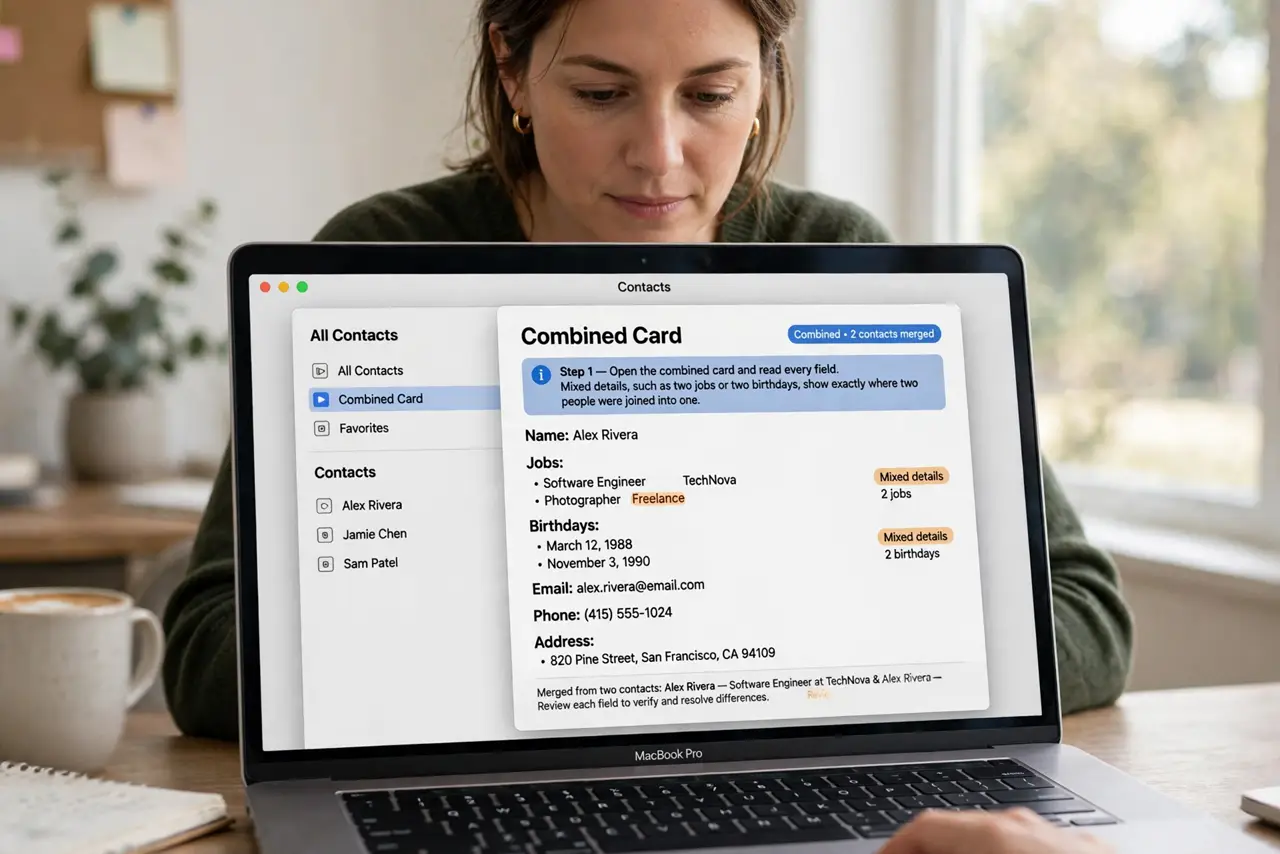
- Open the merged card. Open the combined card and read every field. Mixed details, such as two jobs or two birthdays, show exactly where two people were joined into one.
- Find the shared detail. Look for the name, email, or phone number the two people share or nearly share. That shared detail is usually what triggered the automatic merge.
- Separate the cards. Use the unlink or separate option for the merged card to split it back into two contacts. Splitting restores two cards without deleting any information.
- Correct each card. Edit each separated card so it holds only its own person's details. Move a misplaced email or number to the card it truly belongs to.
- Fix the shared detail. If two people genuinely share a number, such as a family landline, note it clearly on both cards. A clear note stops the next merge from surprising you again.
- Check linked cards. Look for any remaining linked cards on either person and unlink wrong ones. A leftover link can re-merge the cards at the next sync.
What NOT to do
- Do not delete the merged card to fix it. Deleting removes both people's details at once, while splitting keeps everything and separates it correctly.
- Do not edit blindly before splitting. Correcting a merged card first can move one person's details deeper into the other's card.
- Do not assume sync caused an unfixable mess. Merges are reversible by splitting, and sync will then carry the corrected separate cards.
- Do not merge cards again casually after splitting. A careless re-merge repeats the problem, so only merge cards you are certain belong to one person.
Frequently asked questions
Why did Contacts merge two people?
Because they share or nearly share a name, email, or phone number, and Contacts guessed they were the same person.
Will splitting delete information?
No. Splitting separates the combined card into two cards, keeping the details on the card they belong to.
How do I stop it merging again?
Correct the shared detail after splitting, and unlink any wrong linked cards, so the next sync has no reason to rejoin them.