Other Users Take Hidden Disk Space on Mac
The Mac says the drive is full, but your own files look small. Other user accounts on the same Mac hold files you cannot see from your account, and their share can be surprisingly large.
TL;DR / Quick Fix
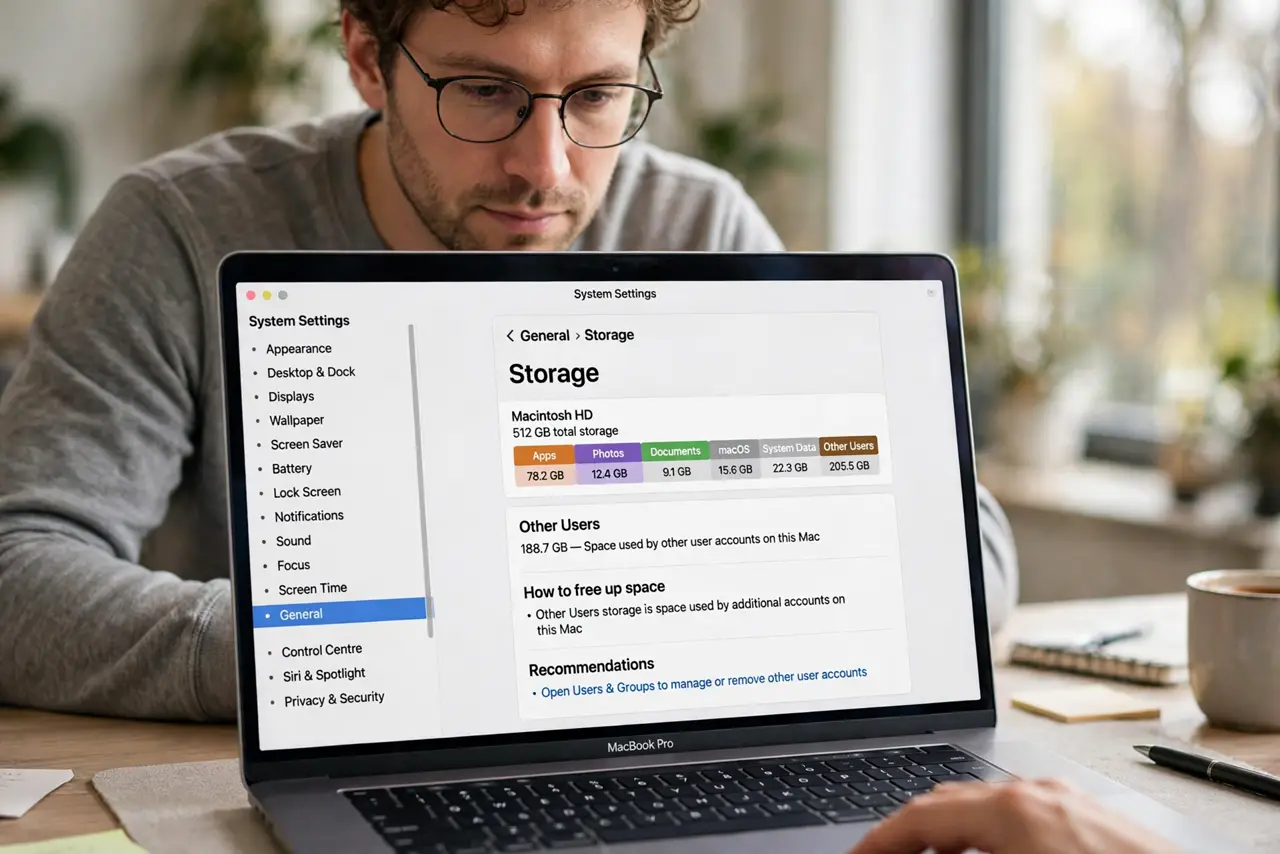
Quick fix: open System Settings, then General, then Storage, and look for the Other Users total. Ask each user to clean their own account, or sign in as an administrator and review the Users folders and ask each account owner to clean their own files.
Follow these steps
- Find the Other Users total. Open System Settings, then General, then Storage. The Other Users entry shows how much space belongs to accounts other than yours, which explains a full drive with small personal files.
- Ask each user to clean their own account. Each user should sign in, check their Downloads, Trash, and large files, and remove what they no longer need. Only the account owner can safely judge their own files.
- Check as an administrator if you manage the Mac. An administrator can open the Users folder and see each account's size. Do not delete another person's files without asking, but sizes alone show where the space went.
- Look for old accounts nobody uses. A Mac shared over years often keeps accounts for people who no longer use it. Confirm with the owner, then remove a truly unused account through Users and Groups.
- Move shared large files to one place. If everyone keeps a copy of the same videos or installers, keep one shared copy in the Shared folder instead. Duplicates across accounts multiply the space they use.
- Recheck Storage after the cleanup. Return to Storage and confirm the free space grew. If Other Users barely changed, another account still holds large files and needs its own cleanup pass.
What NOT to do
- Do not delete another user's files to free space. You cannot judge what matters to them, and deleting their work to fix your storage problem creates a bigger one.
- Do not remove a user account on a guess. Confirm the account is truly unused first, because removing it deletes that user's home folder.
- Do not blame your own files when the drive is full. Check the Other Users total first, so you clean the account that actually holds the space.
- Do not use a cleaner app to sweep other accounts. Cleaner apps cannot safely judge another person's files, and they may remove things that account still needs.
Frequently asked questions
Why does my Mac look full when my files are small?
Because other user accounts on the same Mac hold files counted in the drive total but not visible from your account.
Can I see what is inside another user's folder?
As an administrator you can see folder sizes, but you should not open or delete another person's files without their permission.
What frees the most space across accounts?
Removing an unused account or clearing large files inside each active account, since duplicates across accounts add up fast.