Browse Images in Gallery View
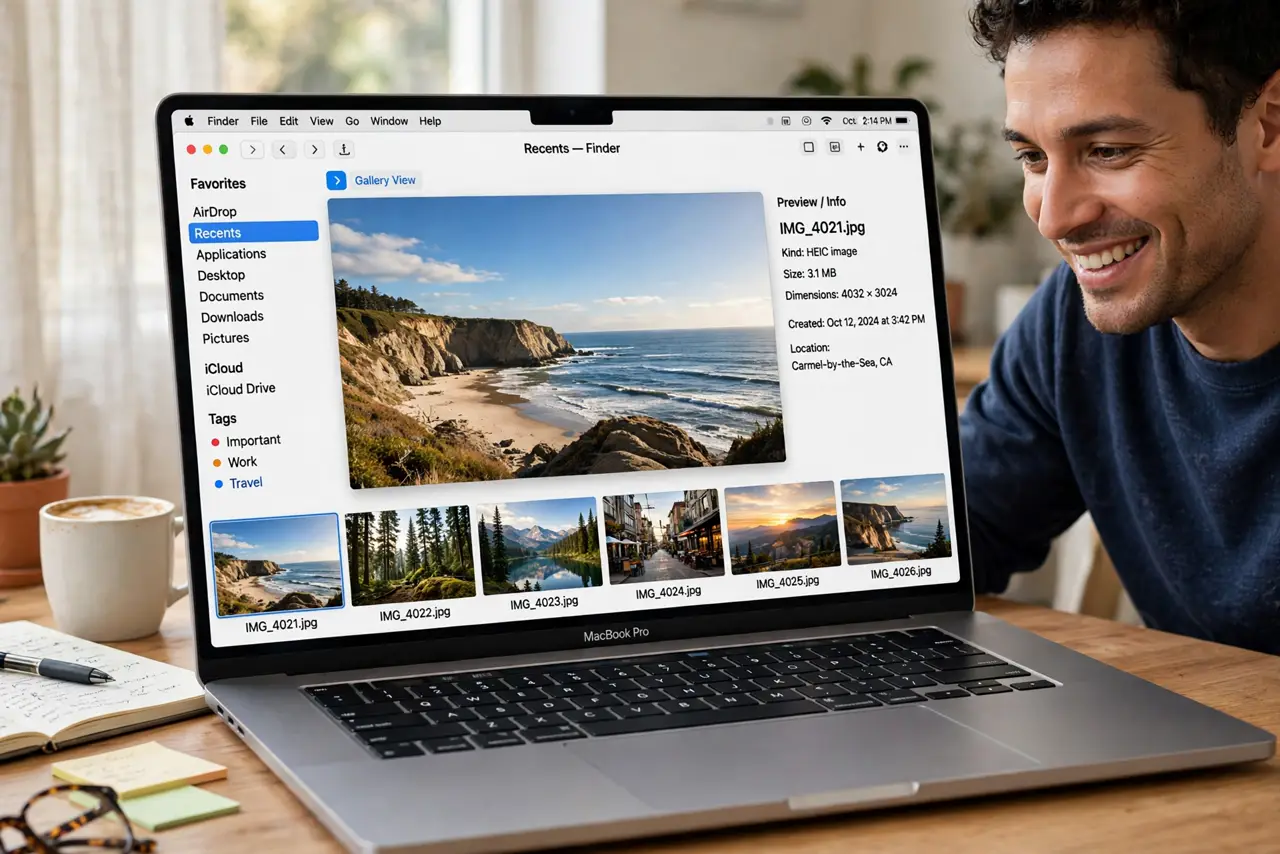
You are previewing photos one by one, double-clicking each file like it is 2005. Finder's Gallery View shows a big preview with filmstrip thumbnails — you can fly through hundreds of images and see metadata at a glance. Here is how to use it.
TL;DR / Quick Fix
Quick fix: in Finder, click the Gallery View button in the toolbar — you get a large preview with a thumbnail filmstrip for fast browsing. Use the arrow keys to move through images. The preview pane shows metadata like camera settings at a glance.
Follow these steps
- Switch to Gallery View. In any Finder window, click the Gallery View icon in the toolbar (or press Command-4). The window becomes a large preview with thumbnails below.
- Browse with arrow keys. Left and right arrows move through images fast — far quicker than double-clicking each file. This is the whole point of the view.
- Read the metadata pane. The right side shows file info: dimensions, camera settings, creation date. Photographers get EXIF at a glance.
- Sort for the task. Sort by date for events, by name for organized shoots. Gallery View respects Finder's sort — set it before browsing.
- Use Quick Actions in the preview. Rotate, markup, and convert right from the preview pane without opening another app. Batch basics without leaving Finder.
- Fix blank previews. If thumbnails show as blank icons, the preview cache may be stale — see blank previews for the fix.

What NOT to do
- Do not double-click every photo. Gallery View exists precisely to end that habit.
- Do not browse unsorted folders. A quick sort first makes the filmstrip actually useful.
- Do not ignore the metadata. Camera settings in the pane answer 'how was this shot' instantly.
- Do not use it for non-images. Gallery View shines on photos; documents are better in List or Column view.
Frequently asked questions
What is the keyboard shortcut?
Command-4 switches to Gallery View; Command-1 through 3 switch to the other views.
Can I see full-screen?
Select images and press Option-Space for a full-screen slideshow from the Finder.
Why are some previews blank?
Usually a stale thumbnail cache — see blank previews.