Focus Mode by Location Never Activates? Fix It
When Focus mode by location never activates, you arrive at work or home and the Focus you set for that place never turns on. Location-based Focus needs location access, an accurate location, and a Focus automation, so one missing piece stops the whole trigger.
TL;DR / Quick Fix
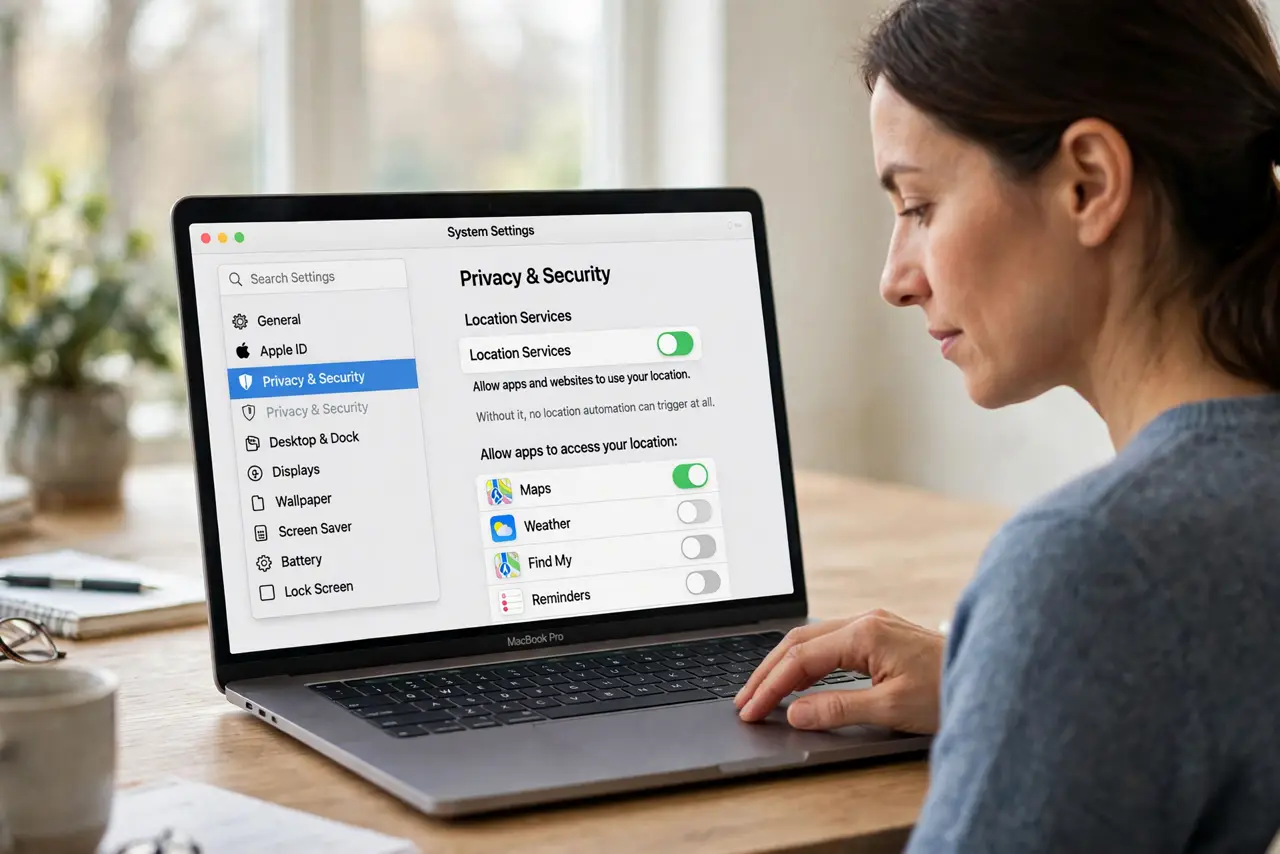
Quick fix: open System Settings, then Privacy and security, then Location Services, and confirm location is on for the apps and services that trigger Focus. Then open Focus settings, check the automation location, and widen its radius if your arrival point varies.
Follow these steps
- Turn on Location Services. Open System Settings, then Privacy and security, then Location Services, and turn Location Services on. Without it, no location automation can trigger at all.
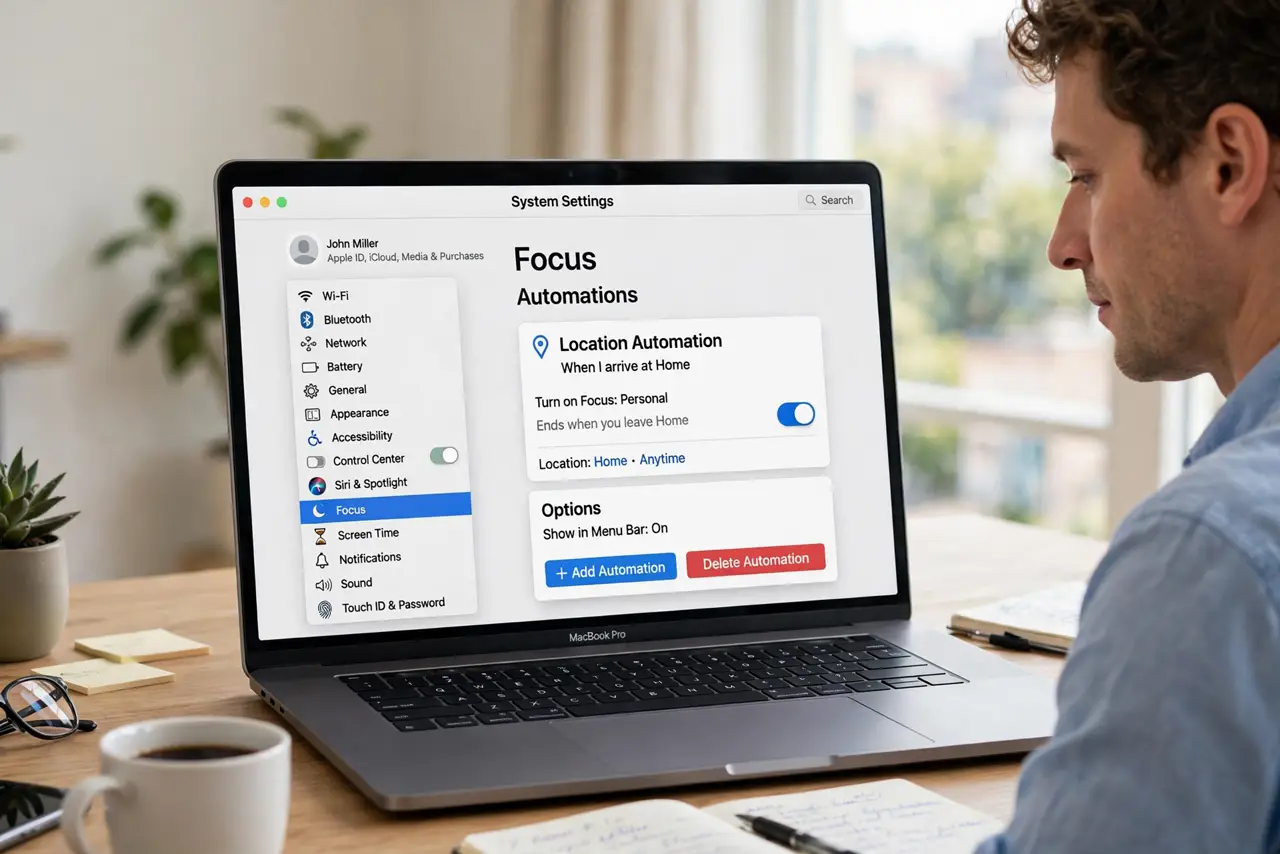
- Check the Focus automation location. Open System Settings, then Focus, open the Focus mode, and check its location automation. Confirm the pin sits on the right place, not a nearby street or building.
- Widen the location radius. If you arrive at different entrances, widen the automation radius so the whole site counts. A tight radius can miss your actual arrival point entirely.
- Test by arriving and waiting. Go to the location, wait a few minutes, and check whether the Focus activates. Location triggers are not instant, and checking too soon looks like failure.
- Check that another Focus is not already on. If a different Focus mode is already active, the location automation may not override it. Turn off the current Focus manually, then test the location trigger again.
- Recreate the automation if it still fails. Delete the location automation and create it again with a fresh pin and radius. A recreated automation clears a corrupted trigger that editing alone may not fix.
What NOT to do
- Do not keep toggling Focus manually and accept that location never works. Manual toggling hides an automation problem that a location and radius check usually fixes.
- Do not set the location radius to cover a whole city. A huge radius triggers the Focus in places you never meant, which is worse than a missed trigger.
- Do not turn on location for every app to fix one automation. Only Location Services and the Focus trigger need location, and other apps do not need it.
- Do not delete the whole Focus mode before you check its automation. The Focus itself may be fine, and only its location trigger needs recreating.
Frequently asked questions
Why does location Focus never trigger?
Usually Location Services are off, the pin is wrong, or the radius is too tight. Check those three before you recreate the automation.
How long should activation take?
A few minutes after arrival is normal. Location triggers check periodically, not constantly, so give it time before you conclude it failed.
Can location Focus trigger at home and work separately?
Yes. Create one automation per place, each tied to the Focus you want there, and check each pin and radius separately.