Screen Calls with Live Voicemail
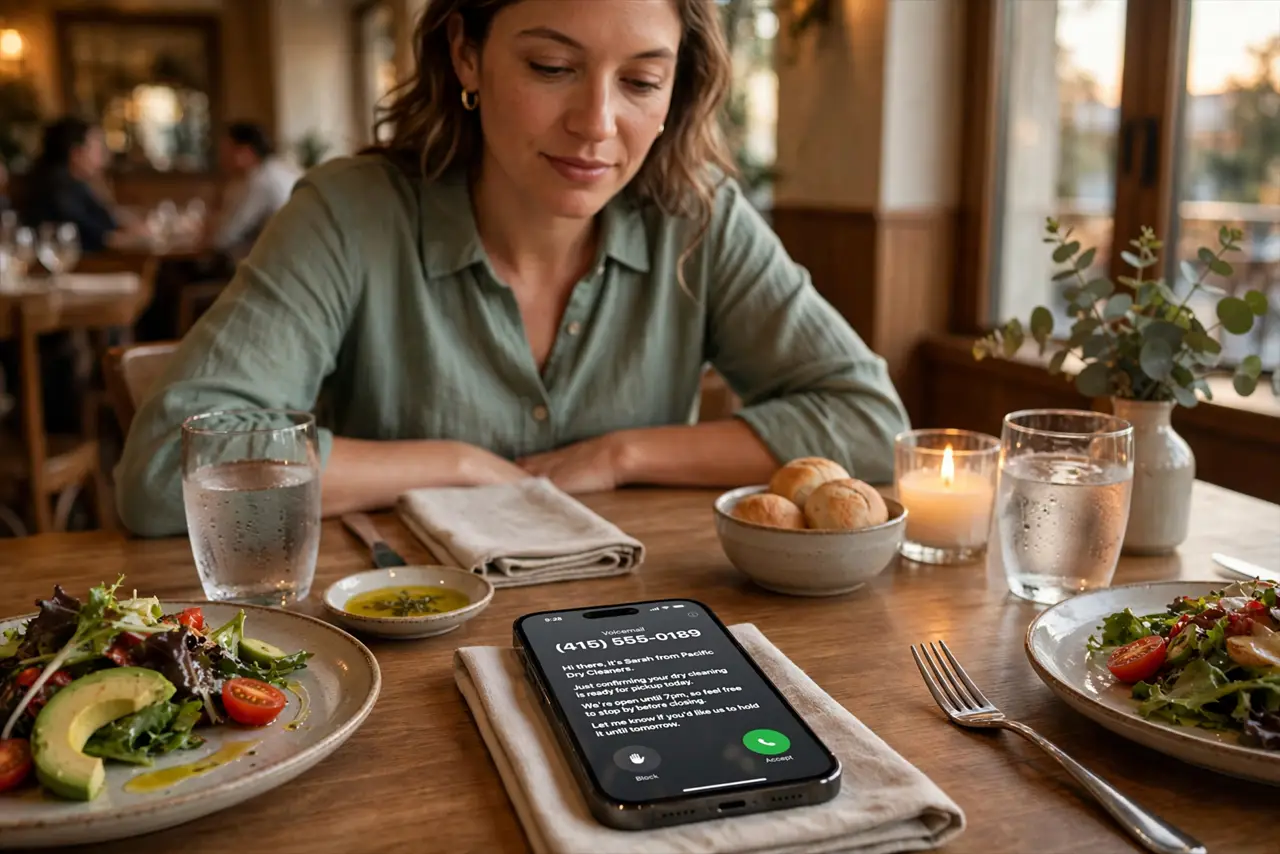
Unknown number, mid-dinner, and you have two bad choices: answer a probable robocall or ignore a possibly important call. Live Voicemail gives you a third option — as the caller leaves a message, a real-time transcript appears on your screen, and you can pick up mid-message if it turns out to matter. Spammers hear the greeting and hang up; real callers get answered. It is the polite bouncer your phone always needed.
TL;DR / Quick Fix
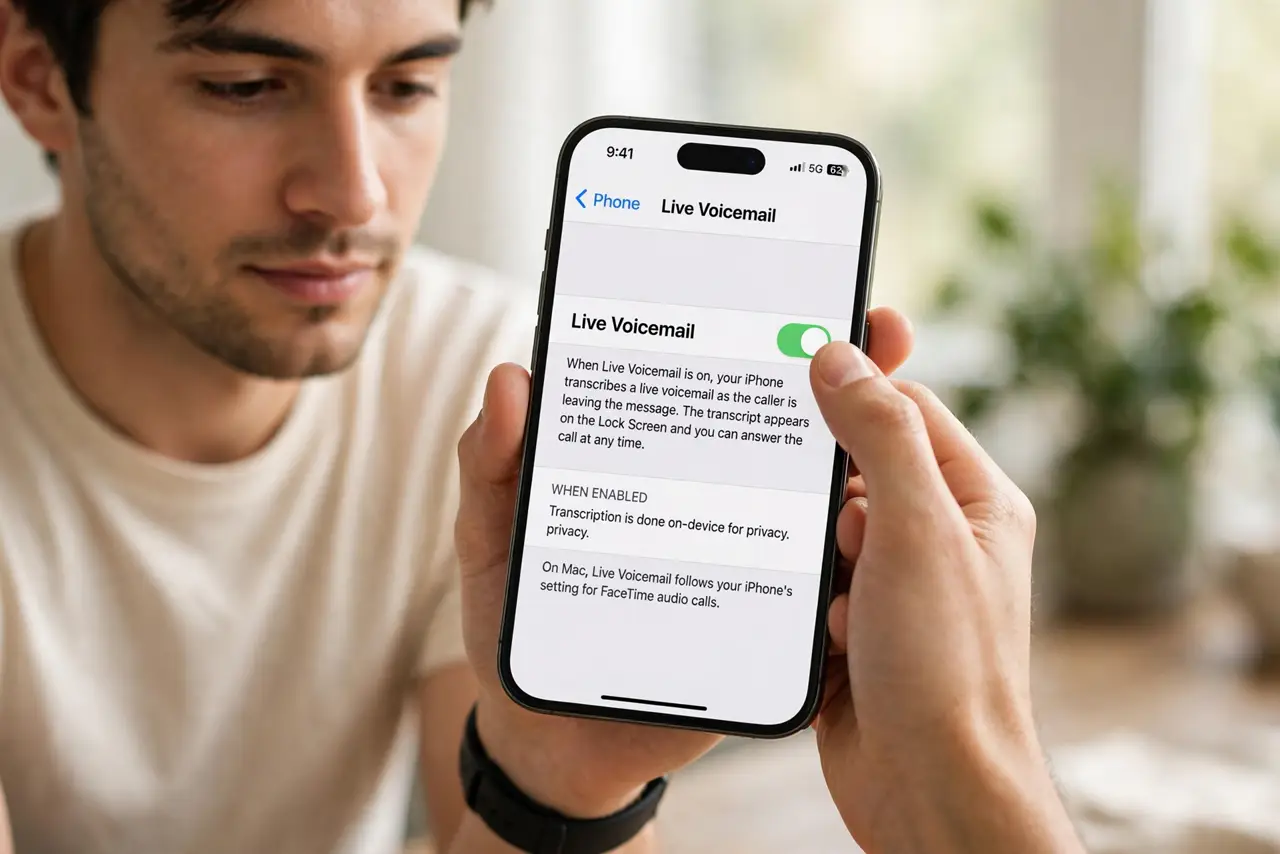
Quick fix: Live Voicemail transcribes messages in real time as unknown callers leave them — read along and pick up mid-call if it matters. Enable it in Settings → Phone → Live Voicemail. Spammers hang up, real callers get through, and you never interrupt dinner for a robocall.
Follow these steps
- Enable Live Voicemail. On iPhone go to Settings → Phone → Live Voicemail and switch it on. On Mac it follows your iPhone's setting for FaceTime audio calls. One toggle, and every unknown caller meets the screener.
- Understand what callers experience. Unknown callers hear your normal voicemail greeting and start talking — they do not know you are reading along. That is the beauty of it: no confrontation, just information.
- Read the transcript as it arrives. When the transcript appears, read the first lines. Package delivery, doctor's office, kid's school — tap Accept to pick up mid-message and the caller never knows they were screened. Robocall silence or spam pitch — let it finish into voicemail.
- Customize the greeting. A clear, short greeting works best — callers who hear a crisp please leave a message tend to actually leave one. Rambling greetings make real callers hang up too.
- Combine it with silence-unknown-callers carefully. You can stack both features, but full silencing sends everyone straight to voicemail without ringing — Live Voicemail alone already handles the triage while letting the phone ring for the maybe-important ones.
- Review transcripts later. Transcripts stay with the voicemail, searchable and readable — handy for phone numbers and addresses dictated in messages. And if you want your outgoing identity to look sharp too, set up Contact Posters; the iPhone voicemail setup covers the carrier side.
What NOT to do
- Do not answer just because the transcript looks interesting. The transcript is the filter — let it finish the job and call back on your terms.
- Do not record a twenty-second greeting. Long greetings lose real callers; keep it under ten seconds and to the point.
- Do not assume every spam call leaves a transcript. Some robocallers hang up at the beep — that is a win, not a malfunction.
- Do not forget it needs a data connection for transcription. In dead zones, voicemail still records; the live transcript just arrives later.
Frequently asked questions
Does the caller know I am reading?
No — they hear a standard voicemail greeting. If you pick up mid-message there is a brief moment of surprise, which is a small price for perfect screening.
Is Live Voicemail available in my country?
Availability varies by region and carrier — if the toggle is missing, your region or carrier does not support it yet. Check Apple's feature-availability page.
Does it work for FaceTime audio calls?
Yes on recent systems — FaceTime audio calls from unknown contacts can be screened the same way when the feature is enabled.