Login Screen Shows the Wrong Language
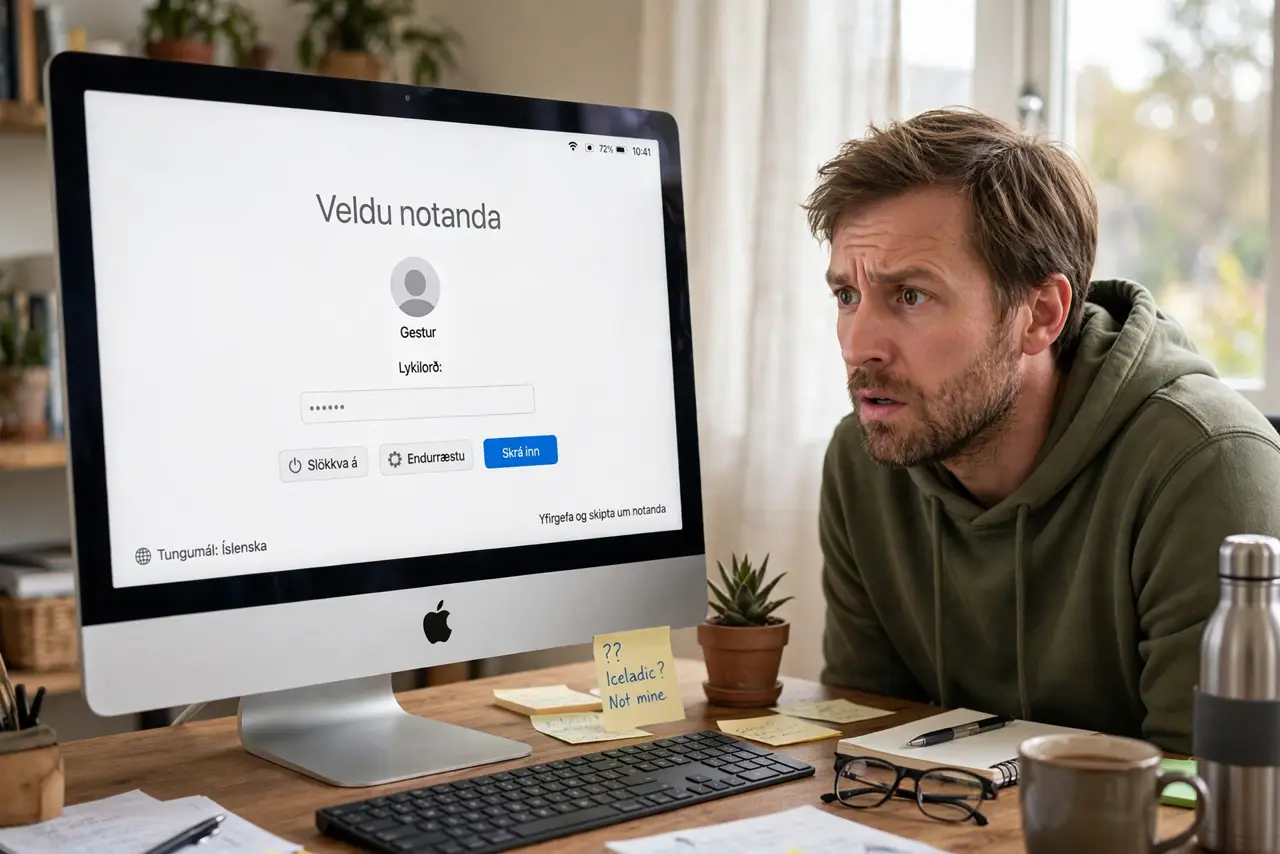
Your Mac is set to English but the login screen insists on another language, greeting you wrong every boot. The login window uses its own language setting, separate from your user account. This guide sets the login screen language to match.
TL;DR / Quick Fix
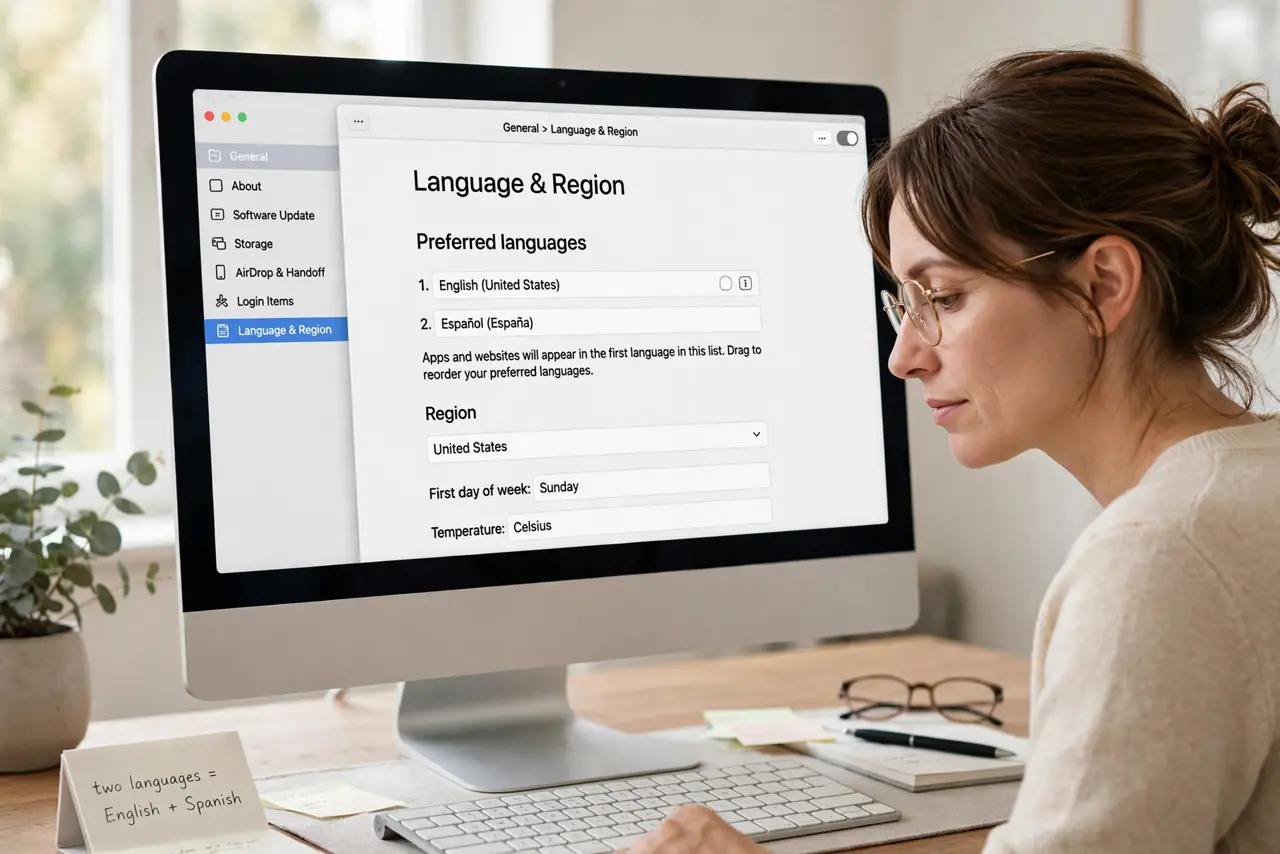
Quick fix: log in, open System Settings, go to General, then Language and Region, and drag your preferred language to the very top. Log out to check the login screen; it follows the system's top language, not your personal one.
Follow these steps
- Understand the two language settings. Your account language and the login window language are separate. The login screen follows the system's primary language, which may differ from yours.
- Set the primary system language. In System Settings, then General, then Language and Region, drag your language to the top of the list. The login window reads this list, not your account preference.
- Log out to verify. Choose Log Out from the Apple menu and look at the login screen. It should now greet you in the right language before you type anything.
- Check for a stray guest account. A guest user on the login screen is a separate setting issue. If both problems appear, fix them independently.
- Restart to confirm it sticks. Reboot once and check again. Some language changes only fully apply to the login window after a restart.
- Ask an admin if it will not change. The system language list needs administrator rights. On a managed or family Mac, an admin must make the change.
What NOT to do
- Do not change your account language hoping. The login screen ignores per-user settings by design.
- Do not reinstall macOS for a language label. One drag in Language and Region fixes what a reinstall would too.
- Do not confuse this with autocorrect language. The autocorrect language is per-user typing behavior, unrelated to the login screen.
- Do not panic if you cannot read the screen. The password field still accepts your password; language does not lock you out.
Frequently asked questions
Why is the login screen in another language?
Because it follows the system's primary language list, which someone set differently from your account language.
Will this change my account language?
No. Your account keeps its own setting; only the login window follows the top system language.
Can each user have a different login language?
No. The login screen has one language for everyone; individual languages apply after login.