Get Reminded About Emails
'I will reply tomorrow' — and then the email sinks, the week passes, and the opportunity quietly dies. Mac Mail's Remind Me feature fixes exactly this: flag any message to resurface at a time you choose, so follow-ups depend on the system instead of your memory. It takes five seconds per email. This guide shows how.
TL;DR / Quick Fix
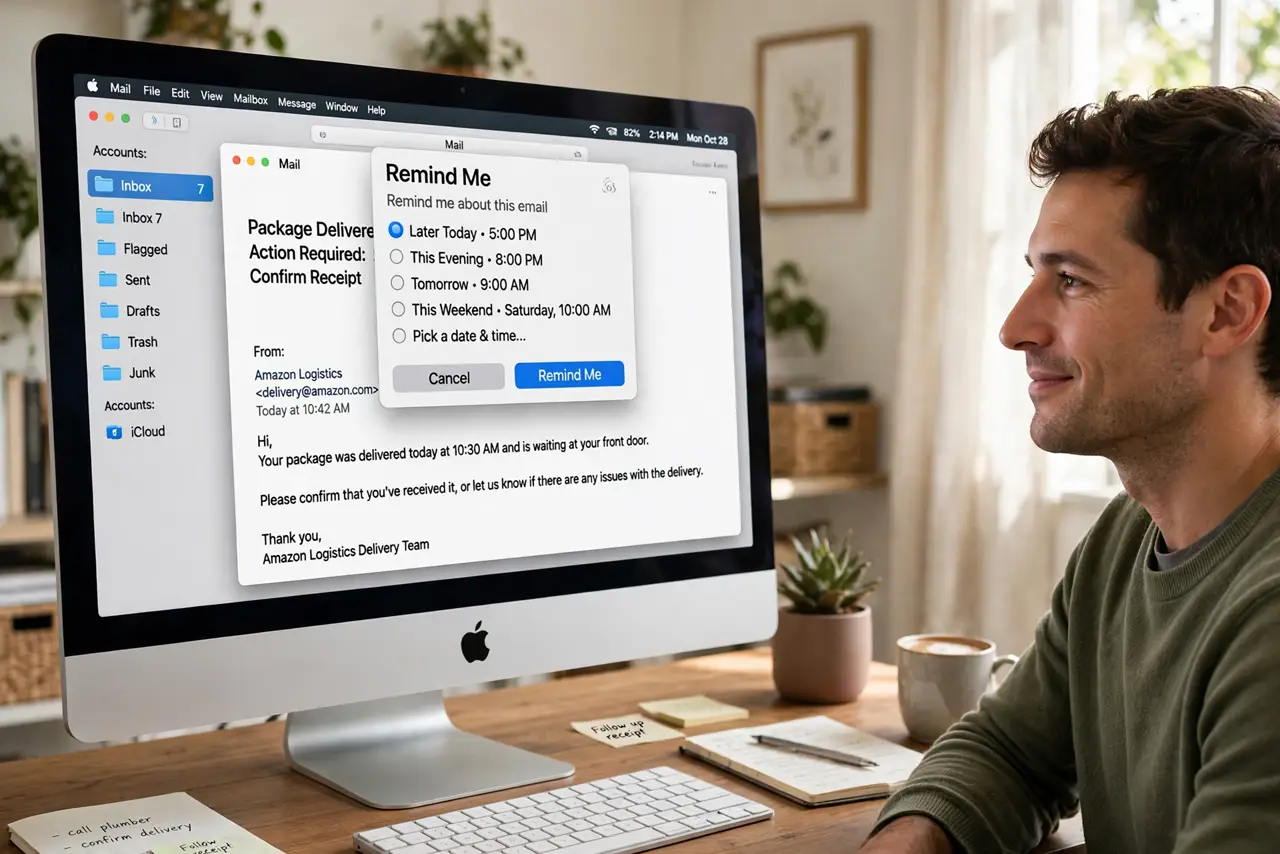
Quick fix: Mac Mail can remind you about emails you have not answered — right-click any message and choose Remind Me, then pick a time. It resurfaces the email later so nothing slips. Use it for every 'I will reply tomorrow' message, and follow-ups stop depending on memory.
Follow these steps
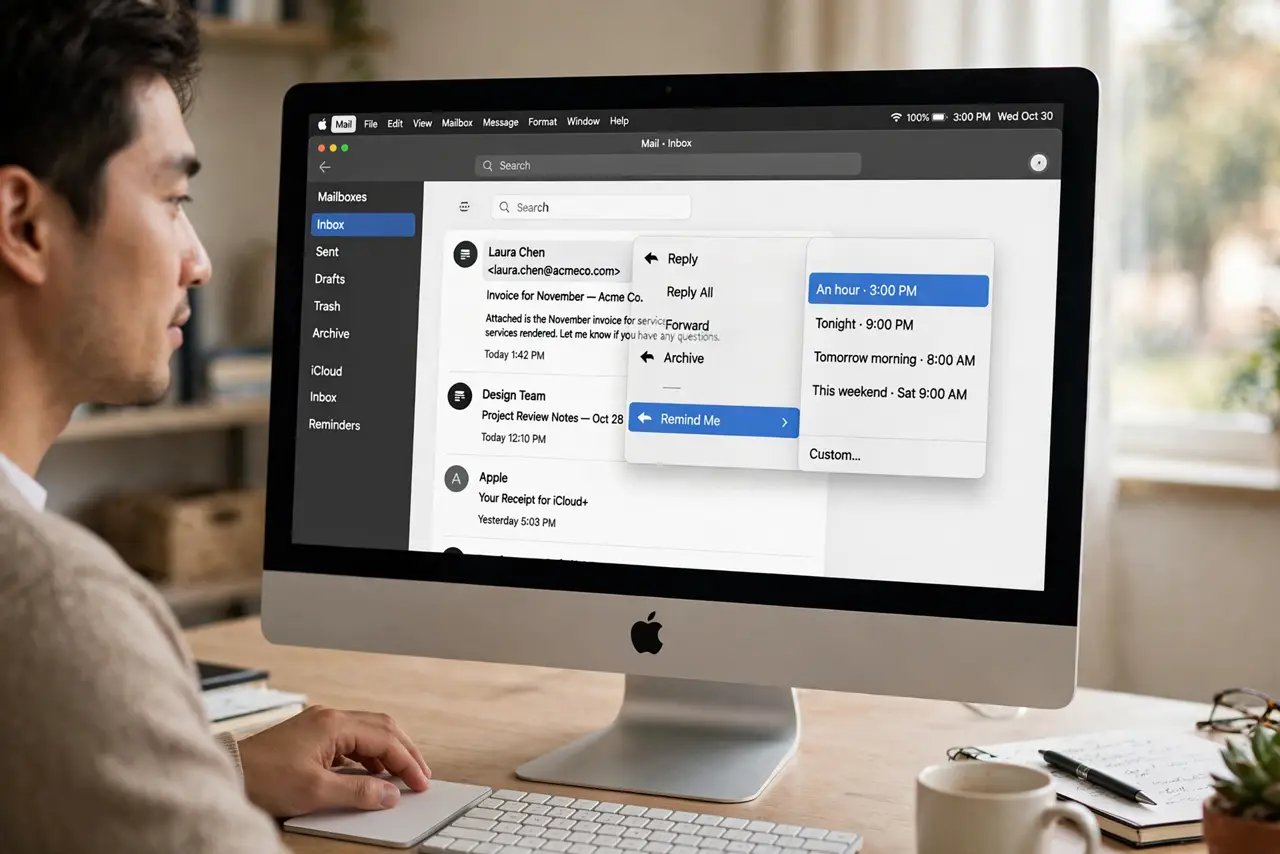
- Right-click and choose Remind Me. In the message list, right-click (or Control-click) any email and choose Remind Me. Pick from the preset times — an hour, tonight, tomorrow — or set a custom date and time.
- Use it the moment you defer. The habit is: the instant you think 'later,' set the reminder — before switching to anything else. Five seconds now beats a lost opportunity later. It pairs perfectly with snoozing for triage.
- Check the Remind Me mailbox. Reminded messages gather in a dedicated Remind Me mailbox in the sidebar. Glance at it during your daily review — it is your follow-up dashboard.
- Set realistic times. Remind yourself when you can actually act — tomorrow morning for a work reply, not midnight tonight. A reminder that fires when you cannot act just gets snoozed again.
- Combine with Send Later for full control. Remind Me handles incoming follow-ups; Send Later handles outgoing timing. Together they make email run on your schedule, not the inbox's.
- Clear them as you act. When you reply, the reminder resolves itself. Do not let handled reminders pile up — a clean Remind Me box means the system still has your trust.
What NOT to do
- Do not set reminders for everything. Remind Me is for follow-ups that matter — reminding yourself about every newsletter turns the feature into noise.
- Do not pick times you cannot act. A 2 AM reminder for a work email is a snooze, not a system — match the time to your real availability.
- Do not forget the mailbox exists. Reminders only work if you look at the Remind Me box — add it to your daily review checklist.
- Do not use it as a task manager. Remind Me resurfaces emails; complex follow-ups with subtasks belong in your actual task system.
Frequently asked questions
Does Remind Me sync to my iPhone?
Yes — reminders set on the Mac appear in Mail on iPhone and iPad too, as long as you are signed into the same Apple Account with iCloud Mail sync.
What happens if I delete the email?
Deleting a reminded message clears its reminder too. Archive instead of delete if you might still need the nudge.
Can I remind myself about sent emails?
Yes — Remind Me works on sent messages as well, which is perfect for 'did they ever reply' follow-ups on important outreach.