Change Modifier Keys? How To
You switched from Windows and your muscle memory screams every time you hit Control-C, or you just want Caps Lock to be useful. macOS lets you swap Control, Option, Command — and Caps Lock — per keyboard. Ten seconds here ends years of finger confusion.
TL;DR / Quick Fix
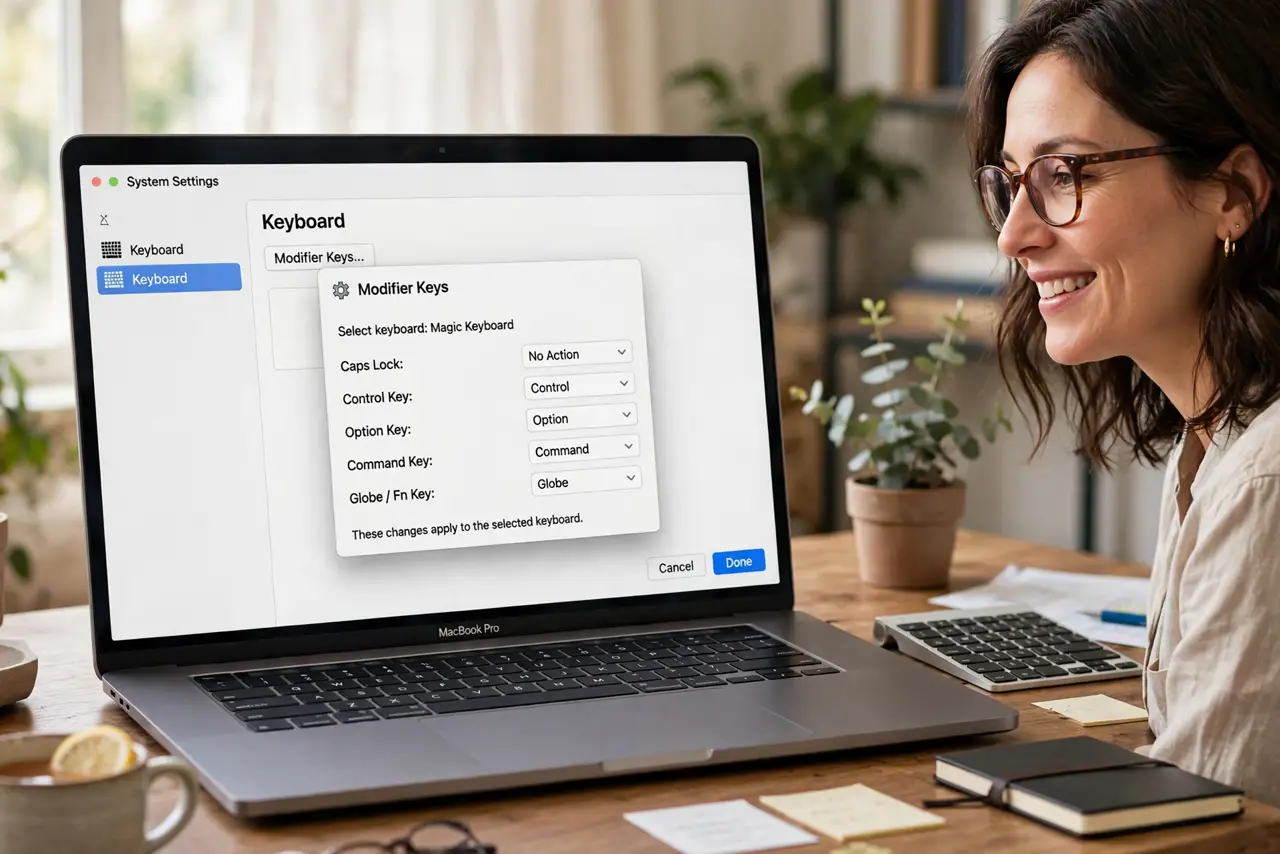
Quick fix: open System Settings, go to Keyboard, then Keyboard Shortcuts, then Modifier Keys. Swap Command and Control to match Windows habits, or remap Caps Lock to something useful. Changes apply per keyboard, instantly. Set each keyboard you use — built-in and external get their own mappings.
Follow these steps
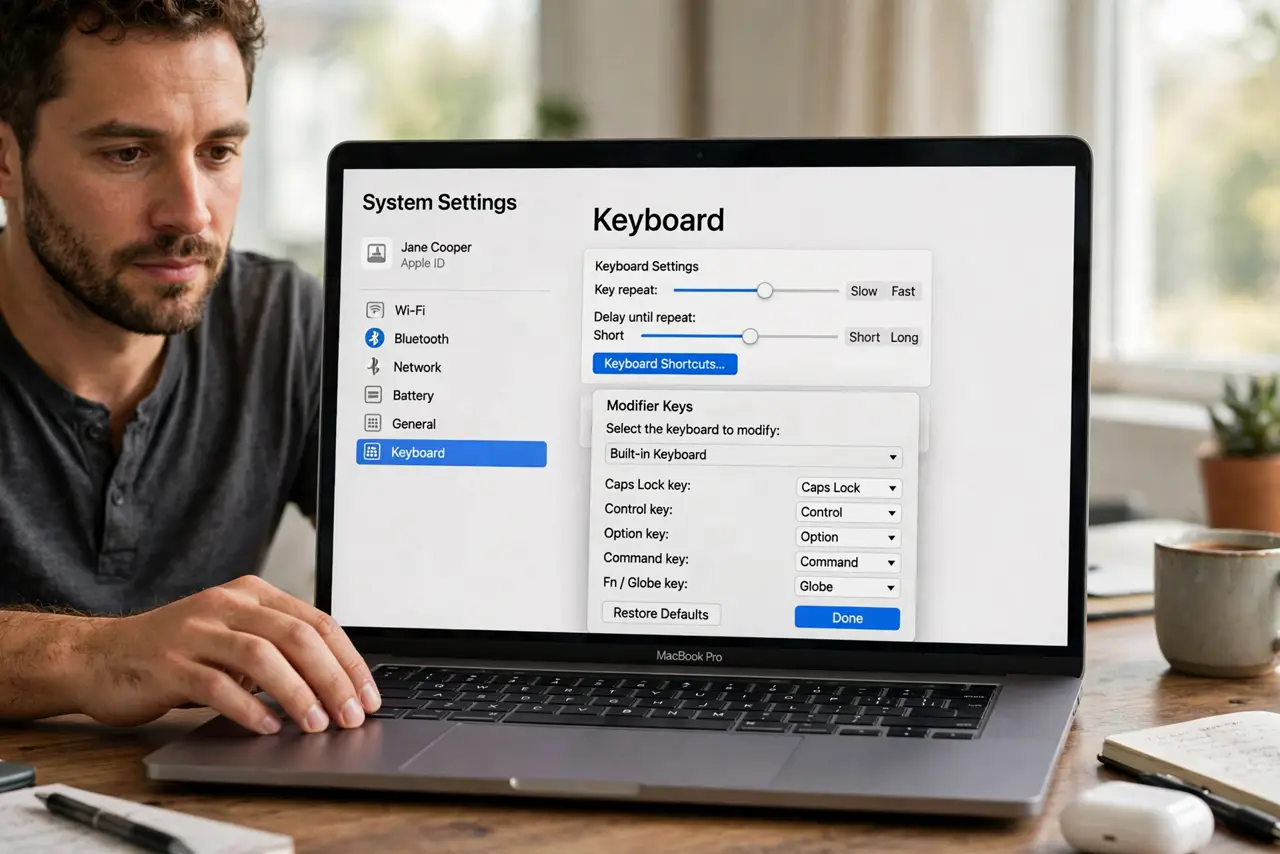
- Open Modifier Keys. System Settings > Keyboard > Keyboard Shortcuts > Modifier Keys. This one panel controls all five remappable keys.
- Pick the keyboard. The top dropdown chooses built-in vs. external keyboards. Laptop and desk keyboard can have different mappings — set both.
- Swap Command and Control. The classic switcher move: set Caps Lock key to Command and Command key to Control (or vice versa) until copy-paste feels like home.
- Remap Caps Lock while here. The same panel covers it — Escape, Control, Globe, or nothing. The dedicated Caps Lock guide walks through the popular choices.
- Test in a text field. Type a few shortcuts immediately. If Cmd+C copies, your swap worked — no restart, no logout.
- Reset with Restore Defaults. One button at the bottom undoes everything. Experiment freely; the escape hatch is built in.
What NOT to do
- Do not swap modifiers on a shared Mac silently. The next user's muscle memory will betray them at the login screen.
- Do not remap the Globe/Fn key away if you use dictation or emoji. Check what you'd lose before reassigning it.
- Do not expect Terminal to follow blindly. Terminal has its own key handling quirks — test your swaps there specifically.
- Do not confuse modifier remapping with Mouse Keys. Modifiers change key behavior; Mouse Keys turns the keyboard into a mouse — different panel, different purpose.
Frequently asked questions
Which swap helps Windows switchers most?
Swapping Command and Control puts copy/paste/cut back under the leftmost key your thumb expects. Most switchers adapt within a day.
Why per-keyboard mappings?
Your laptop keyboard and your big external board serve different habits — macOS lets each keep its own logic instead of forcing one.
Can I make Caps Lock a second Control?
Yes — that's one of the most popular remaps, especially among programmers. The dropdown offers it directly.