Pair a PS5 Controller
Your PS5 DualSense controller refuses to talk to your Mac, or it pairs and then the buttons feel wrong. macOS supports the DualSense over Bluetooth and USB, but the pairing dance has a couple of non-obvious steps. Here is the reliable way to connect it — and fix it when it drops.
TL;DR / Quick Fix
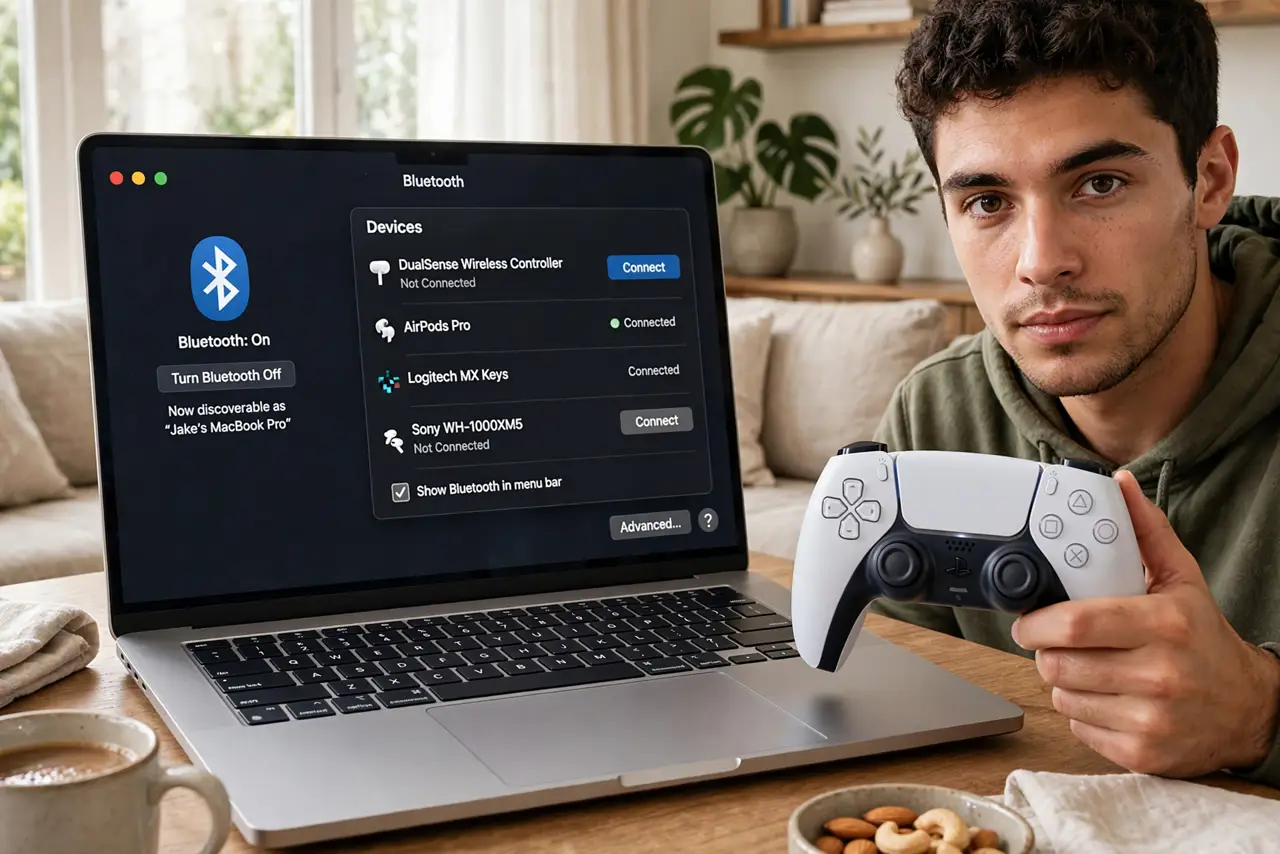
Quick fix: put the DualSense in pairing mode by holding PS + Create until the light bar blinks, then select it in Mac Bluetooth settings. For the most stable connection, use a USB cable instead. If buttons misbehave, forget the device and pair fresh.
Follow these steps
- Put the controller in pairing mode. Hold the PS button and the Create button together until the light bar starts blinking. No blinking, no pairing — this is the step everyone misses.
- Pair from Mac Bluetooth settings. Open System Settings, Bluetooth, and click Connect next to DualSense Wireless Controller when it appears. It should connect within seconds.
- Use USB for a rock-solid link. Plug the controller in with a USB-C cable and macOS picks it up instantly — no pairing, no dropouts. Best for competitive play.
- Check Game Mode engaged. Fullscreen gaming triggers Game Mode, which lowers Bluetooth controller latency. Look for the controller icon in the menu bar.
- Forget and re-pair when it acts up. Drifting inputs or dropped connections? Remove the controller in Bluetooth settings and pair fresh. Corrupted pairings cause most 'weird button' reports.
- Charge before long sessions. A low battery causes input lag and disconnects that look like Bluetooth problems. Top up over USB between sessions.
What NOT to do
- Do not pair while the controller is connected to the PS5. It can only talk to one device — turn the console off or disconnect there first.
- Do not hold only the PS button. That wakes the PS5 instead of pairing — you need PS + Create together.
- Do not play far from the Mac on Bluetooth. Walls and distance cause the lag people blame on the controller.
- Do not ignore firmware updates. Sony occasionally updates the DualSense via PS5 — an old firmware can misbehave on Mac.
Frequently asked questions
Does the DualSense work with Mac games?
Yes — most modern Mac games recognize it, and Steam handles it well. Very old titles may need manual mapping.
Why does it keep disconnecting?
Low battery, distance, or interference. USB cable eliminates all three as suspects.
Can I use it wired and wireless at once?
No — plugging in USB takes over. Unplug to go back to Bluetooth.