Remap Caps Lock? How To
Caps Lock is the most useless prime real estate on the keyboard — you hit it by accident, never on purpose. macOS lets you remap it to something genuinely useful: Escape, Control, or even Globe. One setting, and the accident key becomes your favorite key.
TL;DR / Quick Fix
Quick fix: open System Settings, go to Keyboard, click Keyboard Shortcuts, then Modifier Keys, and change Caps Lock to Escape, Control, or Globe. The change is instant and per-keyboard, so external keyboards can differ. Pick the function you reach for most and give it the best seat on the keyboard.
Follow these steps
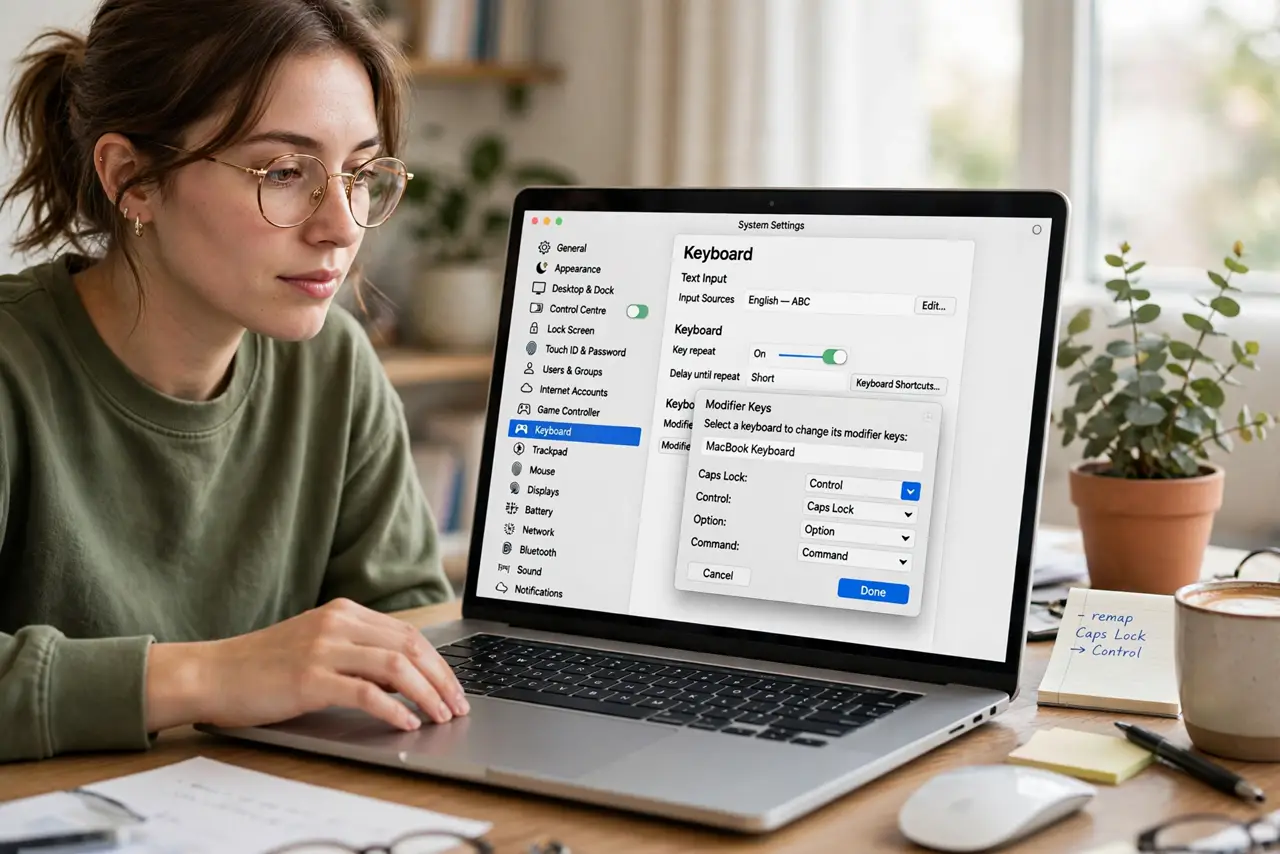
- Open Modifier Keys. System Settings > Keyboard > Keyboard Shortcuts button > Modifier Keys in the sidebar. Every modifier, including Caps Lock, is remappable here.
- Choose your keyboard. The dropdown at the top selects which keyboard the remap applies to — built-in vs. external. Set each one you use.
- Remap Caps Lock. Change Caps Lock to Escape (vim users rejoice), Control (Emacs fans), or Globe (language switchers). Caps Lock becomes that key, fully.
- Test it immediately. Tap the key in a text field. If Escape dialogs close or Control combos work, the remap took — no restart needed.
- Revert in seconds. Set it back to Caps Lock in the same menu if you miss shouting. Nothing is permanent here.
- Remap the other modifiers too. While you're here, the same panel handles all of them — see the full modifier keys guide for Control/Option/Command swaps.
What NOT to do
- Do not remap Caps Lock and then wonder where it went. You chose this — the setting is two clicks away if you need shouting back.
- Do not expect the keycap to change. The key still says Caps Lock; only its behavior changes. A sticker fixes the lie if it bothers you.
- Do not remap on a shared Mac without telling others. The next person will be baffled when Caps Lock types nothing.
- Do not confuse this with a changed layout. Remapping changes one key's function; layouts change where every letter lives.
Frequently asked questions
Why remap Caps Lock to Escape?
It's the prime keyboard real estate closest to your left pinky, and Escape is far more useful — especially in vim, dialogs, and games. The accident key becomes the escape hatch.
Will this work in games?
Yes — the remap happens at the system level, so games see the new key. Some games with raw input may still see Caps Lock; rare, but possible.
Can I disable Caps Lock entirely?
Choose 'No Action' in the same dropdown. The key becomes dead — the nuclear option for chronic accidental caps.