A Location Reminder Never Fires on Mac
A location reminder that never fires usually has a permission problem, a vague address, or a trigger set for the wrong direction. The reminder itself is fine; it simply never recognizes that you arrived or left.
TL;DR / Quick Fix
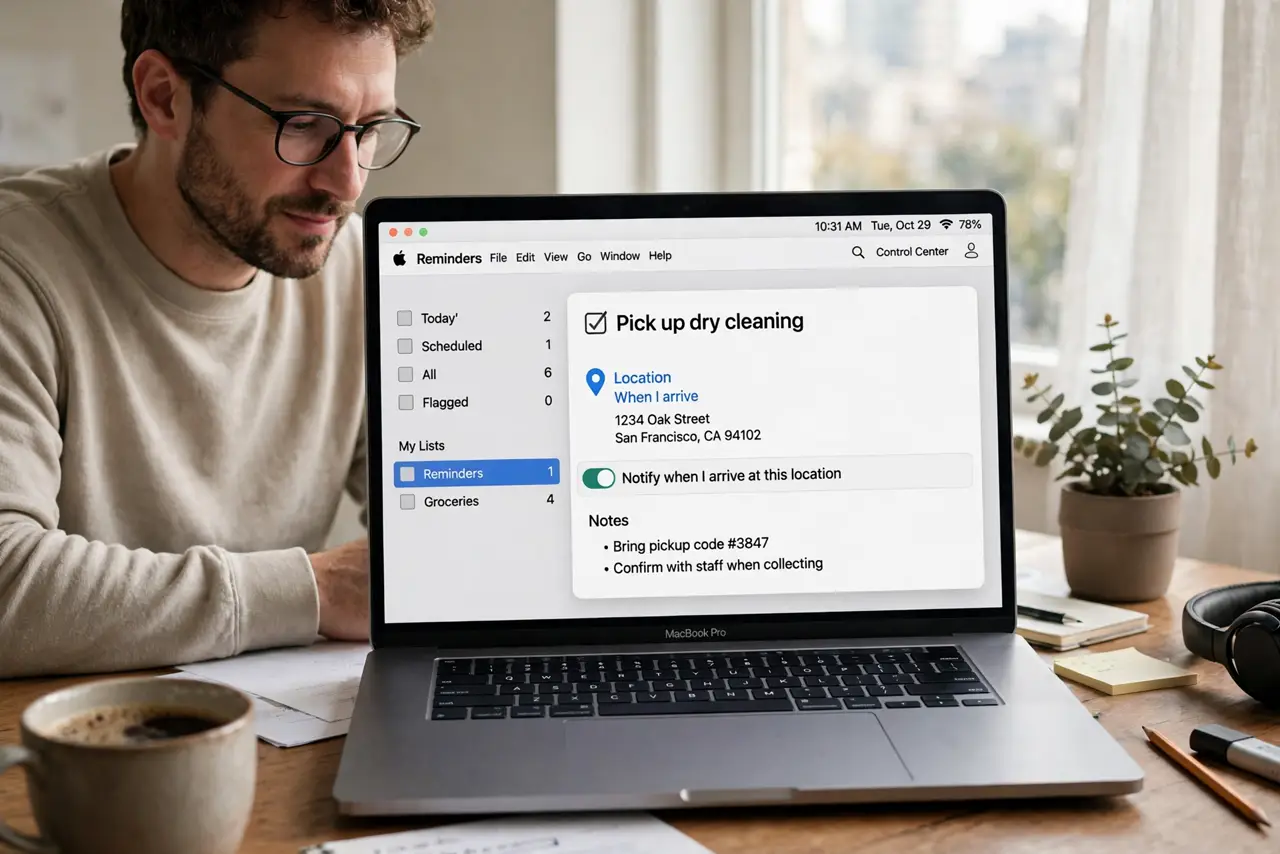
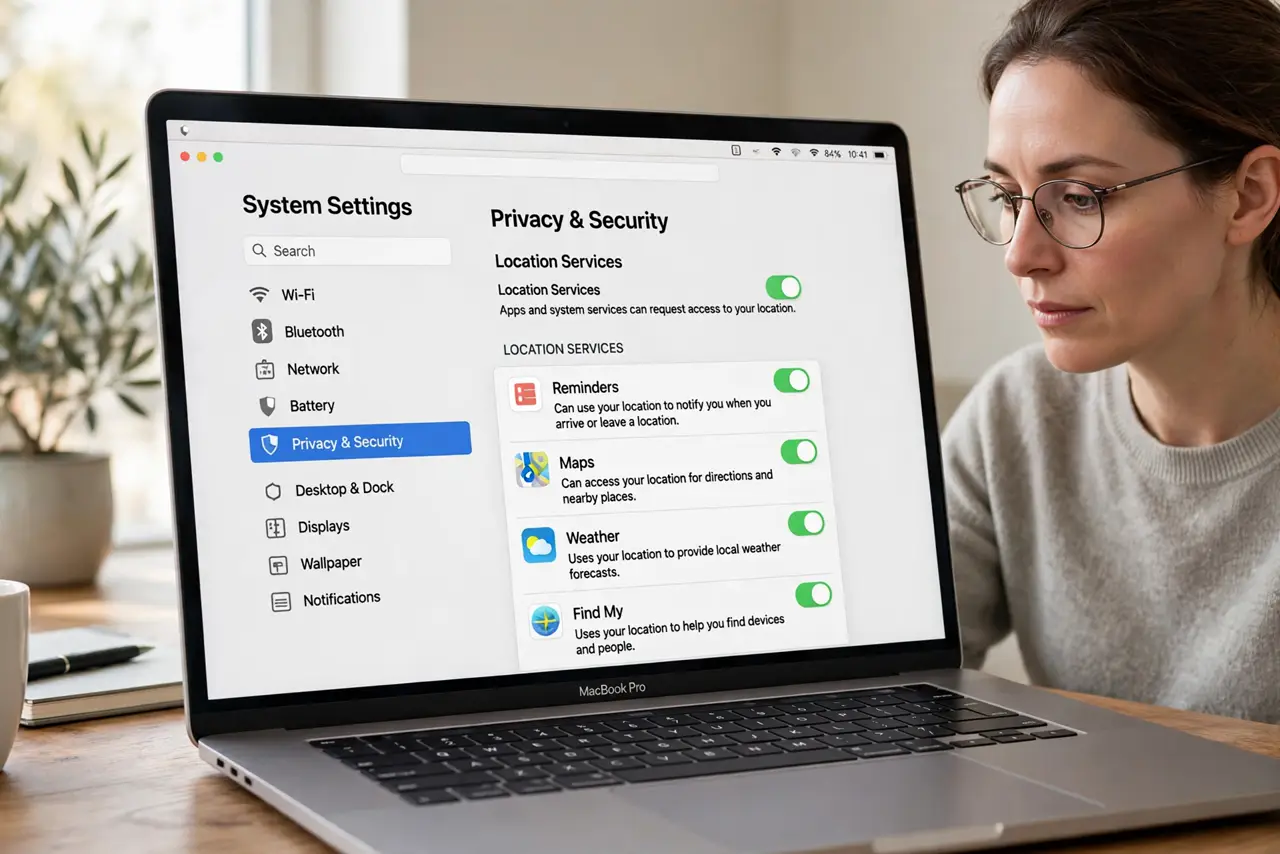
Quick fix: open the reminder, confirm its location is a precise address, and check that Reminders has location permission set to allow while using the app. Then test with a nearby location you will actually visit today. Test the fix, then keep the setting that works.
Follow these steps
- Check location permission. Open privacy settings and confirm Reminders can use your location. Without permission, the Mac cannot tell when you arrive or leave, so the reminder never fires.
- Use a precise address. Edit the reminder location to a specific street address, not just a place name. A vague location may never match your actual position closely enough to trigger.
- Check arrival or departure. Confirm the reminder is set for arriving or leaving as you intended. An arrival reminder will not fire when you leave, and a departure reminder will not fire when you arrive.
- Check the trigger radius. If the reminder offers a location radius, make sure it covers the place you actually visit. A tiny radius around a large site can miss your real position.
- Test with a nearby place. Set a test reminder for a place you will visit today, such as your home or office. A test that fires proves the system works, and isolates the original location as the problem.
- Check Focus and notifications. Confirm Reminders notifications are allowed and Focus is not silencing them. A reminder can fire silently and look unfired if its notification never reaches you.
What NOT to do
- Do not set a location reminder for a place you never visit and call it broken. Test with a place you will actually go, so the test can genuinely fire.
- Do not grant location permission to every app while fixing Reminders. Grant it to Reminders only, and leave other apps at their proper settings.
- Do not rely on a location reminder for a critical task without a time backup. Add a time reminder too, so a location failure does not lose the task entirely.
- Do not set the location to a whole city. A city-wide trigger fires almost anywhere, which makes the reminder useless instead of reliable.
Frequently asked questions
Why does my location reminder never fire?
Usually location permission is missing, the address is too vague, or the trigger is set for arrival when you meant departure.
Does the Mac need to be with me?
Yes. Location reminders fire based on the device's location, so a Mac left at home cannot detect your arrival elsewhere.
Should I add a time reminder too?
Yes, for important tasks. A time backup catches the task even if the location trigger fails for any reason.