Use iPad as a Mac Display
Your MacBook screen is cramped and your iPad is sitting idle — Sidecar turns the iPad into a wireless second display for your Mac. No extra apps, no cables (though a cable helps). It works great for extra document space, drawing with Apple Pencil, or parking chat windows. When Sidecar cannot find the iPad, the fix is usually one setting.

TL;DR / Quick Fix
Quick fix: on your Mac, open Display settings and add your iPad, or use the Screen Mirroring icon in the menu bar. Keep both devices on the same Wi-Fi with Bluetooth on and the same Apple Account signed in. A USB cable makes it faster and more stable.
Follow these steps
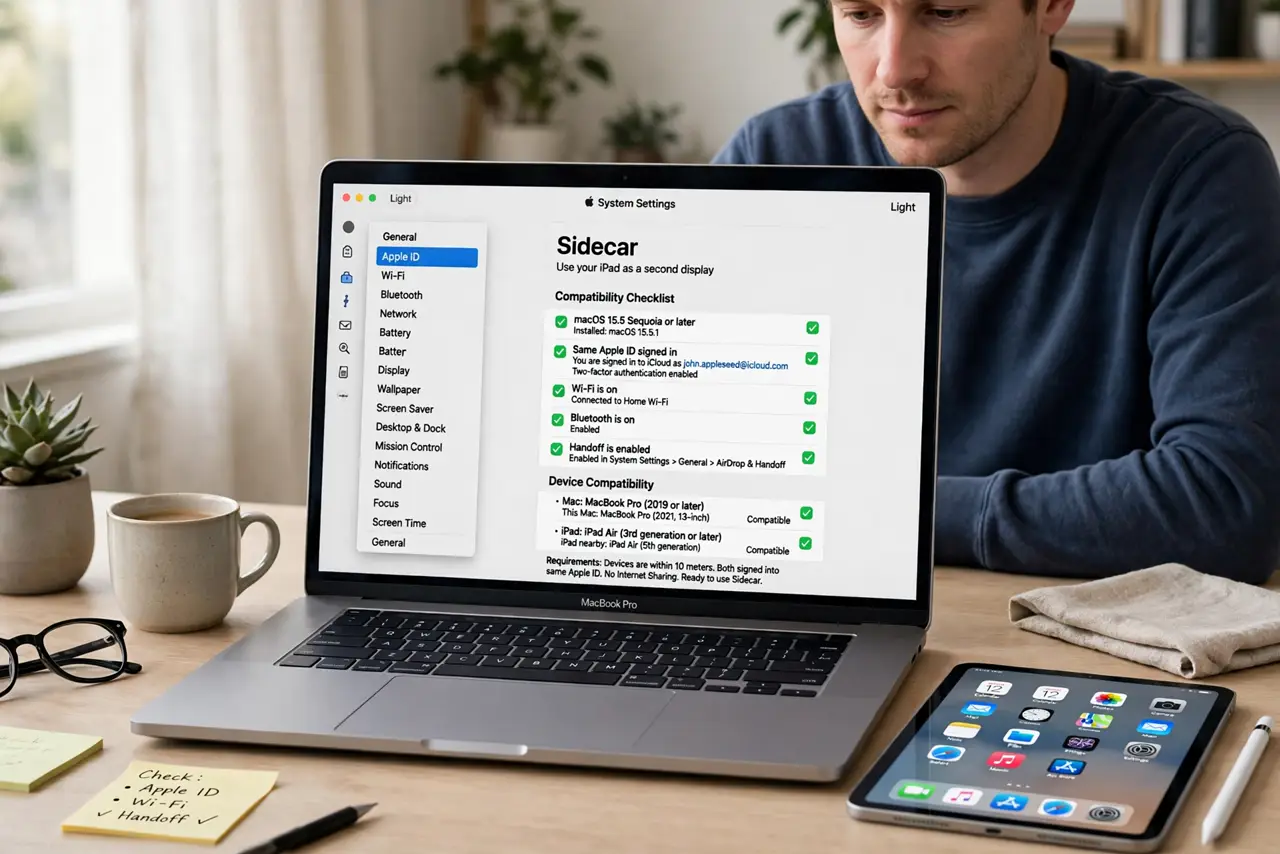
- Check the requirements first. Sidecar needs a compatible Mac and iPad — most models from the last several years qualify — both signed into the same Apple Account. If either device is very old, Sidecar simply will not appear.
- Turn on Wi-Fi and Bluetooth on both. Sidecar uses both radios to find the iPad, even over USB. Make sure neither device is in airplane mode and both are near each other.
- Connect from Display settings. On the Mac, open System Settings, go to Displays, click the plus button, and choose your iPad under Mirror or extend to. Your iPad becomes an extended desktop instantly.
- Or use the menu bar icon. Click the Screen Mirroring icon in the menu bar and pick your iPad. This is the fastest route once everything is set up — see the iPhone mirroring equivalent for the reverse direction.
- Arrange the displays. In Displays settings, drag the iPad's rectangle to match its physical position — left, right, above. Getting this right makes the mouse glide naturally between screens.
- Use a cable for heavy work. Wireless Sidecar is fine for documents; for drawing with Apple Pencil or video, plug the iPad in with a USB cable. It cuts lag and charges the iPad while you work.
What NOT to do
- Do not expect Sidecar to work across different Apple Accounts. Both devices must be signed into the same one — that is the most common setup failure.
- Do not use Sidecar far from the router. Weak Wi-Fi means lag and dropouts; move closer or plug in.
- Do not leave the iPad screen at full brightness all day. Sidecar drains the iPad battery faster than normal use.
- Do not confuse Sidecar with Universal Control. Sidecar makes the iPad a display; Universal Control just shares one keyboard and mouse across devices.
Frequently asked questions
Why does my iPad not show up in Sidecar?
Almost always Wi-Fi or Bluetooth off, different Apple Accounts, or an incompatible model. Restart both devices, then try again — and try the USB cable, which often works when wireless will not.
Can I use Apple Pencil with Sidecar?
Yes — Sidecar supports Apple Pencil input on the iPad, which is why artists love it as a drawing tablet for Mac apps.
Does Sidecar work with a wired connection only?
It works wirelessly, but a USB cable improves speed and stability, especially for drawing or video. Both modes use the same setup steps.