'Startup Disk Full' on Mac? Free Space Safely
The Mac warns that the startup disk is full, apps start misbehaving, and updates refuse to install. The disk is not just full; macOS needs breathing room to work. This guide finds what is eating the space and frees it without deleting anything important.

TL;DR / Quick Fix
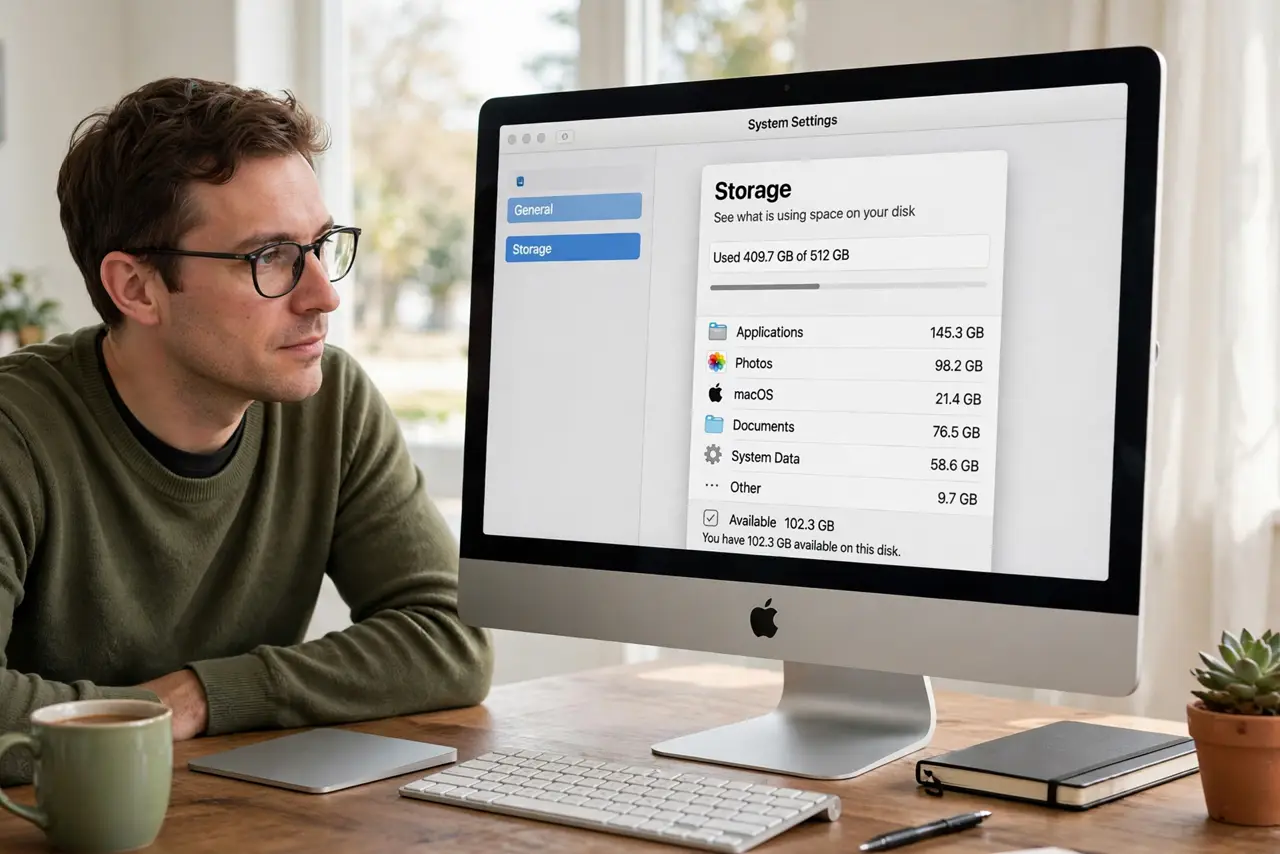
Quick fix: open Apple menu, About This Mac, More Info, then Storage Settings to see what fills the disk. Empty the Trash, clear Downloads of installers you no longer need, and move big videos to an external drive. Aim to keep at least 10 percent free.
Follow these steps
- See what fills the disk. Open the Apple menu, then About This Mac, then More Info, then Storage Settings. The color bar shows exactly which categories eat your space, so you clean with a map instead of guessing.
- Empty the Trash properly. Right-click the Trash and choose Empty Trash. Files in the Trash still occupy disk space, and many people hoard gigabytes there for months.
- Clear the Downloads folder. Sort Downloads by size and delete old installers, duplicate downloads, and files you already moved elsewhere. Downloads is the most common accidental hoard.
- Move big media off the disk. Photos libraries and video projects are the usual giants. Move them to an external drive, then verify they open from there before deleting the originals.
- Understand Optimize Storage before enabling it. Apple's Optimize Storage moves files to iCloud to free space, but read what it really does first so no file surprises you by existing only in the cloud.
- Use the built-in free-space help. The same Storage Settings pane offers recommendations like storing in iCloud and emptying Trash automatically. For the full walkthrough see free up space on Mac.
What NOT to do
- Do not delete system files or the Library folder. macOS needs those, and guessing there breaks the system fast.
- Do not use aggressive cleaner apps promising gigabytes. Many delete caches macOS rebuilds anyway, and some remove things you needed.
- Do not delete photos before confirming the backup. A moved library is only safe once you have opened it from the new location.
- Do not ignore the warning. A truly full disk can prevent login, so act while the Mac still boots normally.
Frequently asked questions
How much free space does a Mac need?
Aim for at least 10 percent of the disk free. Below that, updates fail and the system slows down noticeably.
Why is my disk full when I barely save anything?
Usually caches, old iPhone backups, mail attachments, or a forgotten virtual machine. The Storage view names the culprit.
Will emptying Trash break anything?
No. Trash contents are already marked for deletion, so emptying only reclaims the space.