Cursor Won't Cross to the iPad? Fix It
Universal Control paired fine yesterday, and today the cursor slams into the screen edge like an invisible wall. The connection is healthy — the problem is geometry: the Mac thinks the iPad sits somewhere the cursor cannot reach. This is a two-minute arrangement fix, not a broken feature.
TL;DR / Quick Fix
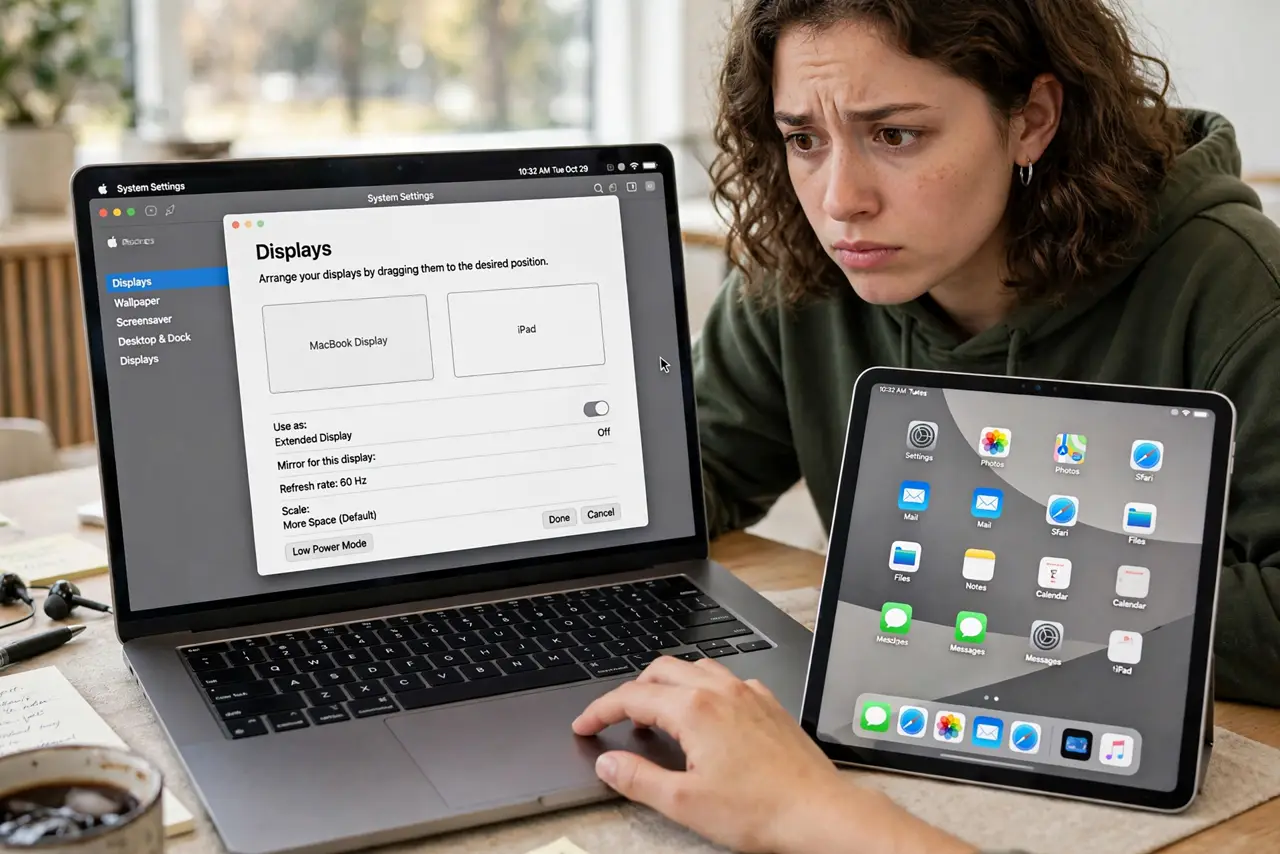
Quick fix: open System Settings > Displays on the Mac and check the arrangement — drag the iPad icon to the side the cursor should exit. Make sure push-through is enabled in General > AirDrop & Handoff. The cursor needs a beat at the edge before it crosses.
Follow these steps
- Open Displays and look at the arrangement. System Settings > Displays shows your screens as rectangles. If the iPad icon sits above the Mac but you push the cursor right, the cursor hits a wall — geometry first, always.
- Drag the iPad to the correct side. Position the iPad icon on the side you actually push toward — left, right, above, or below. This single drag fixes most stuck-cursor cases instantly.
- Confirm push-through is enabled. In System Settings > General > AirDrop & Handoff, make sure allowing the cursor to move between devices is on. An update can silently flip it off.
- Linger at the edge — do not flick. The cursor needs to press against the edge for a beat before it crosses. A fast flick bounces off; a steady push slides through.
- Check you are still on the same Apple ID. If one device signed out of iCloud — after a password change, say — the trust breaks. Sign back in on both and re-enable Handoff.
- Toggle Bluetooth off and on. A stale Bluetooth discovery session can leave the link half-connected. Toggling both radios forces a fresh handshake without touching any settings.

What NOT to do
- Do not rearrange your desk to match a wrong diagram. Fix the on-screen arrangement to match your real desk, not the other way around.
- Do not disable and re-enable everything at random. Work the list in order — arrangement first, then the switch, then the radios.
- Do not assume the iPad is too old. If it ran Universal Control yesterday, it is not suddenly incompatible today.
- Do not drag windows expecting the cursor to follow. Dragging a window is not the push-through gesture — move the cursor alone to the edge.
Frequently asked questions
Why does the cursor cross one way but not back?
The arrangement is lopsided — the iPad icon probably overlaps the Mac in only one direction. Nudge it so the shared edge is where you expect it.
The iPad icon vanished from Displays — what now?
The link dropped entirely. Re-run the setup checklist: same Apple ID, Wi-Fi, Bluetooth, Handoff — then push through again.
Can the cursor cross to an iPad above the Mac?
Yes — drag the iPad icon above the Mac in the arrangement. The cursor exits through the top edge once the geometry matches.