Online Form Loses Data on Submit? Fix It
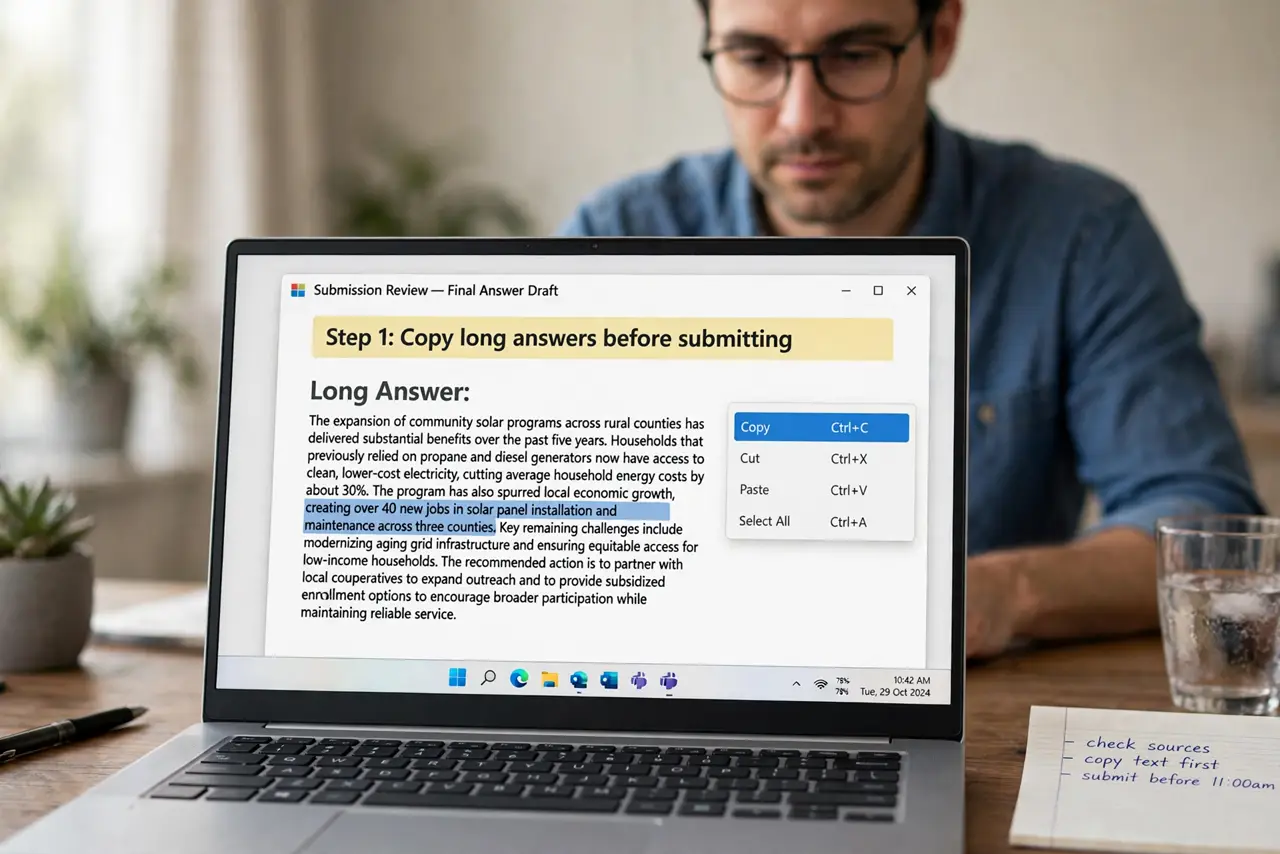
A form that loses data on submit usually timed out, or the page reloaded before the data reached the server. The fix starts before you submit: keep a copy of long answers, so a failed submit costs minutes, not hours.

TL;DR / Quick Fix
Quick fix: before submitting a long form, copy your long answers into a document. Then check you are still signed in, submit once, and wait for a confirmation message before closing or reloading the page. Last, refill from your saved copy if it failed to confirm it.
Follow these steps
- Copy long answers before submitting. Select long text answers and copy them into a document before you press submit. If the submit fails, you can paste them back instead of rewriting everything.
- Check you are still signed in. Look for your account name or avatar on the page. A timed-out session can reject a submit and clear the form, so sign in again if the session ended.
- Submit once and wait for confirmation. Press submit once, then wait for a success message or a confirmation page. Pressing submit repeatedly can create duplicates or interrupt the first attempt.
- Do not reload during the submit. Wait while the page processes, even if it looks slow. Reloading mid-submit is a common way to lose the data you just sent.
- Check your email for a confirmation. Look for a confirmation message in your inbox. A confirmation proves the data arrived, even when the form page itself looked odd after submitting.
- Refill from your saved copy if it failed. If no confirmation arrives, refill the form by pasting from your saved copy, and submit again. A saved copy turns a lost form into a quick retry.
What NOT to do
- Do not write a long application only in the browser. Keep a copy in a document, because browsers and sessions fail.
- Do not press submit many times in a row. Duplicates can be harder to fix than a single failed submit.
- Do not close the tab the second you press submit. Wait for the confirmation message first.
- Do not enter payment or sensitive details twice without checking. Confirm whether the first submit arrived before sending again.
Frequently asked questions
Why did my form clear itself?
A session timeout, a page reload during submit, or a validation error that reset the page can all clear entered data.
Can I recover a cleared form?
Sometimes the browser back button restores it, but a saved copy in a document is the reliable recovery.
Should I use autofill for long forms?
Autofill helps with standard fields, but long free-text answers still deserve a saved copy before submitting.