Place a Wi-Fi Extender Right
Most Wi-Fi extenders ‘do not work’ because of where they sit — shoved in the dead zone they are supposed to fix, or hidden behind the TV. An extender can only repeat a signal it can actually hear, so placement is the entire trick. Get the spot right and a cheap extender beats an expensive one in the wrong place.
TL;DR / Quick Fix
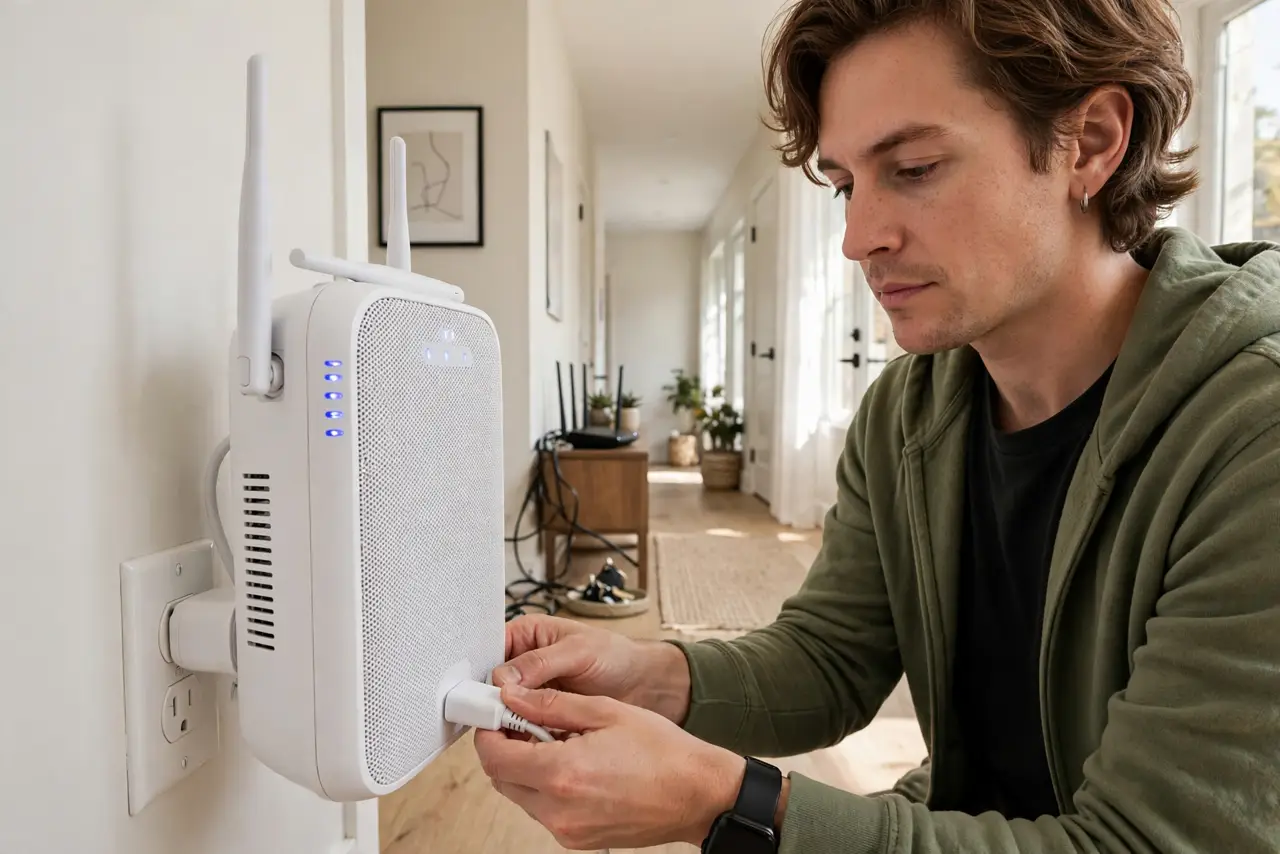
Quick fix: place the extender halfway between the router and the dead zone, where it gets a strong signal. Keep it off the floor, away from metal, near the router’s height. Test speeds in the dead zone before and after moving it.
Follow these steps
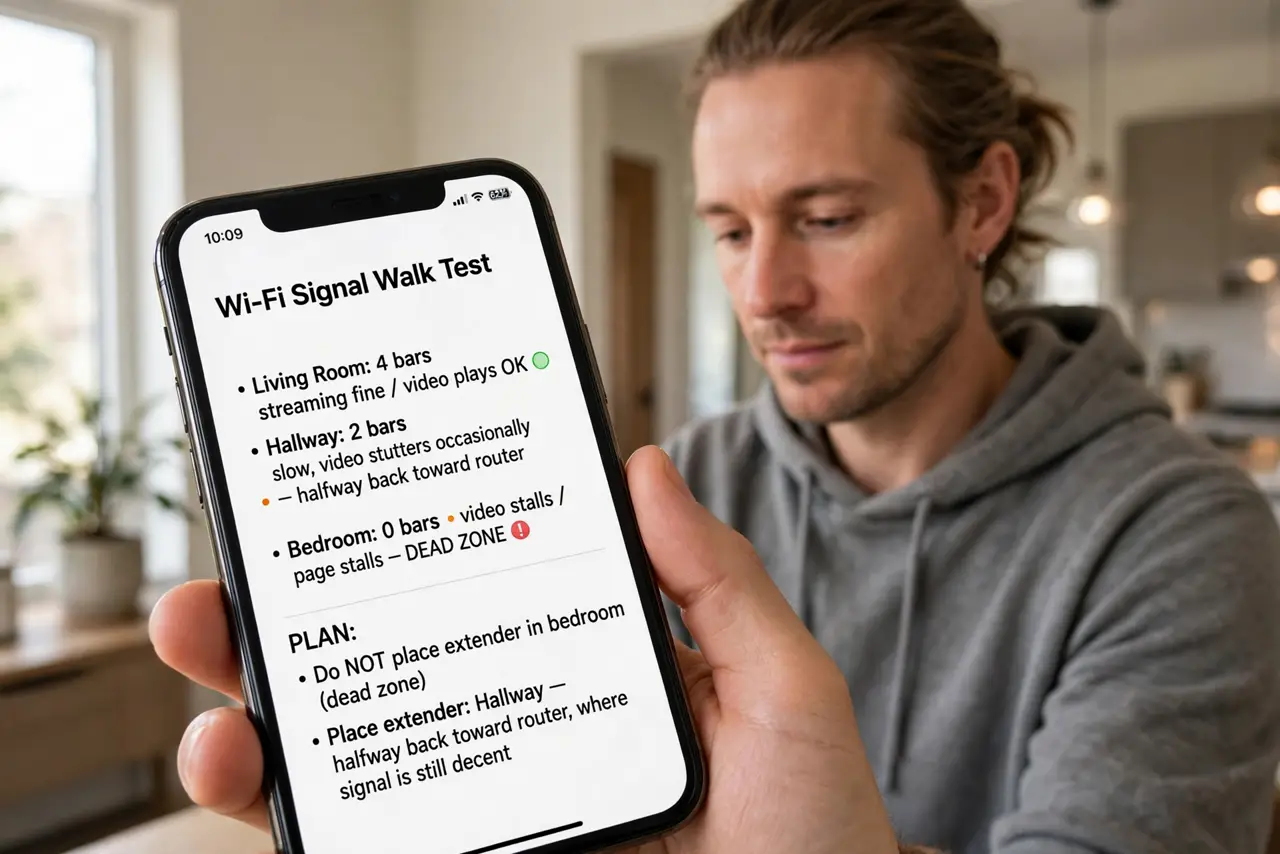
- Map where the signal actually dies. Walk the house with your phone and note where video stutters or pages stall — that is the dead zone. The extender does NOT go there; it goes where the signal is still decent, about halfway back toward the router.
- Find the halfway point. Pick a power outlet roughly midway between the router and the dead zone, in the open — a hallway, a landing, a shelf. If the extender’s own status light shows a weak router signal there, move it closer to the router.
- Raise it and clear it. Keep the extender at table or shelf height, never on the floor behind furniture. Metal objects, fish tanks, and microwaves all eat Wi-Fi — give the extender clear air in every direction it needs to reach.
- Keep it in the router’s band. If your router broadcasts separate 2.4 GHz and 5 GHz networks, let the extender repeat the band that reaches the midpoint best — usually 2.4 GHz travels farther. See how this differs from a mesh system if you are weighing an upgrade.
- Test with real usage, not just bars. After setup, stand in the old dead zone and stream a video for a few minutes. Speed-test apps confirm numbers, but sustained video is the honest test — bars lie, buffering does not.
- Reboot and re-aim if it underperforms. Power-cycle both router and extender, then nudge the extender a few feet in either direction and retest. Small moves matter more than expensive settings — patience beats a new purchase here.
What NOT to do
- Do not put the extender in the dead zone itself. It cannot amplify a signal it barely receives — this one mistake ruins most extender setups.
- Do not hide it behind the TV or in a cabinet. Every wall and object between extender and router shrinks what it can repeat.
- Do not expect it to beat a wired backhaul. If you can run Ethernet to an access point instead, do that — it is always faster and more stable.
- Do not chain two extenders in a row. Each hop halves the speed; two hops in series is a crawl, not a solution.
Frequently asked questions
Why is my extender slower than my router?
Single-band extenders receive and retransmit on the same channel, which roughly halves throughput. That is normal physics, not a defect — position it well and it is still far better than no signal.
Should I use the same network name?
Yes for seamless roaming — devices will switch on their own. Some people use a different name to force a connection to the extender; either works, same name is simpler.
Extender or mesh system?
One dead zone: a well-placed extender is fine and cheap. Whole-house patchy coverage: a mesh system manages the handoff between nodes far more smoothly.