Neighbor Wi-Fi Interferes Only in the Evening
Your Wi-Fi is fine all day and falls apart every evening. The pattern points at neighbors: their routers wake up at 7 p.m. and crowd your channels until bedtime.

TL;DR / Quick Fix
Quick fix: move your busiest devices to the 5 GHz band in the evening — it suffers less from neighbor interference. If 5 GHz is also crowded, change to a quieter channel as measured at 8 p.m. A router placed away from shared walls helps too.
Follow these steps
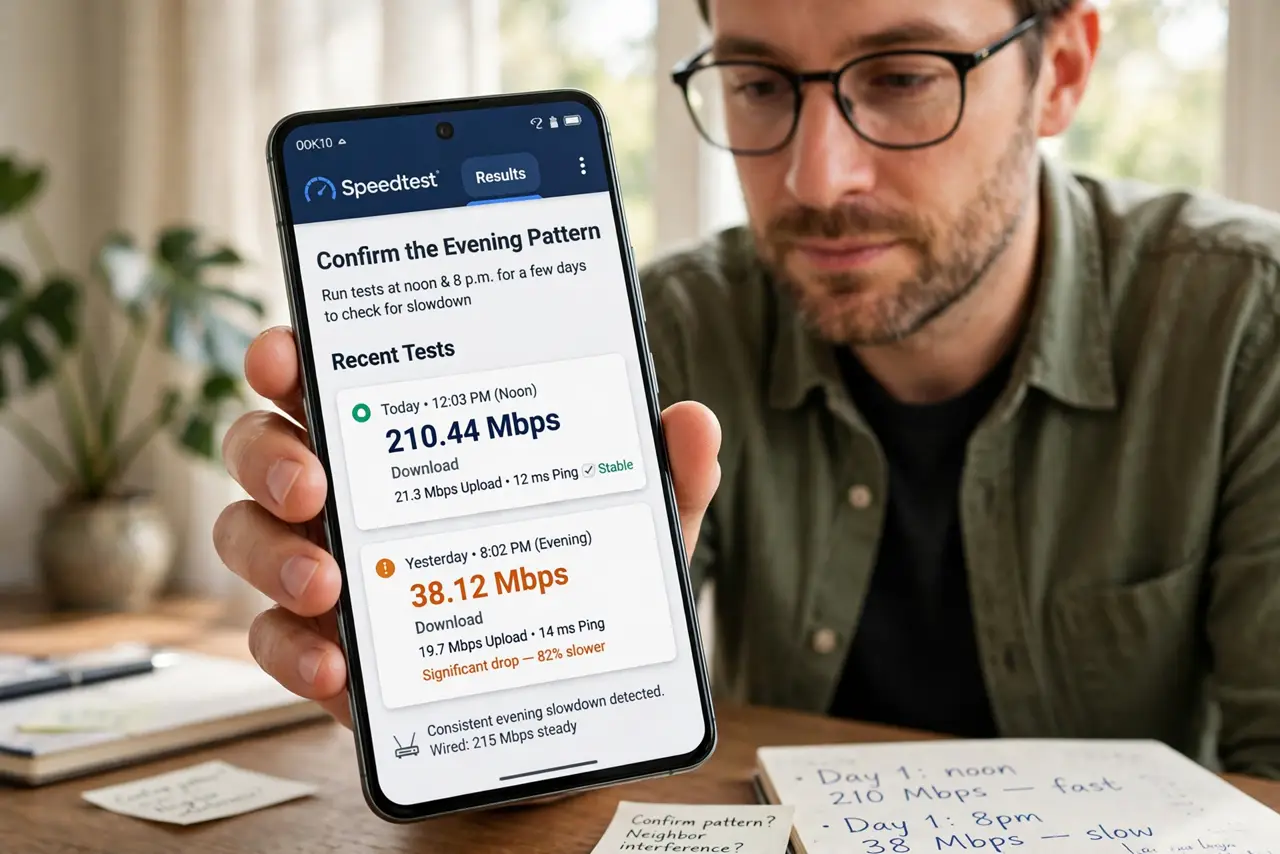
- Confirm the evening pattern. Run speed tests at noon and at 8 p.m. for a few days. A consistent evening collapse — while wired devices stay fast — is the fingerprint of neighbor interference.
- Shift evening use to 5 GHz. Join your streaming and work devices to the 5 GHz network name in the evening. Its shorter range means fewer neighbors reach you, and you reach fewer of them.
- Measure channels at 8 p.m., not noon. Scan with a Wi-Fi analyzer during the bad hours — the same scan used for channel congestion. A channel that looks empty at noon can be the most crowded one at night — measure the problem when it exists.
- Move the router from shared walls. Place the router toward the center of your home, away from walls shared with neighbors. Distance from their routers is free interference reduction.
- Consider the building's quiet hours. If the interference is truly severe, schedule big downloads for daytime. Working with the pattern beats fighting it every single night.
- Talk to the building about coordination. In small buildings, neighbors can agree to use channels 1, 6, and 11 without overlap. One friendly note can quiet the airwaves for everyone.
What NOT to do
- Do not buy signal boosters to shout over neighbors. More power adds interference for everyone and rarely wins an arms race you cannot see.
- Do not assume your internet plan is at fault. If wired speeds hold steady at 8 p.m., the plan is fine — the Wi-Fi airspace is the problem.
- Do not change channels based on a noon scan. Evening is when the interference lives, so noon measurements pick the wrong channel.
- Do not reboot the router nightly as a ritual. A reboot does not change channels on most routers, so the interference returns within minutes.
Frequently asked questions
Why only in the evening?
Neighbors come home, stream video, and their routers fill the shared channels. Daytime, those routers sit nearly idle.
Can I see which neighbor interferes?
An analyzer shows network names and signal strength. A very strong unknown network on your channel is the likely culprit.
Will a new router fix evening slowdowns?
Only partly. A modern router with better 5 GHz helps, but a quiet channel matters more than new hardware.