Fiber Box Beeping? The Battery
That maddening beep every few minutes is coming from the white fiber box on the wall — the ONT — and it's trying to tell you its backup battery is dying. The battery keeps your phone line alive during power cuts, so the beep is actually a useful warning. Silencing it takes seconds; replacing the battery takes minutes.
TL;DR / Quick Fix
Quick fix: the beeping fiber box is the ONT's backup battery warning it's dying — press silence, then replace the battery, usually a 12V unit inside the box. Phone service during power cuts depends on it. Don't unplug the ONT to stop the beep; the alarm is doing its job.
Follow these steps
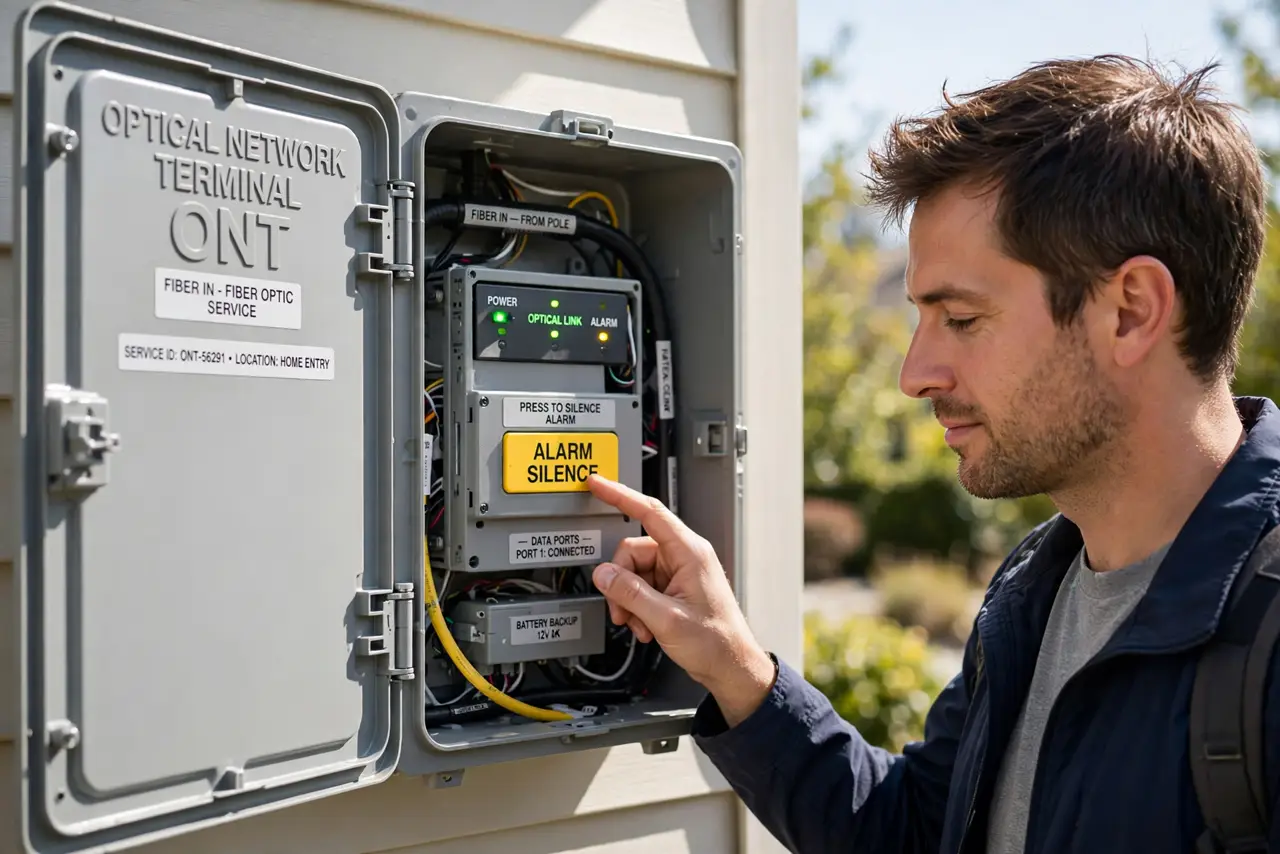
- Find the ONT and the silence button. The ONT is the provider's white box where fiber enters your home. Open its door — most have a clearly marked alarm silence button. Press it; the beeping stops for about a day.
- Understand what the battery does. It powers the ONT during electrical outages so wired phone service keeps working. Internet usually needs house power anyway, but the phone line survives on this battery — that's why the provider monitors it.
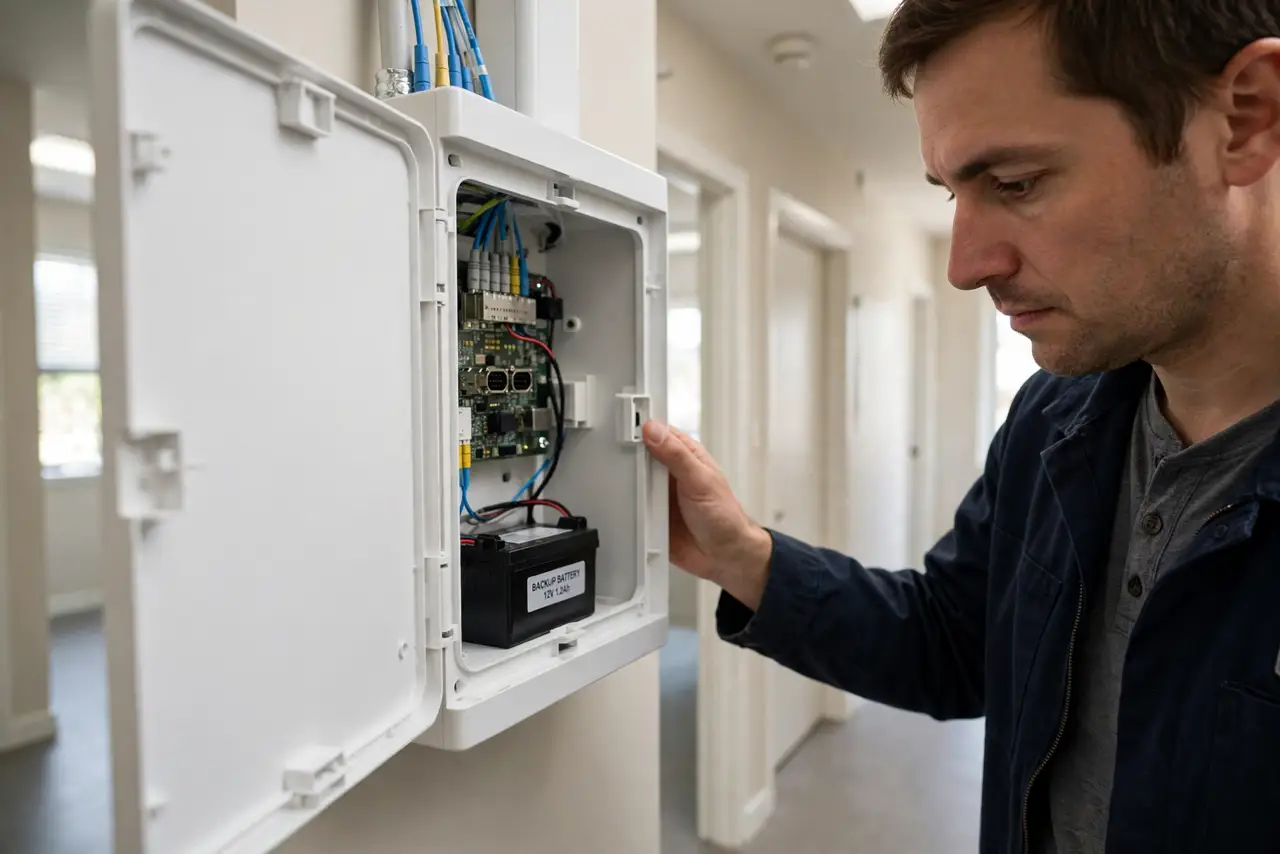
- Buy the right replacement battery. Most ONTs use a small 12V sealed lead-acid battery — check the label on the old one for the exact model. They're inexpensive and sold at battery stores and online; the provider sometimes supplies them free.
- Swap it with the ONT powered. Open the battery compartment, disconnect the old battery's terminals, and connect the new one — red to red, black to black. The ONT stays running on house power during the swap; no settings are lost.
- Confirm the alarm clears. After the swap, the ONT should run a self-check and the battery warning light should go green or off. If beeping resumes within a day, the new battery may be faulty or the charging circuit has failed — call the provider.
- Know when it's the provider's problem. Some newer ONTs have no user-replaceable battery — the unit itself needs swapping. If there's no battery door, or the alarm persists with a fresh battery, the modem-vs-router style call to the provider is next.
What NOT to do
- Do not unplug the ONT to stop the beeping. You'll kill your phone and internet to silence an alarm that's warning you about a real problem.
- Do not ignore it for months. A dead backup battery means the next power cut takes your phone line with it — the beep is the reminder to act.
- Do not force the wrong battery in. Match voltage and terminal layout exactly; a wrong battery can damage the charging circuit.
- Do not throw the old battery in the trash. Sealed lead-acid batteries are recyclable — battery stores take them for free.
Frequently asked questions
Why does the beep come back after I silence it?
The silence button snoozes the alarm for about 24 hours, not forever. The underlying dying battery still needs replacing — the beep will return daily until you do.
Does the battery affect my internet speed?
No — it only provides backup power. Your speeds are identical whether the battery is fresh or dead; it matters only during power outages.
My ONT has no battery door — what now?
Newer installs integrate backup differently or omit it. Call the provider: a beeping sealed unit is their equipment to service or replace.