Powerline vs MoCA Adapters?
No Ethernet in the walls, and you need a wired-grade link to the far room — for a mesh node, a gaming PC, or a TV. Powerline adapters ride your electrical wiring; MoCA adapters ride your coax cable-TV lines. Both beat Wi-Fi for stability, but they are not equals. Here is how to pick.
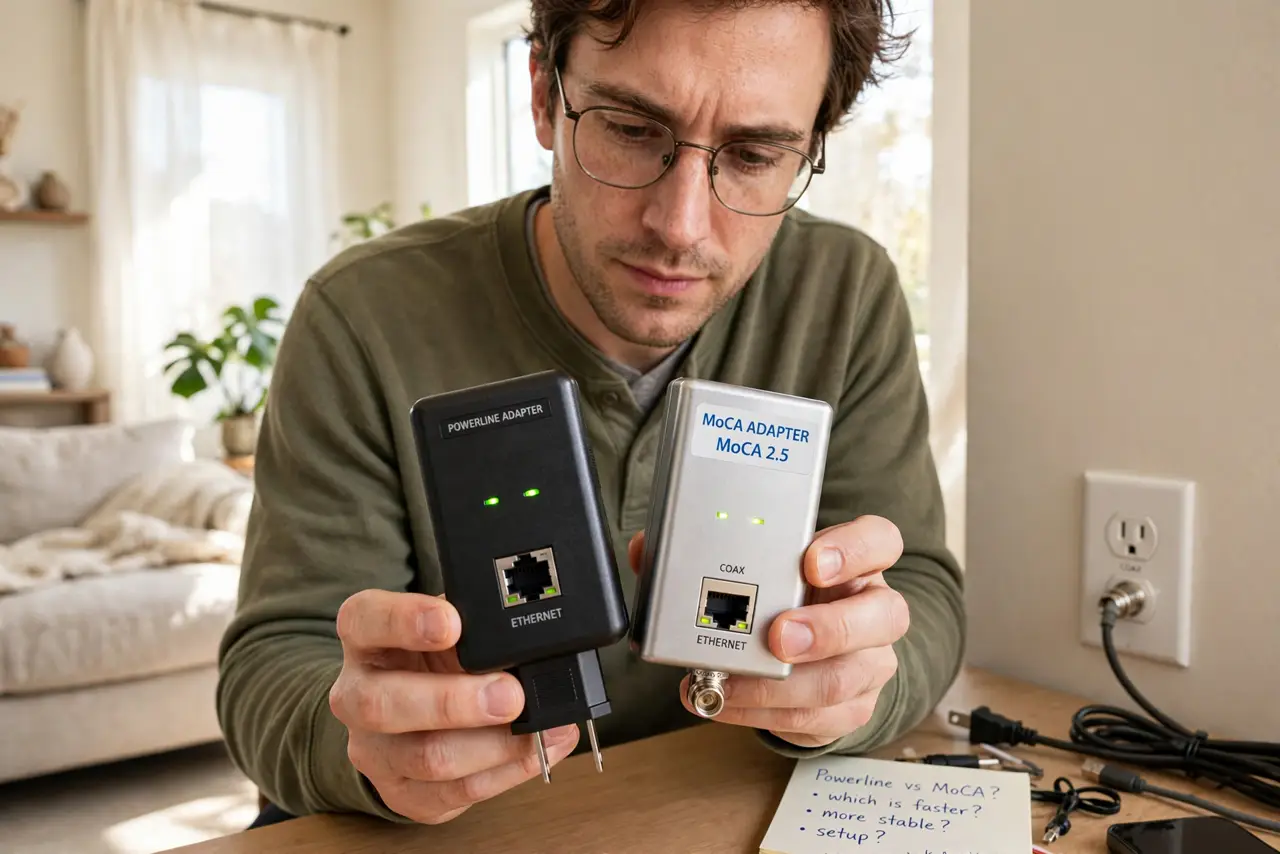
TL;DR / Quick Fix
Quick fix: both carry internet through wires you already have — powerline uses electrical outlets, MoCA uses coax cable-TV lines. MoCA is usually faster and steadier; powerline is easier but hates old wiring and power strips. Pick MoCA where coax exists; pick powerline only if you don't.
Follow these steps
- Check what wiring each room has. MoCA needs coax outlets in both rooms; powerline needs only outlets on the same electrical panel. No coax in the far room means powerline wins by default — see the MoCA setup guide if you do have coax.
- Understand the powerline weaknesses. Old wiring, circuit breakers between rooms, power strips, and big appliances all degrade powerline. Plug adapters directly into wall outlets, never strips, and keep them off circuits with heavy motors.
- Understand the MoCA strengths. Coax was built to carry high-frequency signals cleanly, so MoCA runs faster and more consistently than powerline in most homes. It also doesn't care about your electrical panel layout.
- Match the use case. Gaming, a wired-backhaul mesh node, or a 4K TV: MoCA if coax exists. Light browsing on a laptop in the guest room: powerline is fine and cheaper.
- Buy adapters as a matched pair. Both technologies need at least two adapters — one at the router, one at the far end. Mixing brands sometimes works, but matched pairs avoid the finger-pointing when speeds disappoint.
- Test with a real speed test. Plug in, connect your device by Ethernet to the far adapter, and run a speed test. If powerline gives you a tenth of your plan speed, your wiring is telling you to go MoCA or mesh instead.

What NOT to do
- Do not plug powerline adapters into power strips. Strips with surge protection filter out exactly the frequencies powerline uses — wall outlet only.
- Do not expect either to beat real Ethernet. Both are compromises; a proper Cat5e run beats both on speed, latency, and reliability.
- Do not mix powerline generations wildly. Old and new adapters fall back to the slowest one's speed — buy the pair together.
- Do not forget MoCA needs a filter at entry. Without a point-of-entry filter, your MoCA signal can leak to neighbors on shared coax — cheap part, real privacy.
Frequently asked questions
Can powerline work between different floors?
Yes, if both outlets sit on the same electrical panel. Performance drops across breaker phases, so test before committing — upper-floor results vary house to house.
Does MoCA interfere with cable TV or internet?
No — MoCA uses frequencies above the TV and DOCSIS bands. It coexists peacefully on the same coax, which is the whole point of the standard.
Which is better for a mesh node's wired backhaul?
MoCA, when coax is available — its lower latency and steadier throughput suit backhaul duty. Powerline works in a pinch for light loads.