Give a Device a Static IP
Some devices — a home server, a printer, a security camera — need an address that never changes, so everything can find them. Setting a static IP on the device itself is the direct way, and it takes two minutes once you know the four numbers to fill in.
TL;DR / Quick Fix
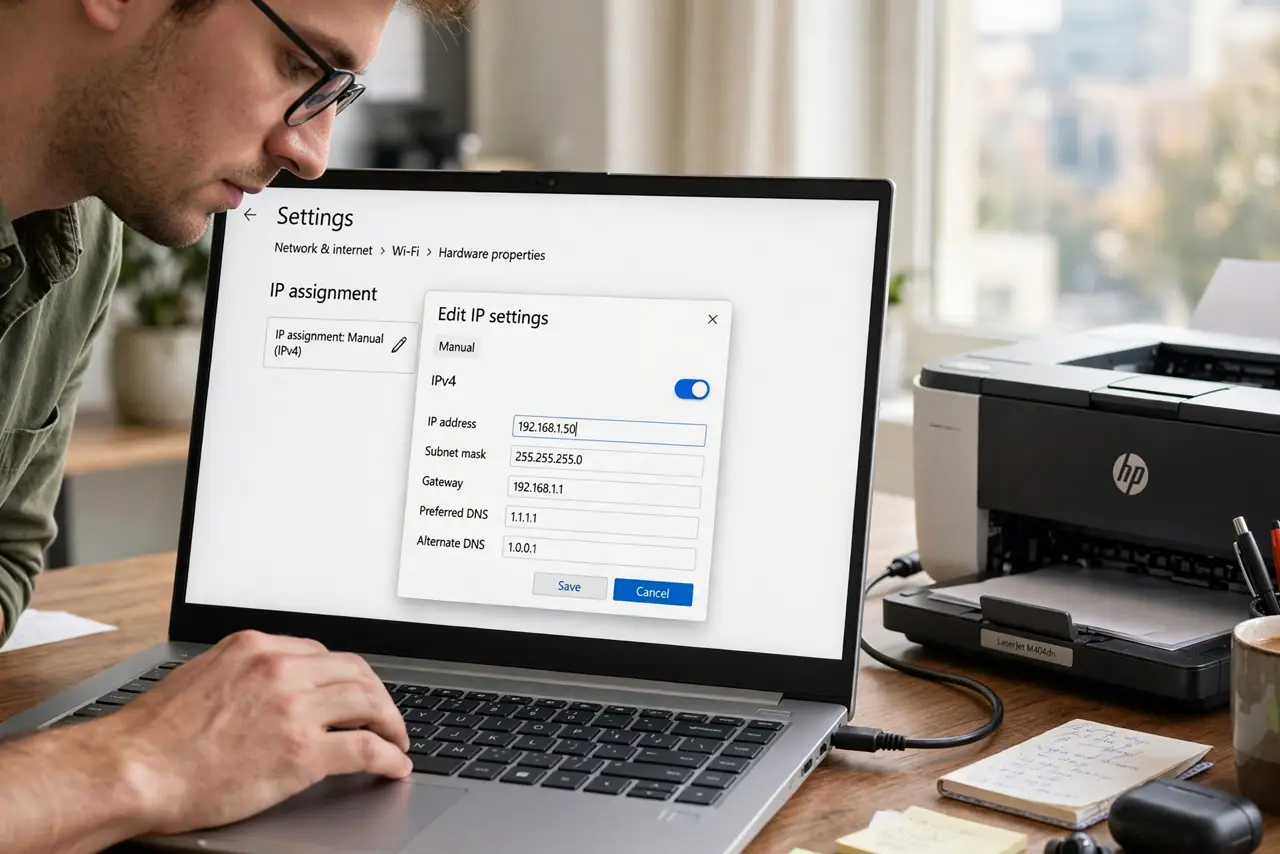
Quick fix: on the device, set a static IP in its network settings — pick an address outside the router's DHCP range, like 192.168.1.50. Enter the subnet mask, gateway, and DNS too. Prefer DHCP reservations when available. Document which IP you assigned.
Follow these steps
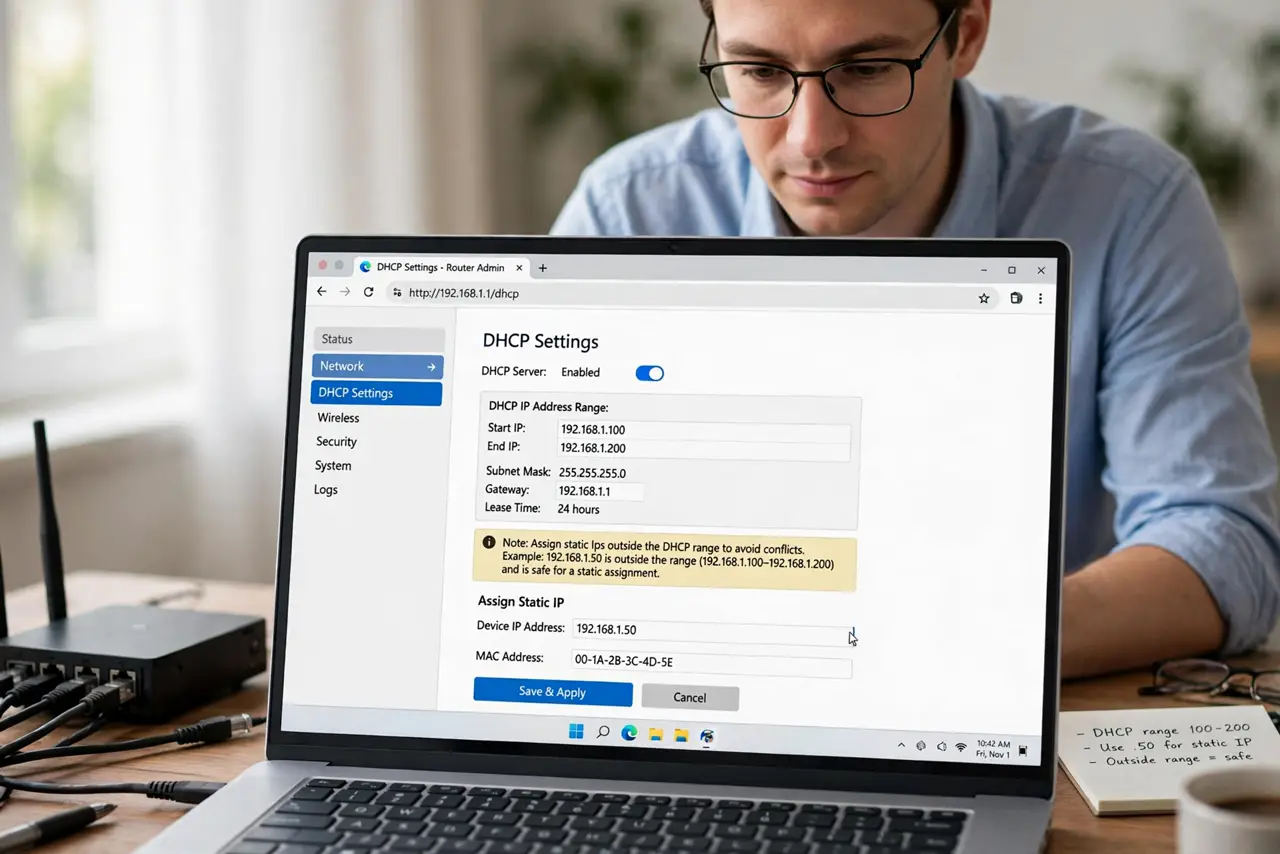
- Pick an address outside DHCP range. Check the router's DHCP range (often .100–.200) and choose something outside it, like 192.168.1.50. Inside the range risks a conflict later.
- Open the device's network settings. On the device, switch its IP assignment from Automatic/DHCP to Manual/Static. Every OS labels it slightly differently.
- Enter the four values. IP address (your pick), subnet mask (usually 255.255.255.0), gateway (the router's IP, often 192.168.1.1), and DNS (the router's IP or 1.1.1.1).
- Save and test connectivity. Apply, then ping the gateway and load a website. No connection usually means a typo in the gateway.
- Write it down. Keep a simple list of static IPs and their devices. Future-you troubleshooting at midnight will be grateful.
- Prefer [[DHCP reservations|wifi-dhcp-reservation]] instead. Reservations give the same stable address from the router side — easier to manage centrally than per-device statics.
What NOT to do
- Do not pick an address inside the DHCP pool. The router may hand your static IP to another device and both break.
- Do not forget the DNS field. Devices with no DNS get ‘connected, no internet’ despite a perfect IP setup.
- Do not set statics on everything. Phones and laptops roam better on DHCP — reserve statics for infrastructure.
- Do not guess the gateway. It is the router's LAN IP; guessing wrong strands the device with no route out.
Frequently asked questions
Static IP or DHCP reservation — which is better?
Reservations, usually: one central list on the router beats settings scattered across devices. Use device-side statics only where reservations can't reach.
Will a static IP make my internet faster?
No. It changes addressing, not speed. It helps reliability for servers and port forwarding, nothing more.
What if I pick an IP someone else uses?
Both devices malfunction with an IP conflict. Pick outside the DHCP range and keep your list current.