Metered Connection Blocks Updates You Want? Fix It
When a metered connection blocks the updates you actually want, Windows is trying to save your data, not failing. A connection marked as metered tells Windows to hold back large downloads. The fix is to check that marking, and to allow the updates you want, deliberately.
TL;DR / Quick Fix
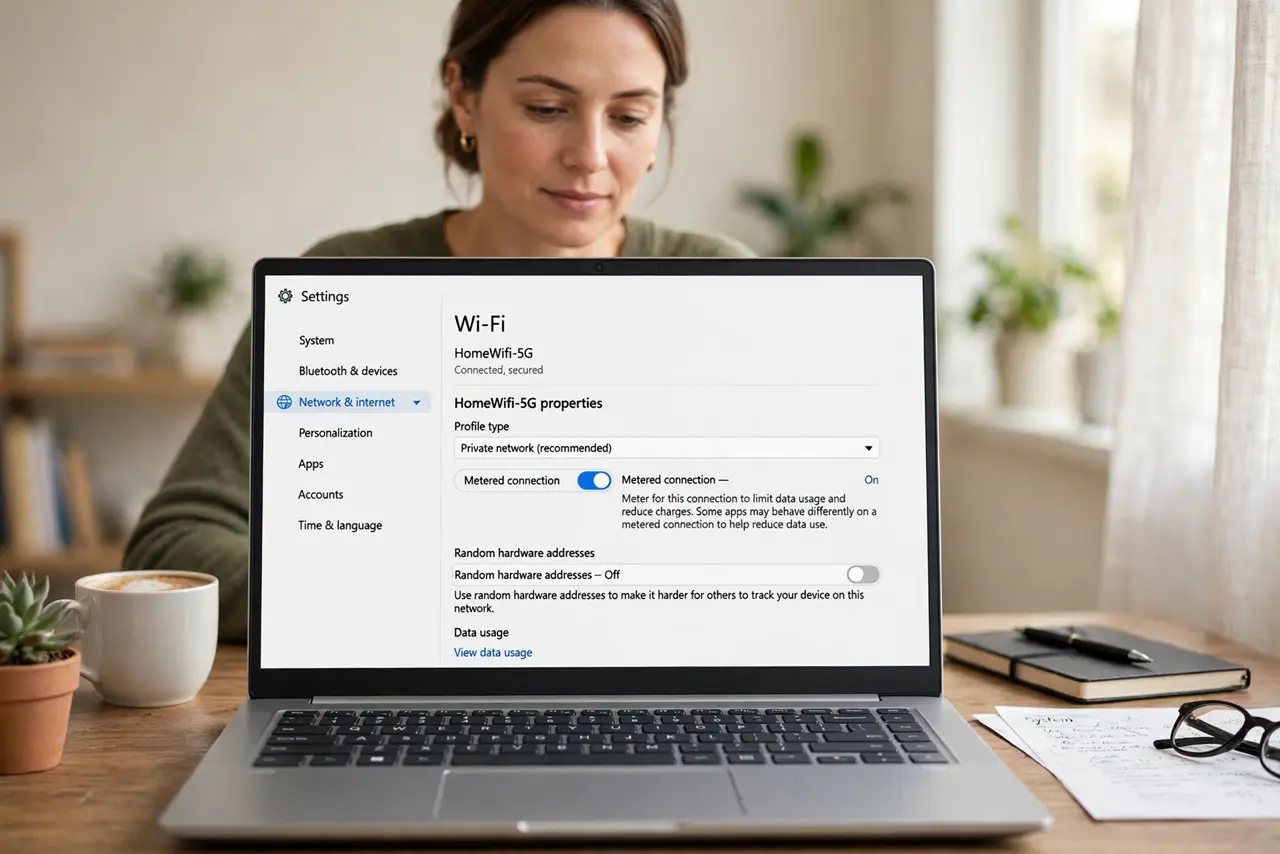
Quick fix: open Settings, then Network and internet, then Wi-Fi, open your network properties, and check whether Metered connection is on. If you have data to spare, turn it off for this network, or allow updates over metered connections, then check for updates again.
Follow these steps
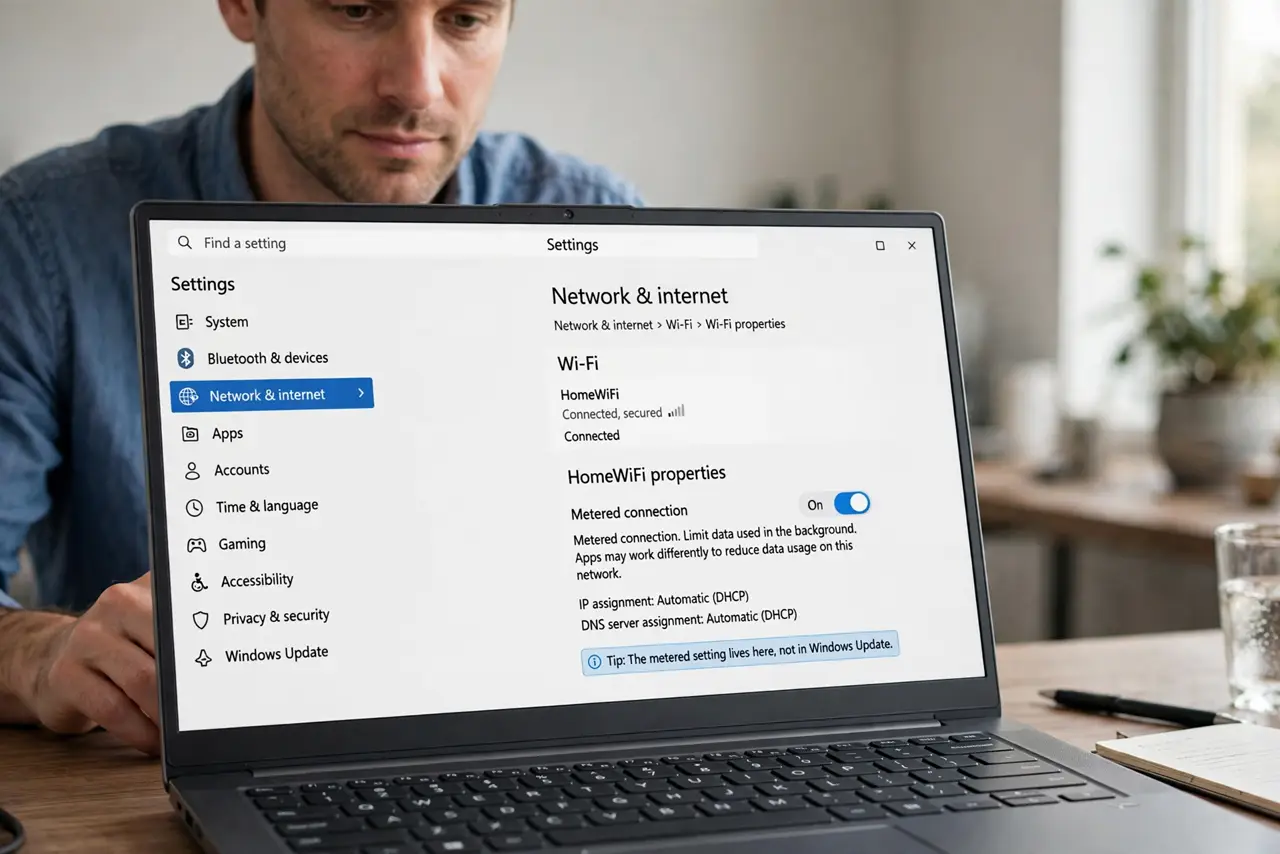
- Open your network properties. Open Settings, then Network and internet, then Wi-Fi, and open the properties of the network you are connected to. The metered setting lives there, not in Windows Update.
- Check whether metered is on. Read the Metered connection switch. If it is on, Windows will hold back large downloads on this network, including many updates you might want.
- Turn metered off if data allows. If your plan has room, turn Metered connection off for this network. Windows will then treat it as a normal connection and download updates as usual.
- Allow updates over metered instead. If you must keep the connection metered, open Windows Update, then Advanced options, and turn on Download updates over metered connections. This allows updates while other apps still save data.
- Check for updates again. Go back to Windows Update and choose Check for updates. The updates that were held back should now appear and start downloading.
- Turn metered back on when you need it. When you return to a limited plan, turn Metered connection back on. The setting is per network, so your home network and a mobile hotspot can differ.
What NOT to do
- Do not turn metered off on a hotspot with a tiny data allowance. A large update can use the whole allowance in one download, and that is exactly what metered is meant to prevent.
- Do not allow updates over metered connections and forget the setting. Large updates will keep downloading on every limited network until you turn it off again.
- Do not mark every network as metered to save data. A home network with a generous plan does not need the limit, and marking it metered only delays updates you want.
- Do not turn updates off entirely because metered blocked one update. The metered setting, not updates themselves, is the control to adjust.
Frequently asked questions
What does metered connection actually do?
It tells Windows that data on this network is limited or costly, so Windows holds back large downloads, including many updates, until you allow them.
Will turning metered off download updates at once?
It may start pending downloads soon after. Check Windows Update first, so you know what is waiting before you change the setting.
Why is my home Wi-Fi marked as metered?
Someone may have turned it on during a hotspot session, or a setup step copied it. Check the setting per network, because it does not apply to all networks at once.