Network Folder Keeps Asking for a Password
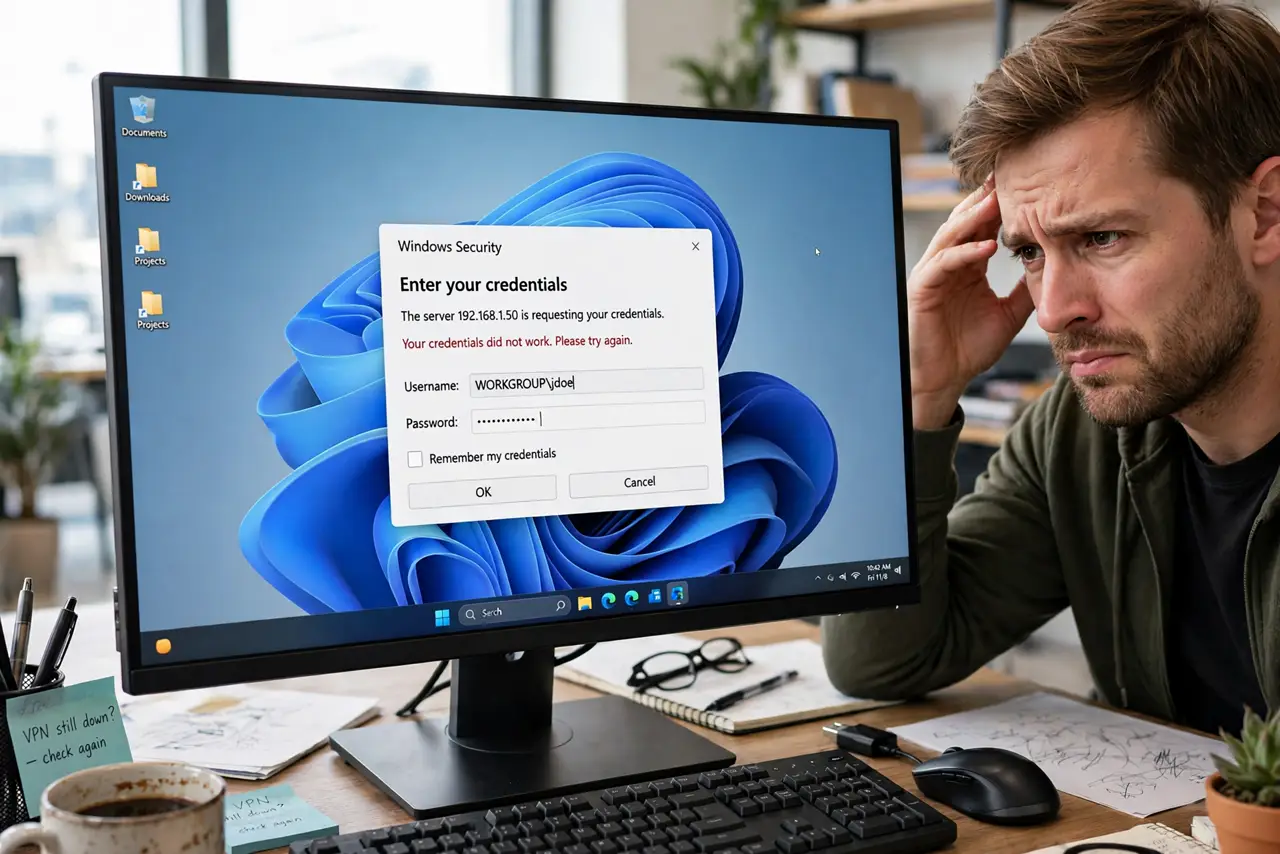
Opening a shared folder on another PC asks for a username and password in an endless loop — correct credentials do not stick, and cancel just re-asks. The loop usually comes from password-protected sharing being on with no matching account, or from stale saved credentials. The fix untangles both, building on network discovery that stays on and the broader sharing files between PCs guide.
TL;DR / Quick Fix
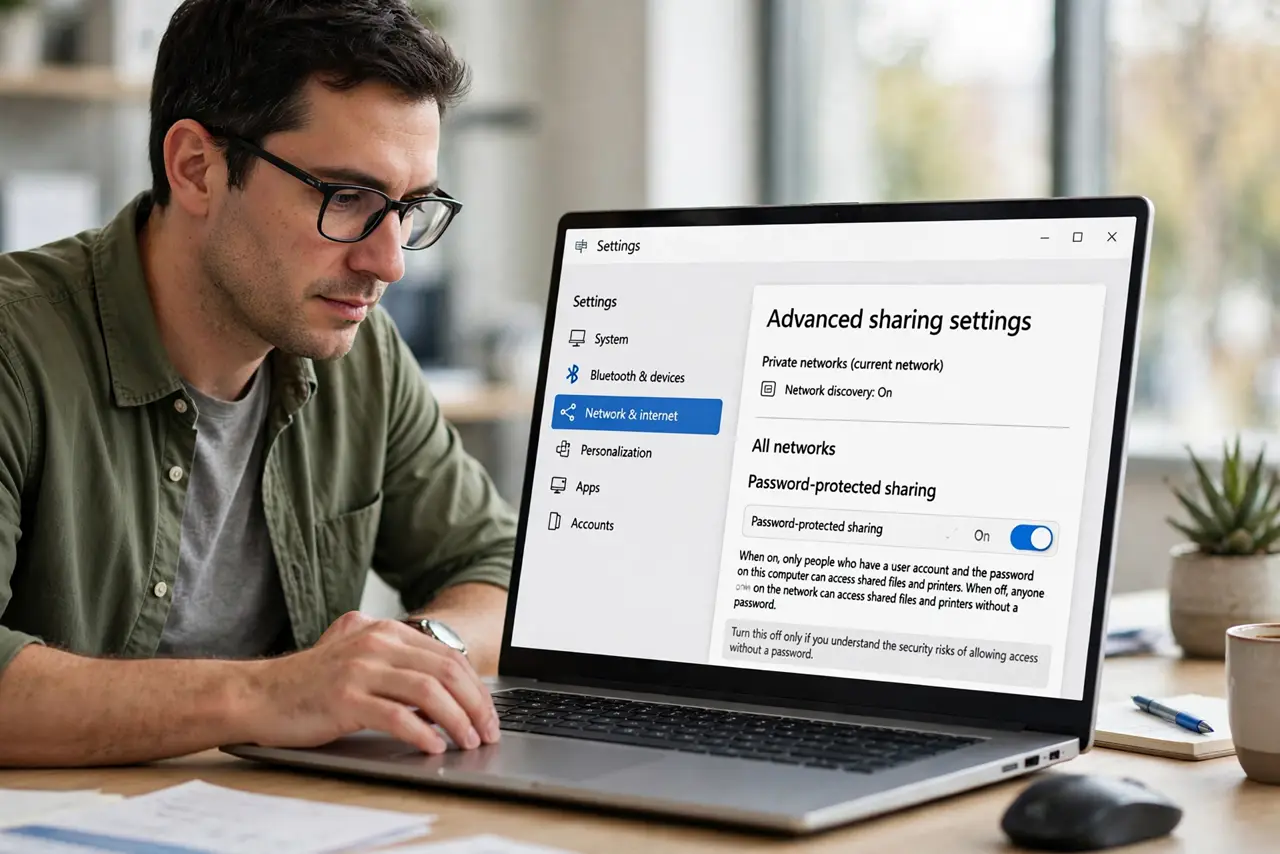
Quick fix: on the sharing PC, check if password-protected sharing is on — if the home network is trusted, turning it off ends the loop immediately. Otherwise, create a matching user account on the sharing PC or clear stale credentials in Credential Manager. One consistent credential story stops the loop.
Follow these steps
- Check password-protected sharing on the host. On the PC sharing the folder, open the advanced sharing settings and look at password-protected sharing. On a trusted home network, turning it off removes the prompt entirely.
- Create a matching account if protection stays on. If you keep protection on, create a user account on the sharing PC with the same name and password you type. Matching accounts authenticate silently.
- Clear stale credentials in Credential Manager. On your PC, open Credential Manager and delete saved credentials for the sharing PC. A stale saved password causes exactly this endless re-prompt.
- Type the credential in the right format. When prompted, try the format PCNAME\Username with the sharing PC's name. Bare usernames often fail where the qualified form succeeds.
- Check the share permissions themselves. On the sharing PC, confirm the folder's share permissions include the account you are using. Authentication can succeed while authorization still denies you, which looks like a loop.
- Test from a second device. Try the share from another PC or phone. A share that works elsewhere points at your PC's credential store; one that fails everywhere points at the host's settings.
What NOT to do
- Do not turn off password protection on untrusted networks. On a home network you control it is reasonable; on shared or public networks it is not.
- Do not save the password to end the loop. Saving a wrong credential just automates the failure; fix the credential, then save it.
- Do not disable the firewall for sharing. The sharing firewall rules are precise; disabling the whole firewall is not needed.
- Do not share the entire drive. Share the specific folder you need; broad shares multiply both the prompts and the risk.
Frequently asked questions
Why does the password prompt loop forever?
Because the credential is wrong, stale, or in the wrong format — or the account lacks share permission, so even a correct login gets re-asked.
What username format should I type?
PCNAME\Username, using the sharing computer's network name. This disambiguates which machine should check the password.
Is turning off password-protected sharing safe?
On a trusted home network, generally yes. Anyone on your network could then open the share, so keep it on if the network is shared with strangers.