The Power Button Does Nothing on Windows
A power button that does nothing when pressed briefly is usually set to Do nothing in power settings, which is a valid but confusing choice. This guide sets a useful action and checks whether the button itself works. If closing the lid also does nothing, see closing the laptop lid doing nothing.

TL;DR / Quick Fix
Quick fix: Open the power button settings. Set the button action for both states. Then work through the remaining steps in order, checking one change at a time, and stop for a technician if you see damage, swelling, or a burning smell.
Follow these steps
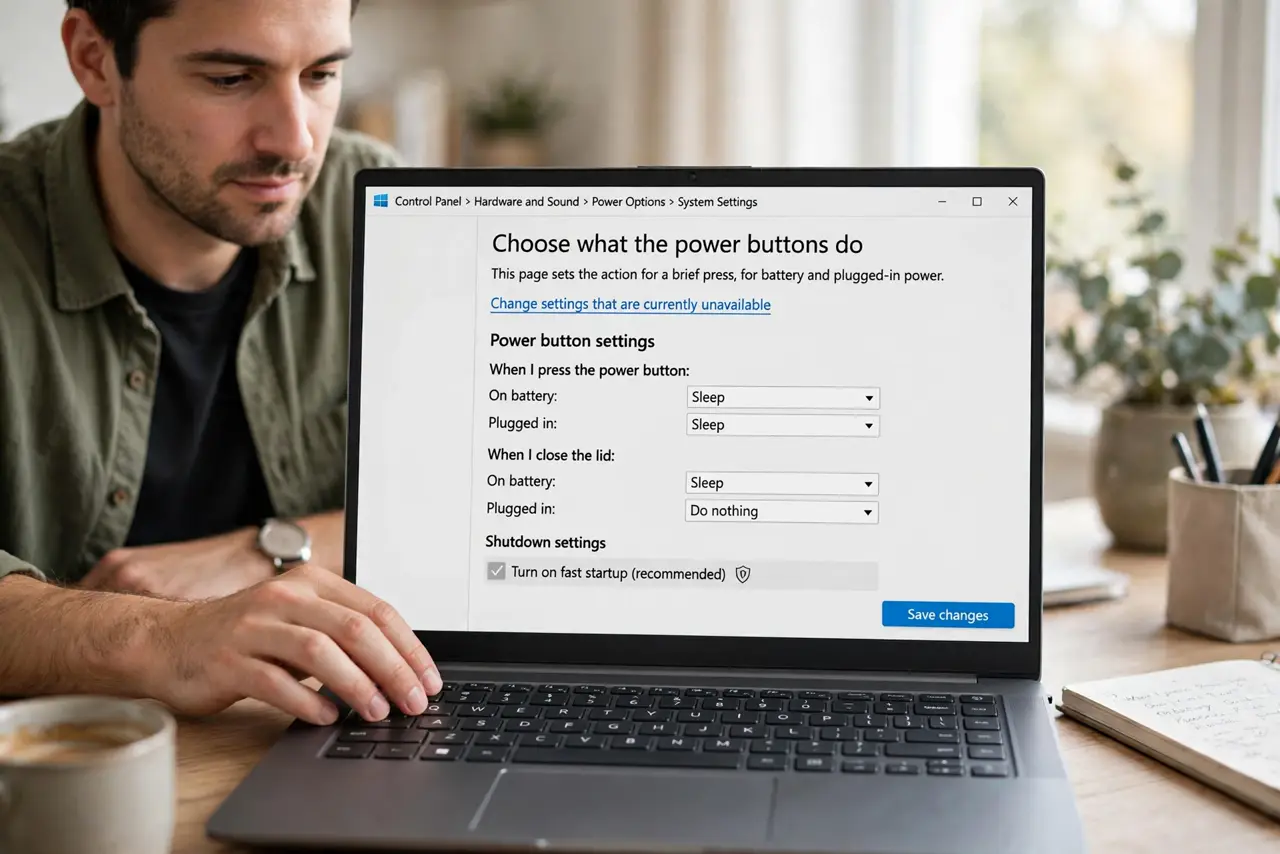
- Open the power button settings. Open Control Panel, then Power Options, then Choose what the power buttons do. This page sets the action for a brief press, for battery and plugged-in power.
- Set the button action for both states. For On battery and Plugged in, choose Sleep, Hibernate, or Shut down, instead of Do nothing. Save changes, since unsaved power settings do nothing.
- Test a brief press. Press the power button briefly, for under a second, and watch for sleep or shutdown. A brief press is the configured action, while a long hold forces power off and is not a test.
- Check the active power plan. In Power Options, confirm the active plan, because button actions belong to the plan. Switching plans can reset the button action, so recheck it after any plan change.
- Test waking from sleep. Put the PC to sleep from the Start menu, then press the power button briefly. If it wakes, the button hardware works and only the press action was misconfigured.
- Check for a hardware fault. If the button neither wakes nor acts, and the lid and keyboard wake the PC fine, the button itself may be faulty. Note that pattern for repair, since settings cannot fix a dead button.
What NOT to do
- Do not hold the power button to test it. A long hold forces power off and can lose unsaved work, while a brief press tests the setting safely.
- Do not set the button to Shut down if you press it by accident often. Sleep is safer for an easily bumped button.
- Do not assume the PC is dead because the button does nothing. If the PC runs fine otherwise, the button action setting is the cause.
- Do not open the PC to check the button cable yourself on a laptop. Internal button cables need a technician, and opening can void coverage.
Frequently asked questions
What does a long power button hold do?
It forces the PC off immediately, which can lose unsaved work, so use it only when Windows is truly frozen.
Can the power button lock the PC?
Not directly, but Sleep acts as a lock on return if sign-in is required, which most PCs use.
Why does the button work for wake but not sleep?
Wake and press actions are separate paths, so a correct wake with a dead press action points to the settings page.