Try Sticky Keys
Keyboard shortcuts that need three fingers at once — Ctrl+Shift+Esc, anyone — are painful with one hand busy, injured, or just uncooperative. Sticky Keys lets you press modifier keys one at a time: tap Ctrl, tap Shift, tap Esc, and Windows treats it as the chord. This guide enables it, learns the rhythm, and customizes the behavior. For the shaky-keypress cousin, see Filter Keys.
TL;DR / Quick Fix
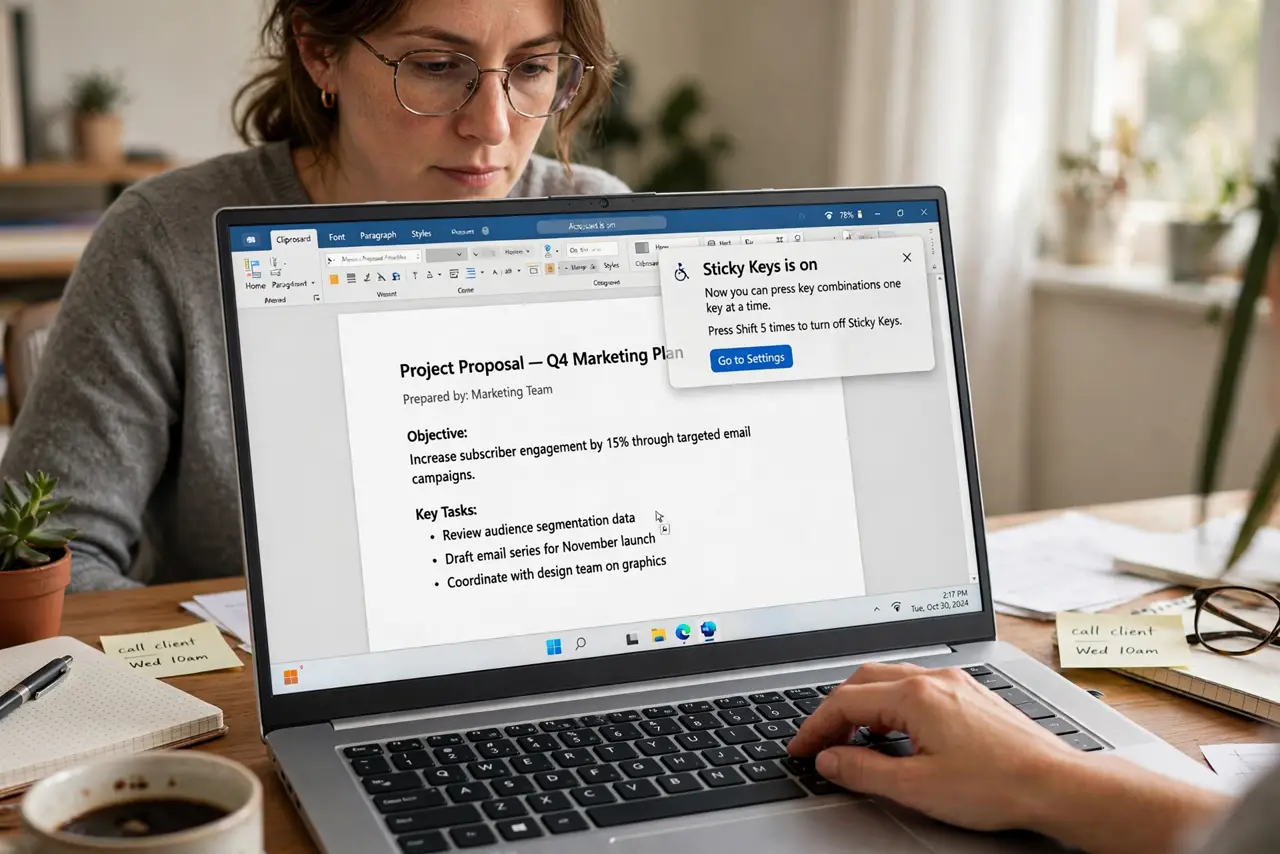
Quick fix: press Shift five times to turn on Sticky Keys, or enable it in Settings under Accessibility, then Keyboard. Tap Ctrl, Alt, or Shift once to stick it for the next keypress — tap twice to lock it. Tap the modifier to release. It makes every chord shortcut one-handed.
Follow these steps
- Turn it on. Press the Shift key five times and accept the prompt, or go to Settings, then Accessibility, then Keyboard, and switch on Sticky Keys. The taskbar icon shows when modifiers are stuck.
- Learn the tap rhythm. Tap Ctrl once — it stays 'down' for the next key. Press S and you get Ctrl+S. The icon shows the stuck state so you always know what is active.
- Lock a modifier. Tap a modifier twice to lock it down until you tap it a third time. Locking suits repeated shortcuts — unlock when done or the next typing goes sideways.
- Release deliberately. Tap the stuck modifier once more to release it. Forgotten stuck modifiers cause the classic 'why is everything selecting' confusion — glance at the icon.
- Customize the feedback. In the Sticky Keys settings, enable sounds for modifier presses. The audio confirmation prevents the stuck-and-confused state.
- Know the shortcut conflicts. Some games and apps dislike Sticky Keys' Shift-five-times trigger. Disable the shortcut activation in settings if it fires during gaming.
What NOT to do
- Do not enable it accidentally and panic. Five Shift presses is the trigger — if dialogs keep appearing while gaming, turn off the shortcut.
- Do not forget a modifier is stuck. The taskbar icon is the reminder — check it when typing behaves strangely.
- Do not assume it slows you down forever. After a day, the tap-tap rhythm becomes second nature for one-handed work.
- Do not confuse it with Filter Keys. Sticky Keys is about chords; Filter Keys is about shaky presses — different tools, both in Accessibility.
Frequently asked questions
How do I know Sticky Keys is on?
The taskbar shows an icon, and you can enable sounds for each modifier press in the settings.
Can I still use normal chords?
Yes — pressing keys together still works. Sticky Keys adds the one-at-a-time option; it does not remove anything.
Why did it turn on by itself?
You pressed Shift five times — the default trigger. Disable the shortcut in settings if it fires accidentally.