Private DNS Breaks Wi-Fi Login Pages
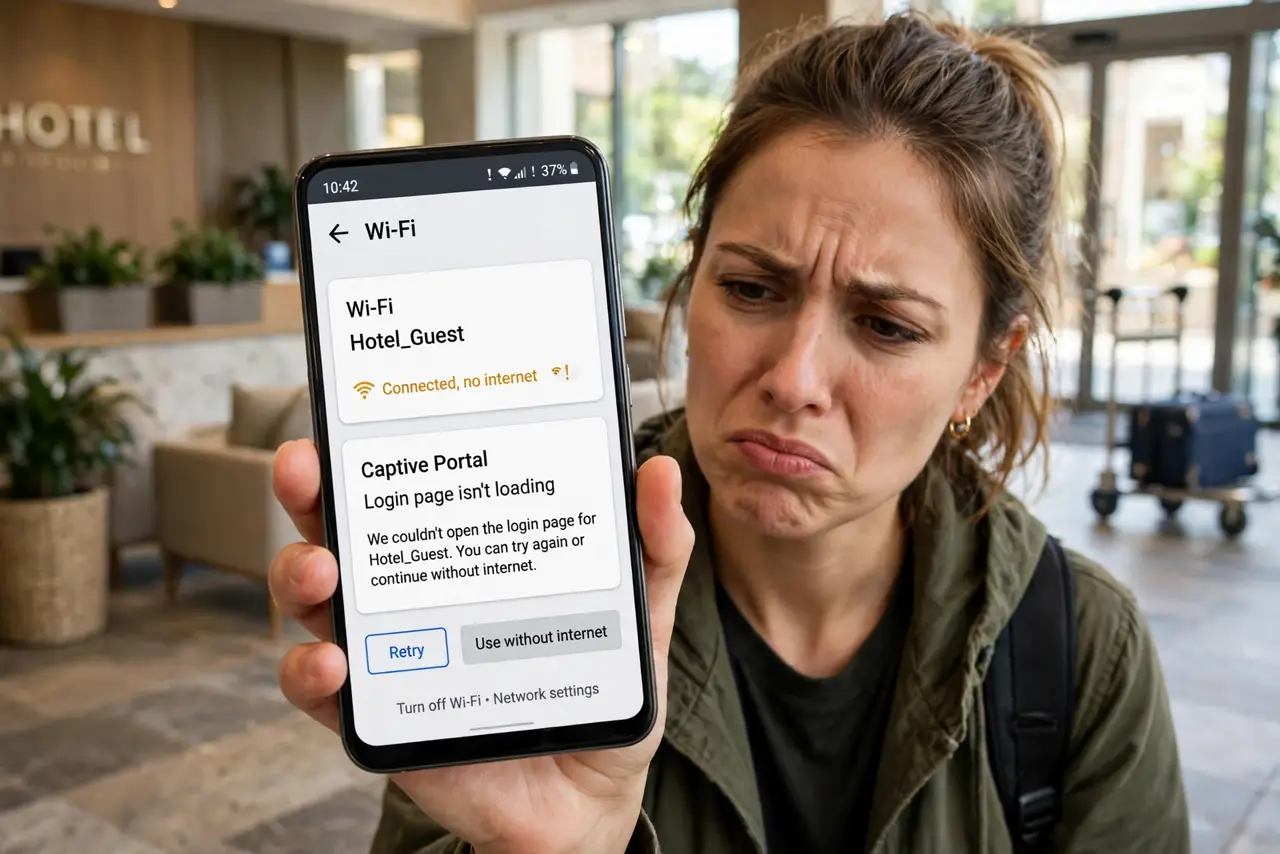
You join a hotel or café Wi-Fi, but the login page never appears — the connection just sits there. A Private DNS setting can block the captive portal from loading, because the portal needs plain DNS to redirect you. This guide gets you logged in, the same way Private Relay exceptions fix Apple's version.
TL;DR / Quick Fix
Quick fix: temporarily set Private DNS to Off in network settings, then reconnect to the Wi-Fi — the login page should appear. Complete the login, then turn Private DNS back on. For networks you use often, some phones let you set Private DNS per network.
Follow these steps
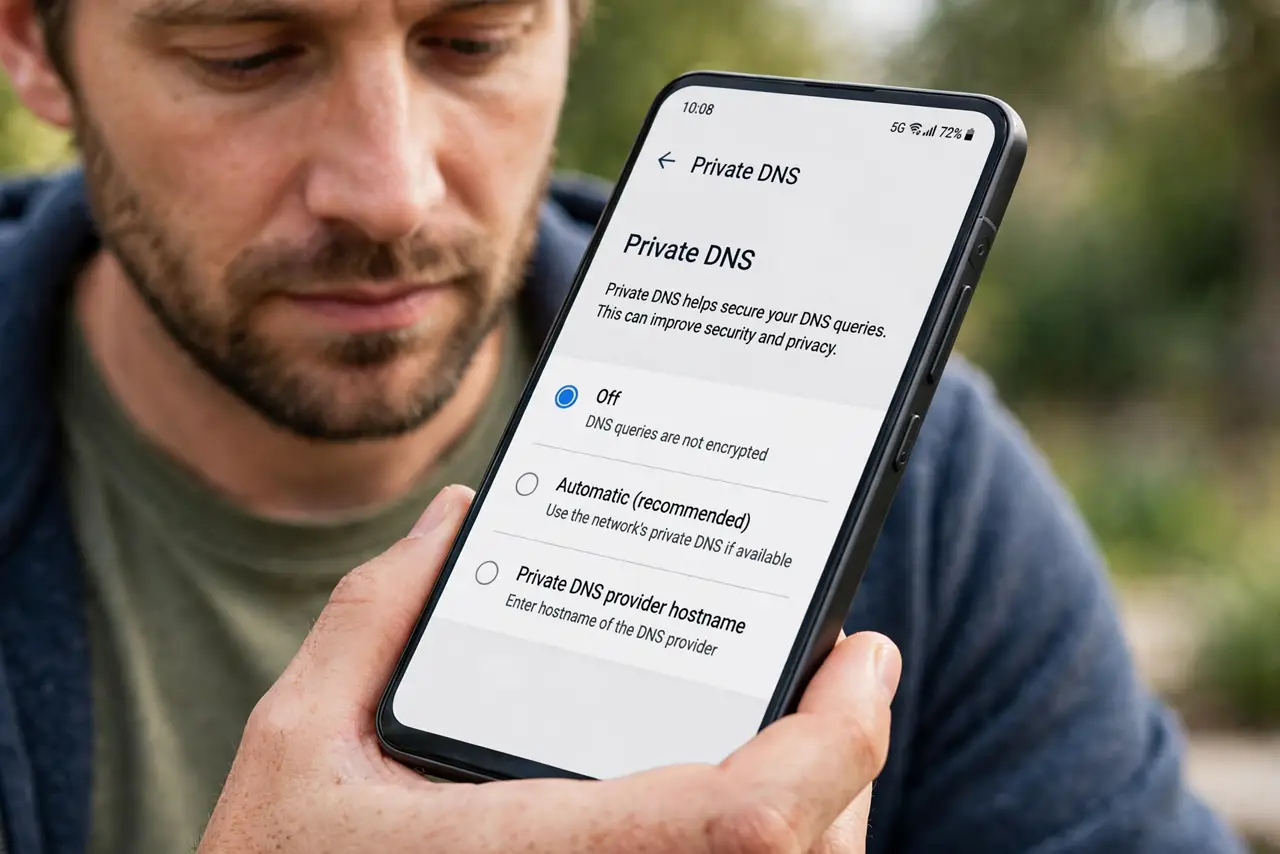
- Set Private DNS to Off. In network settings, find Private DNS and switch it to Off. This restores plain DNS so the portal's redirect can work.
- Reconnect to the Wi-Fi. Forget the network and join it again, or toggle Wi-Fi off and on. The login page should now pop up.
- Complete the portal login. Accept terms, enter the room number or code — whatever the portal asks. Get fully online first.
- Turn Private DNS back on. Once you are online, re-enable your Private DNS setting. You keep the privacy benefit for the rest of the session.
- Use per-network settings if available. Some Android versions let you set Private DNS per Wi-Fi network. Set your home network to your preference and leave public ones flexible.
- Try the portal's IP directly. If the page still will not load, open the browser and visit a plain HTTP site — that often triggers the portal redirect manually.
What NOT to do
- Do not leave Private DNS off permanently after one hotel. Turn it back on once you are logged in.
- Do not assume the Wi-Fi is broken. A connected-but-no-portal state with Private DNS on is a classic, fixable pattern.
- Do not enter sensitive logins before the portal completes. Finish the portal first, then use the connection normally.
- Do not forget this trick exists. Every hotel stay with Private DNS on can hit this — now you know the toggle.
Frequently asked questions
Why won't the Wi-Fi login page load?
Private DNS encrypts DNS queries, which prevents the captive portal's redirect from working. Turning it off temporarily lets the portal load.
Is it safe to turn off Private DNS briefly?
Yes — you only need it off until the portal login completes. Turn it back on right after.
Can I automate this per network?
On some Android versions, yes — Private DNS can be set per Wi-Fi network, so home stays private while hotel portals just work.
What to read next
- Private Relay Breaks a Site Login? Fix It
- Wi-Fi Captive Portal Won't Load? Fix It