Automate Trello Card Moves
Every finished task means dragging its Trello card to Done, adding the date, assigning the reviewer — the same clicks, dozens of times a week. Trello's built-in Butler automation does all of it from a single trigger, no coding and no paid add-ons for the basics. Set up one rule and feel the difference immediately.

TL;DR / Quick Fix
Trello's Butler automation handles card chores: moving cards, adding checklists, assigning members, setting due dates. Open a board, click Automation, and create a rule like 'when a card moves to Done, mark it complete.' Start with one rule and test it on a card. The repetitive-tasks guide covers the mindset.
Follow these steps
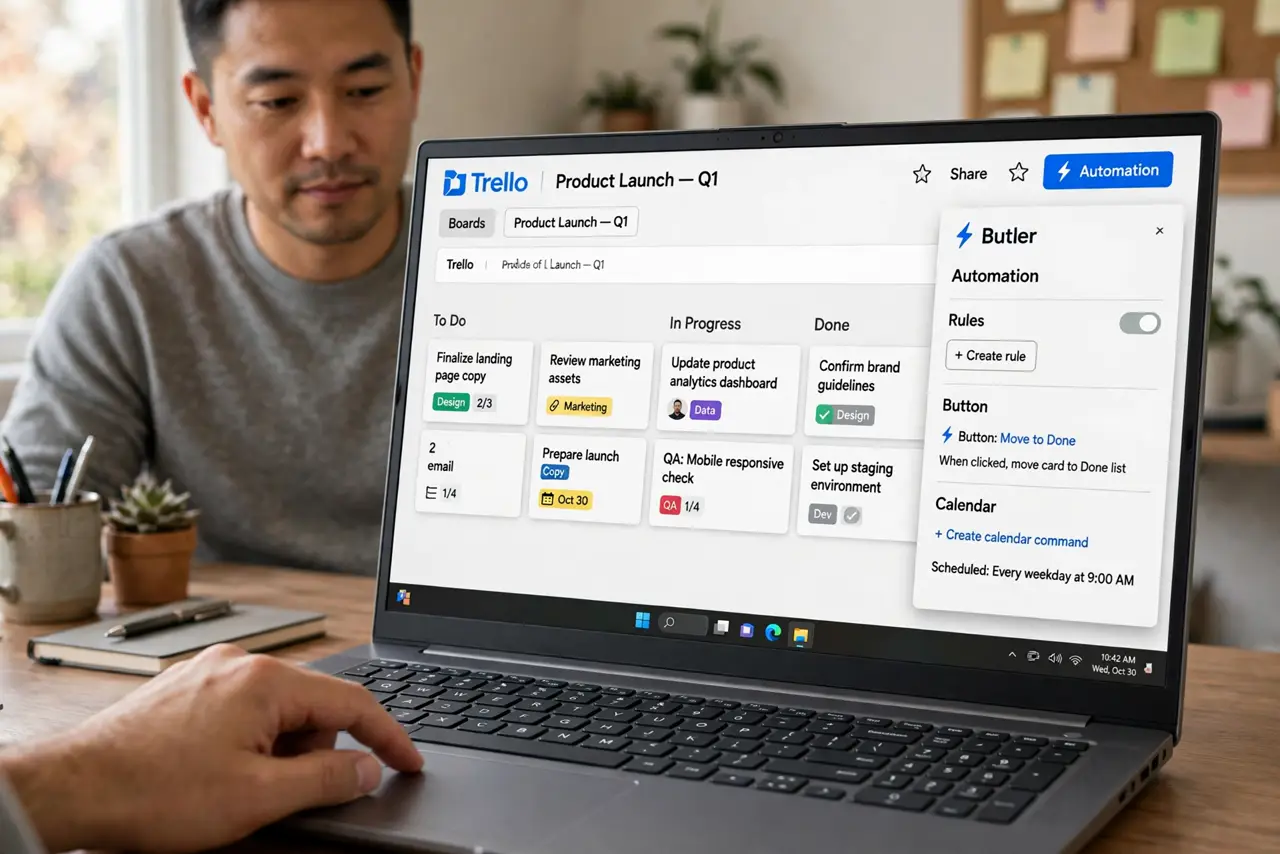
- Open Butler on your board. Click the Automation button (lightning bolt) at the top of the board. Butler is built into Trello — no installation, no add-on needed for core rules.
- Pick a trigger. Choose what starts the automation: a card moved to a list, a due date set, a checklist completed. 'When a card is moved to Done' is the classic first rule.
- Add the actions. Stack what should happen: mark due date complete, add a member, post a comment, move the card again. Butler runs them in order every time the trigger fires.
- Test on a spare card. Create a throwaway card and trigger the rule. Watch it execute, then delete the test card. Testing on real cards first is how checklists get duplicated.
- Enable it and watch a week. Turn the rule on and let it run. Check that it fires correctly for a few days before building more — one reliable rule beats five flaky ones.
- Build the next most painful chore. Pick whatever you do manually most often and automate that next. Gradual automation stays maintainable; a rule explosion becomes its own chore.
What NOT to do
- Do not automate before doing it manually. If you have never done the chore by hand, you will automate the wrong process — manual first, then automate.
- Do not create overlapping rules. Two rules moving the same card fight each other; keep one owner per card movement.
- Do not skip the test card. Butler executes instantly and confidently — including confidently wrong, on your real board.
- Do not automate notifications to everyone. A rule that comments on every card trains the team to ignore all notifications, including important ones.
Frequently asked questions
Is Butler free?
Core Butler automation is included in free Trello with generous monthly limits. Heavy users eventually hit quotas and consider paid tiers.
Can Butler work across boards?
Yes — board buttons and scheduled rules can act on multiple boards, though cross-board rules take more careful setup.
What if a rule misfires?
Check the Butler activity log on the board — it records every execution. Disable the rule, fix the trigger, and re-test on a spare card.