What Is Bufferbloat?
Your internet speed test says 200 Mbps, yet video calls stutter the moment someone starts a download. The connection is fast but the latency explodes under load — that is bufferbloat: oversized buffers in your router or modem that fill up and delay everything behind them. It is one of the most common and least known causes of laggy internet. This guide explains what is happening and how to fix it with smart queue management.

TL;DR / Quick Fix
Quick fix: bufferbloat is when oversized router buffers fill up during heavy uploads or downloads, spiking ping for everything else. Enable smart queue management (SQM) in your router settings — it keeps queues short and latency low. No SQM option means a router upgrade usually fixes it.
Follow these steps
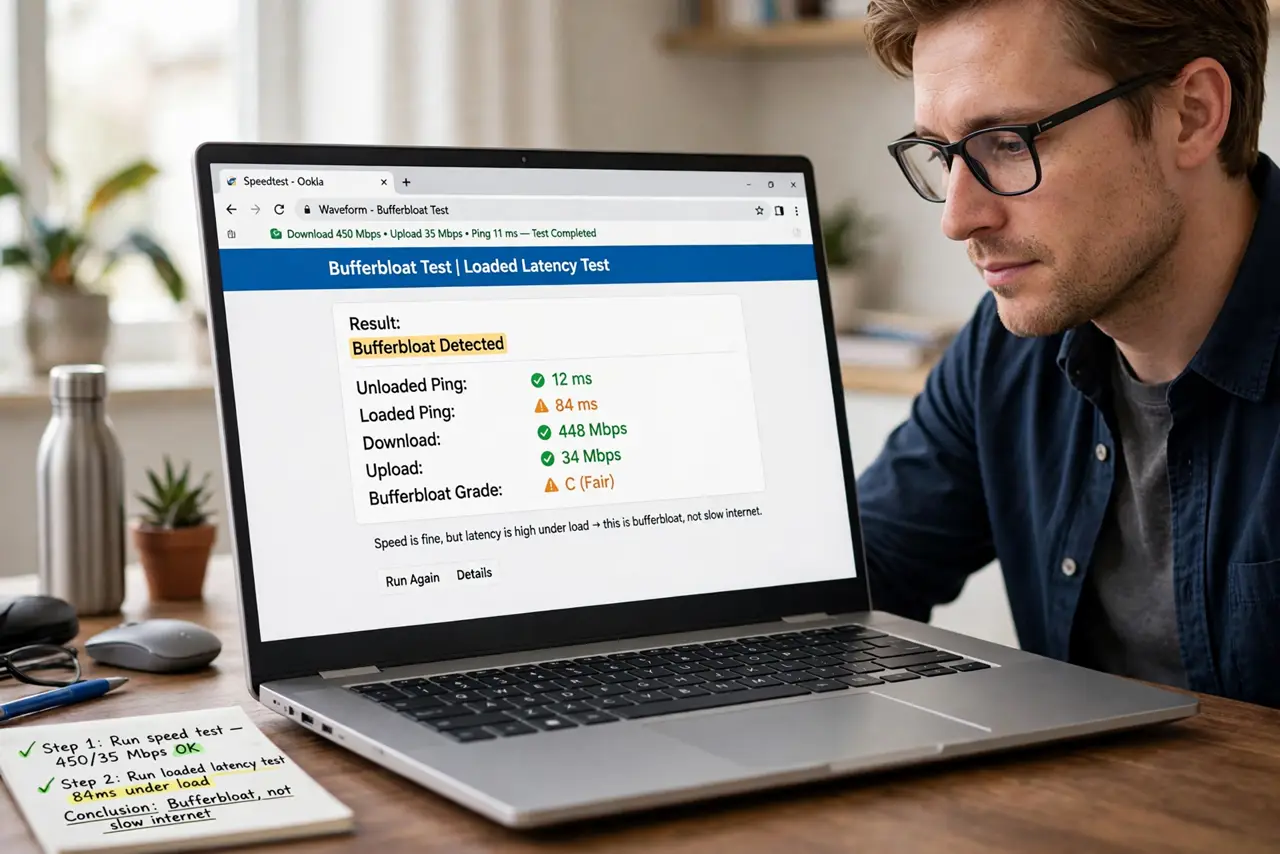
- Confirm it is bufferbloat, not slow internet. Run a speed test, then run one that measures loaded latency (many test sites show ping under load). If speed is fine but ping jumps from 20 ms to 300 ms during the test, that gap is bufferbloat — bandwidth is not your problem.
- Understand the cause in plain terms. Routers buffer data to avoid drops, but giant buffers mean your game packet waits behind a huge line of download packets. Big buffers trade a little smoothness for a lot of delay — great for file transfers, terrible for anything real-time.
- Look for SQM in your router. Smart Queue Management (often labeled SQM, fq_codel, or cake) is the proper fix: it keeps buffers short so no single download can hog the line. Check your router's QoS or traffic-shaping section — see the router SQM walkthrough for where to look.
- Set your real speeds, not the advertised ones. SQM works best when told your actual bandwidth — run a speed test at a quiet hour and enter about 90-95% of the result. Overstating speeds lets the bloated buffer at your ISP fill up again.
- Test under load again. Re-run the loaded-latency test with SQM on. Ping under load should stay close to idle ping. If calls stay smooth while someone downloads, you fixed it.
- Upgrade the router if SQM is missing. Many ISP-supplied routers lack SQM entirely. A modern router with fq_codel or cake support is the lasting fix — it is the single best upgrade for laggy-feeling fast internet.
What NOT to do
- Do not buy more bandwidth to fix bufferbloat. A faster plan with the same bloated buffers just gives you faster downloads and the same terrible latency spikes.
- Do not enable old-style QoS port prioritization instead. Classic QoS guesses which traffic matters; SQM treats the queue fairly and works without endless rule-tweaking.
- Do not set SQM speeds to the advertised maximum. The ISP rarely delivers the full number, and overstating it defeats the shaping.
- Do not blame Wi-Fi first. Bufferbloat lives in the router's queues, not the wireless signal — switching to Ethernet will not fix it.
Frequently asked questions
Is bufferbloat the same as high ping?
No. High idle ping is usually distance or a bad route. Bufferbloat is ping that is fine when idle and explodes under load — the under-load part is the signature.
Can my ISP fix bufferbloat?
Sometimes — the bloat can live in the ISP's equipment too. But the buffer in your own router is the part you control, and SQM there fixes most home cases.
Does SQM slow down my downloads?
Slightly — by design, it reserves a small margin so queues never fill. You trade a few percent of peak speed for dramatically lower latency, which is worth it for real-time use.