Cooling Pads? Worth It?
A tray of fans under your laptop promising cooler temperatures — gaming forums swear by them, skeptics call them desk fans with marketing. The truth depends entirely on your laptop's vent layout. Here is when a pad genuinely helps and when it is just noise.

TL;DR / Quick Fix
Quick fix: cooling pads help laptops that breathe from the bottom and run hot under loads — gaming and rendering. They do little for thin laptops with side vents or light office use. Match the pad's fan positions to your laptop's intakes, or it just blows at a sealed bottom.
Follow these steps
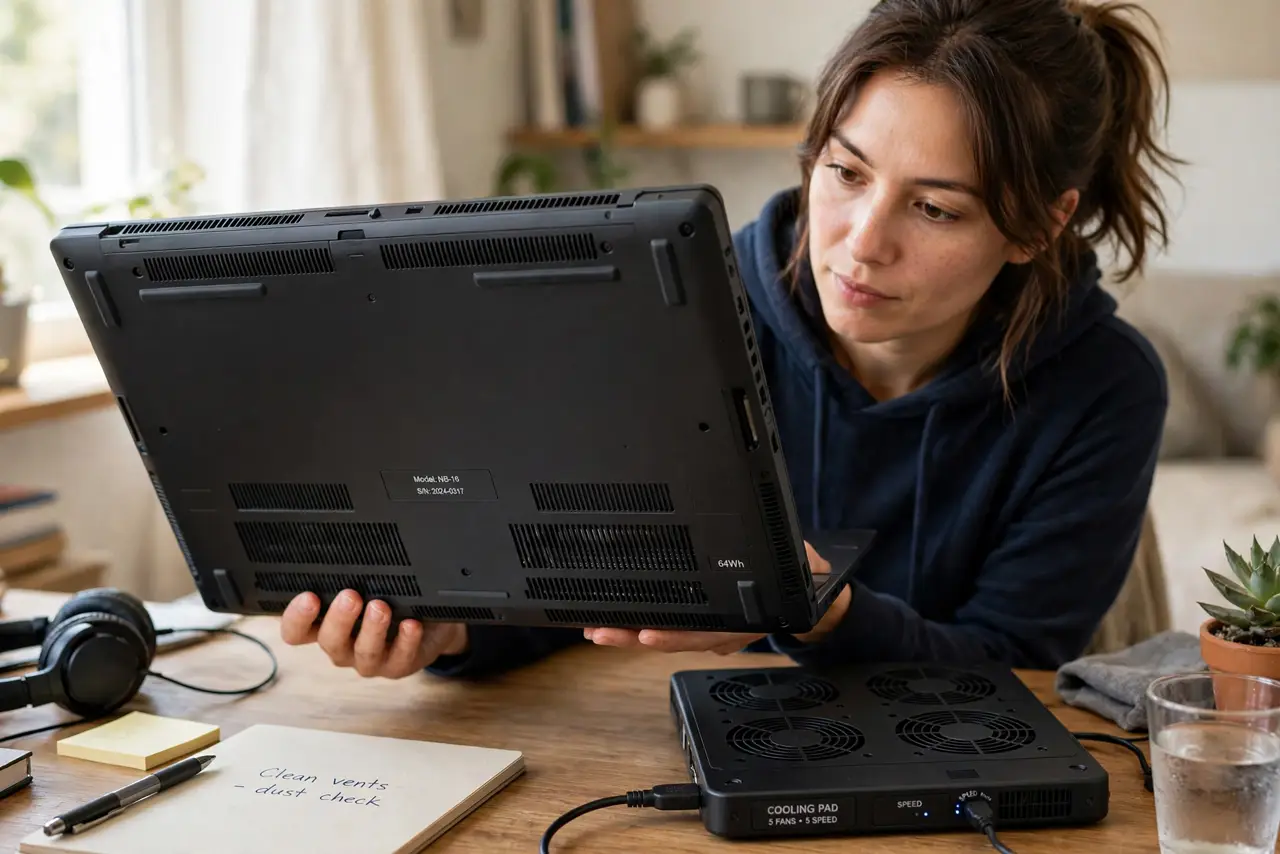
- Check where your laptop breathes. Flip it over: big bottom intakes mean a pad can help. Side-only vents or a sealed bottom mean the pad blows at nothing.
- Match fans to intakes. The pad's fans should sit under your laptop's intake grilles. Misaligned fans just make noise — see the noise tradeoff.
- Use it for sustained loads. Pads shine during hour-long gaming or renders, where every degree delays throttling. For email and browsing, skip it.
- Expect modest gains. A good pad typically trims a few degrees — enough to delay throttling, not to transform thermals. Claims of huge drops are marketing.
- Keep the pad's own vents clear. A pad sitting on a bed or couch suffocates just like a laptop does. Hard flat surface, always.
- Try elevation first. A simple stand gives part of the benefit free. Buy the pad only if the stand was not enough.
What NOT to do
- Do not expect a pad to fix a dust-clogged laptop. Clean the internals first — a pad cannot blow through a felt mat of dust.
- Do not run the pad at max speed always. More noise for the last degree is a bad trade; medium usually suffices.
- Do not buy a pad for a laptop with no bottom vents. Check the underside before spending anything.
- Do not stack a pad on a soft surface. It needs a hard desk exactly like the laptop does.
Frequently asked questions
Do cooling pads actually work?
Modestly, when matched to the laptop's vent layout and used under sustained load. They are helpers, not miracles.
Are cooling pads noisy?
They add their own fan noise — the tradeoff is real. Quieter pads exist but move less air.
Can a cooling pad damage the laptop?
No — it only blows air at the case. The only risk is vibration loosening nothing; pads are mechanically harmless.