Spot Deepfake Video Calls
A video call from your 'boss' instructing an urgent wire transfer. A 'grandchild' on screen pleading for bail money. Real-time deepfakes can now fake a familiar face live on a call — and the scams built on them are already draining accounts. The defense is not better eyesight; it is a verification habit that no fake face can beat. Here is what to watch for and what to do.

TL;DR / Quick Fix
Quick fix: deepfake video calls fake a trusted face to steal money or secrets — verify before acting. Watch for glitchy face edges, mismatched lip movement, and odd lighting. If a call demands urgent money, hang up and call back on a known number; never trust the video alone.
Follow these steps
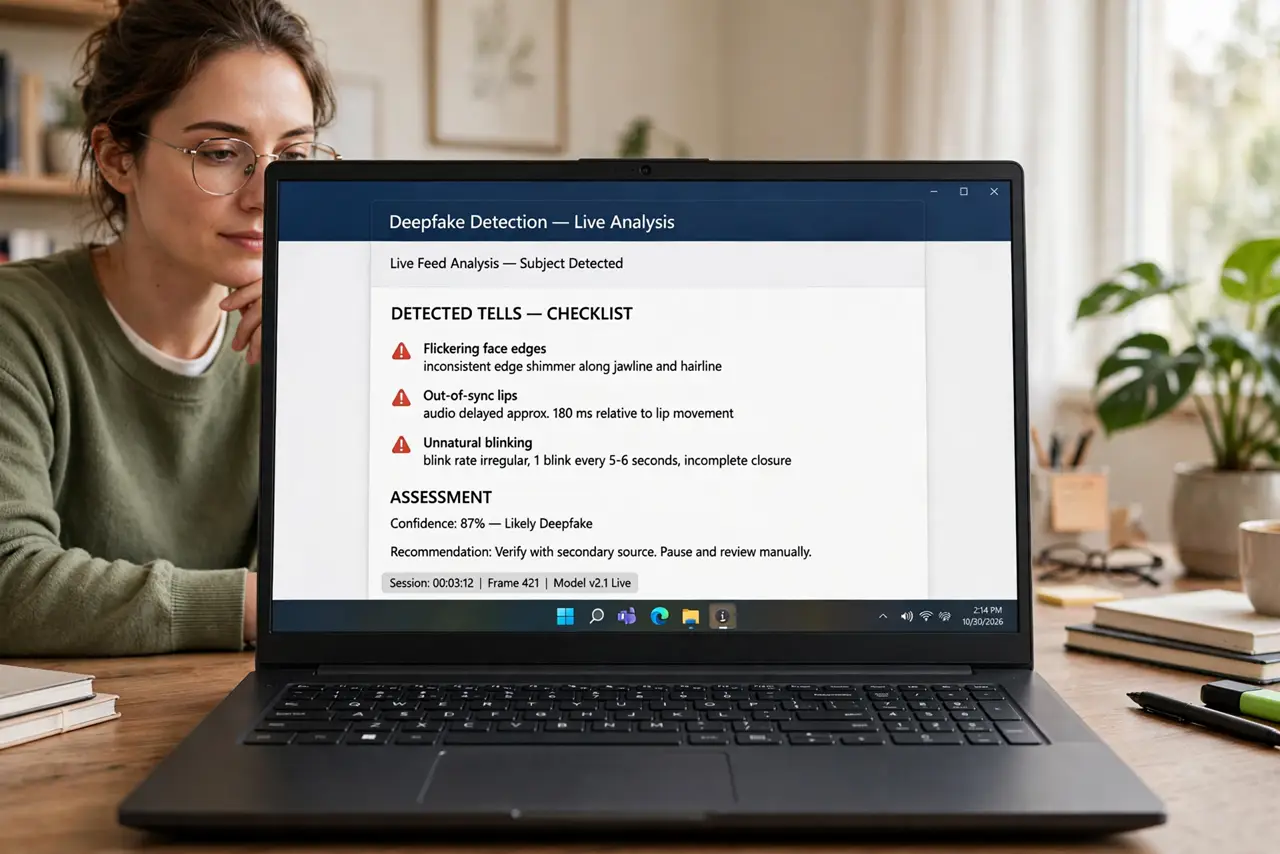
- Know what a live deepfake looks like. Watch for the tells: blurry or flickering edges around the face, lips slightly out of sync with audio, unnatural blinking, and lighting on the face that doesn't match the room. They are getting better — but glitches still show under scrutiny, especially if you ask the caller to turn their head.
- Use the head-turn test. Ask the person to turn their head fully to the side or cover part of their face with a hand. Live face-swap models struggle with profile views and occlusions — a real face handles it effortlessly, a fake one warps or freezes.
- Never act on call-only instructions. No wire transfer, password reset, or secret shared because a face on a screen said so. This is the rule that survives even perfect fakes — the classic video-call scam playbook always ends with an urgent action; refuse the action, refuse the scam.
- Verify through a second channel. Hang up and call the person back on a number you already have — not one the caller provides. A thirty-second callback defeats the entire attack, because the scammer cannot answer your real contact's phone.
- Agree on a family code word. For family-targeted scams — the 'grandchild in trouble' variant — set a secret word only real family knows. Ask for it on any suspicious call. Scammers cannot guess it, and the question itself exposes them.
- Report the attempt. Screenshot what you can, note the number or account, and report it to the platform and local authorities. Deepfake scam attempts are still rare enough that each report meaningfully helps investigators.
What NOT to do
- Do not trust a face on a screen for money moves. Video proves nothing now — the callback proves everything.
- Do not stay on the call 'to be sure.' Longer calls don't make fakes obvious; they make pressure tactics work. Hang up and verify.
- Do not call back a number the caller gives you. The scammer answers their own callback number — use the contact you already had.
- Do not assume it can't happen to you. These scams target finance staff, executives, and grandparents specifically — awareness is the defense, not technical skill.
Frequently asked questions
Are deepfake video calls common yet?
Targeted attacks are real and growing, especially against businesses and older adults. Random mass deepfake calls are still rare — most attacks pick victims with access to money.
Can I detect a deepfake with software?
Some tools claim to, but none are reliable for live calls yet. Behavioral verification — callbacks, code words — beats detection software today.
What should companies do about this?
Require out-of-band verification for any financial instruction, no exceptions — a policy, not vigilance. One written rule ('call back on a known number') neutralizes the whole category.